Top Advantages of Image Compressor You Must Know (Boost Speed & SEO)
Discover why compressing images is the secret weapon for faster websites, better rankings, and happier visitors
Still Uploading Large Images? You're Hurting Your Website
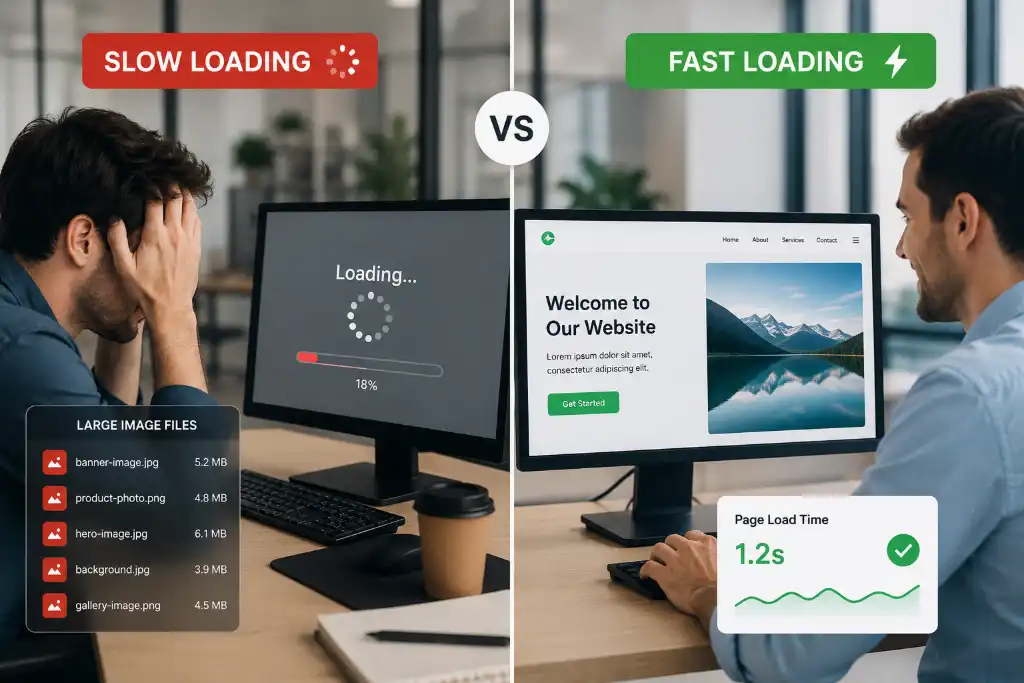
Let's be honest for a second. How many times have you clicked on a website, only to watch it load... and load... and load? You probably hit the back button faster than you can say "slow website." And guess what? Your visitors are doing the exact same thing to you if you're uploading huge, uncompressed images.
Here's the hard truth: slow-loading websites kill conversions. Studies show that 53% of mobile users abandon sites that take longer than 3 seconds to load. That's more than half of your potential customers walking away because your images are too heavy.
But it's not just about losing visitors. Google knows about your slow site too. Since 2010, page speed has been a ranking factor, and with Core Web Vitals introduced in 2021, it's more important than ever. Large images are typically the biggest culprit behind sluggish performance, often accounting for 60-80% of total page weight.
The good news? There's a simple solution that doesn't require you to be a tech wizard or hire an expensive developer. Image compression is your secret weapon for faster load times, better SEO rankings, and happier visitors. And the best part? You can compress images without losing visible quality.
What is Image Compression? (Quick Overview)
Think of image compression like packing a suitcase for a trip. You want to fit everything you need (your image quality) into the smallest possible space (file size) without leaving anything important behind.
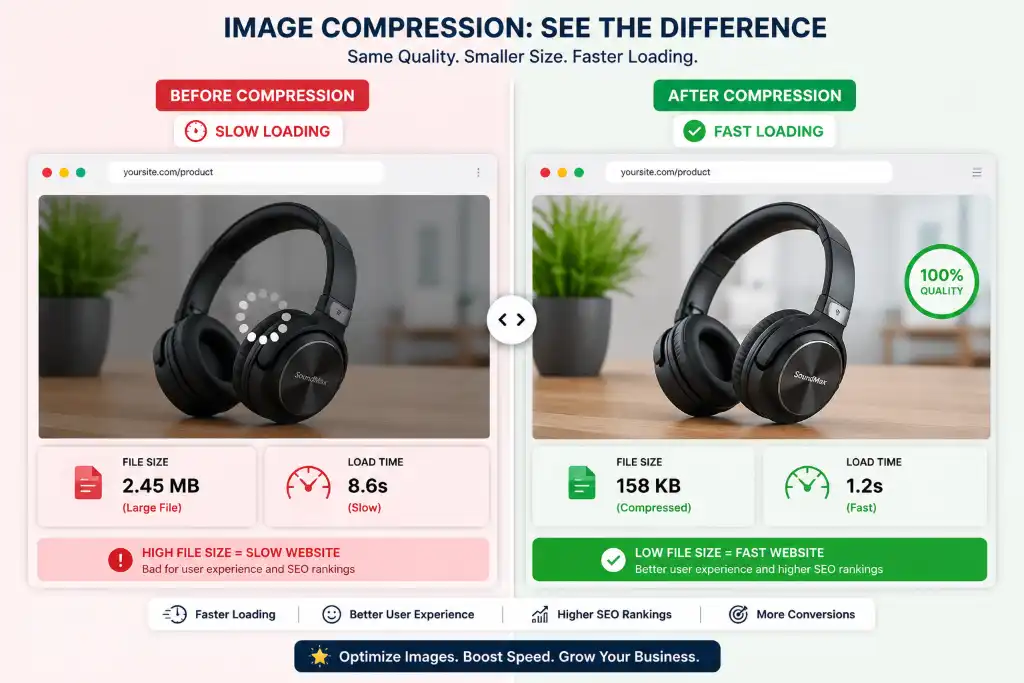
Image compression reduces the file size of your images by removing unnecessary data or optimizing how the image is stored. The magic is that modern compression algorithms are smart enough to reduce file sizes dramatically while keeping the image looking virtually identical to the human eye.
Lossy Compression
Removes some data permanently to achieve smaller file sizes. Best for photographs and complex images where slight quality loss isn't noticeable. Can reduce file size by 70-90%.
Lossless Compression
Reduces file size without losing any quality. Perfect for graphics, logos, and images where every pixel matters. Typically achieves 20-50% size reduction.
For most website owners, a smart combination of both works best. You can use lossy compression for photos and lossless for graphics, giving you the perfect balance of quality and performance.
Top Advantages of Image Compressor
Now, let's dive into the real meat of why you should care about image compression. These aren't just technical benefits—they're game-changers for your online success.
🚀 Faster Website Loading Speed
Let's talk about the elephant in the room: images are heavy. A single high-resolution photo from your camera can easily be 5-10MB. Multiply that by the number of images on your website, and you've got a recipe for disaster.
When you use an image compressor, you're essentially putting your images on a diet. That 5MB photo? It can become 500KB without anyone noticing the difference. That's a 90% reduction in file size!
Here's what this means in real terms:
- Pages load 2-5x faster on average
- Mobile users on 3G/4G networks can actually view your content
- Visitors stay longer because they're not waiting
- Your server handles more traffic without crashing
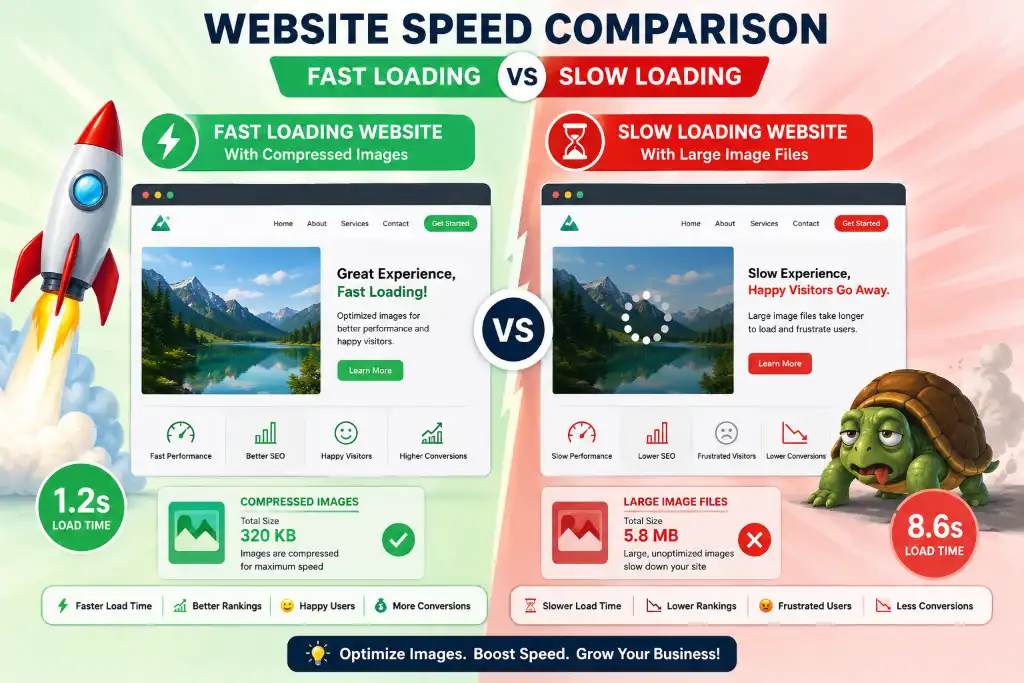
I've seen websites go from 8-second load times to under 2 seconds just by compressing images. That's not a minor improvement—that's transformational.
📈 Improved SEO Rankings
Here's something Google doesn't tell you directly but absolutely cares about: page speed affects your rankings. Since the Core Web Vitals update, metrics like Largest Contentful Paint (LCP) have become ranking factors, and guess what determines LCP? You guessed it—images.
When your images are compressed and optimized:
- Google crawls your site more efficiently
- Your Core Web Vitals scores improve
- You rank higher in search results
- You get that sweet "fast page" badge in search results
Websites that load faster naturally get more backlinks, more social shares, and more engagement—all signals that tell Google your site is worth ranking higher. It's a beautiful cycle that starts with something as simple as compressing your images.
If you want to dive deeper into optimization techniques, check out our guide on resizing images to exact dimensions, which works hand-in-hand with compression for maximum SEO benefit.
💾 Reduced Storage Space
Whether you're paying for hosting or managing a cloud storage account, space costs money. Uncompressed images are storage hogs that eat up your quota faster than you'd think.
Let's do some quick math: If you have a blog with 100 posts, each containing 5 images at 3MB each, that's 1.5GB of storage. Compress those images to 300KB each, and you're looking at 150MB. That's a savings of 1.35GB—enough space for hundreds more posts!
This is especially crucial for:
- E-commerce stores with thousands of product images
- Photographers showcasing portfolios
- Bloggers who publish frequently
- Businesses on limited hosting plans
Plus, smaller images mean faster backups, easier migrations, and less headache when you need to move your site to a new host.
😊 Better User Experience
User experience isn't just a buzzword—it's the difference between a visitor becoming a customer or bouncing to your competitor. And nothing kills user experience faster than waiting for images to load.
When your images are compressed and load quickly:
- Visitors can scroll smoothly without lag
- Content appears instantly, keeping attention
- Mobile users don't burn through their data plans
- People with slower internet connections can still enjoy your site
Think about your own browsing habits. When was the last time you waited more than a few seconds for a page to load? Exactly. Your visitors have the same expectations.
For e-commerce sites, this is even more critical. A 1-second delay in page load time can result in a 7% reduction in conversions. That's not just lost traffic—that's lost revenue.

⚡ Faster Image Uploads
This advantage often gets overlooked, but it's a game-changer if you're regularly adding content to your website. Uploading a 10MB image on a standard internet connection can take 30-60 seconds. Upload 10 of those, and you're looking at 10 minutes of waiting.
Compressed images upload in seconds, not minutes. This means:
- Faster content publishing workflow
- Less frustration when updating your site
- Ability to batch upload more images at once
- Mobile uploads actually work without timing out
For busy content creators and e-commerce managers, this time savings adds up quickly. What used to take an hour now takes 10 minutes.
Saves Bandwidth
Bandwidth is the amount of data transferred between your website and visitors. Most hosting plans have monthly bandwidth limits, and exceeding them can result in extra charges or your site being temporarily shut down.
Here's how compression helps:
If your homepage is 5MB with uncompressed images and gets 1,000 visits per month, that's 5GB of bandwidth just for the homepage. Compress those images and reduce the page to 1MB, and you're using only 1GB. That's an 80% reduction in bandwidth usage!
This is especially important for:
- Sites with shared hosting limits
- High-traffic websites
- International audiences (less data = faster for everyone)
- Mobile-first audiences on limited data plans
Real Example: Before vs After Compression
Numbers are great, but let's see this in action. Here's a real-world example from an e-commerce site that decided to compress their product images:
| Metric | Before Compression | After Compression | Improvement |
|---|---|---|---|
| Average Image Size | 2.4 MB | 380 KB | 84% smaller |
| Page Load Time | 5.2 seconds | 1.4 seconds | 73% faster |
| Monthly Bandwidth | 150 GB | 28 GB | 81% reduction |
| Bounce Rate | 68% | 42% | 38% improvement |
| Mobile Conversions | 1.2% | 3.8% | 216% increase |
The visual quality difference? Virtually unnoticeable to the average visitor. The performance difference? Night and day.
This is why using a reliable image compressor isn't just a nice-to-have—it's essential for modern web success.
Who Should Use Image Compressor?
Short answer: Everyone with a website. But let's get specific about who benefits most:
Bloggers
Publish frequently? Compressed images mean faster uploads, lower hosting costs, and better reader retention.
E-commerce Owners
Thousands of product images? Compression is essential for fast category pages and better conversions.
Designers
Need to share portfolios? Compress without losing quality to showcase your work professionally.
Social Media Creators
Platform limits got you down? Compress to fit requirements while maintaining quality.
Students
Working on presentations or projects? Smaller files are easier to email and upload.
Businesses
Corporate websites need to be fast and professional. Compression delivers both.
No matter who you are, if you're putting images on the internet, you need compression. It's that simple.
When Should You Compress Images?
Timing matters. Here are the critical moments when compression should be part of your workflow:
Before Website Upload
Always compress before uploading to your CMS. This is non-negotiable for website performance.
Before Email Marketing
Email clients have strict size limits. Compressed images ensure your emails actually get delivered.
Social Media Posts
Platforms like Instagram and Facebook compress anyway—do it yourself first for better control.
Landing Pages
Conversion-critical pages need to load instantly. Every millisecond counts.
Make compression part of your standard workflow, not an afterthought. Your future self (and your visitors) will thank you.
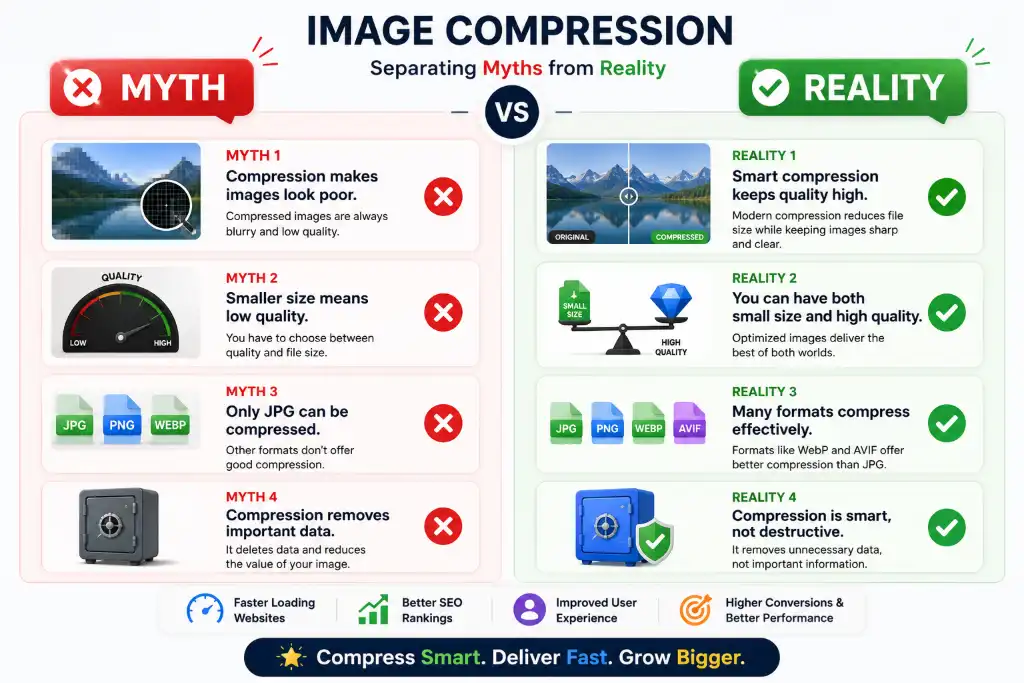
Common Myths About Image Compression
Let's bust some myths that are keeping you from optimizing your images:
Myth: "Compression Always Ruins Quality"
This was true 10 years ago. Modern compression algorithms are incredibly smart. You can reduce file size by 70-80% with zero visible quality loss to the human eye.
Truth: Smart Compression Preserves Quality
Advanced tools use perceptual compression that removes data your eyes can't see anyway. The result? Smaller files that look identical.
Myth: "Only Developers Need to Worry About This"
Wrong. Every website owner, blogger, and content creator needs to understand image optimization. It's not just a technical issue—it's a business issue.
Truth: Everyone Benefits from Compression
Whether you're a tech expert or complete beginner, compressing images is easy with modern tools and benefits everyone.
Myth: "It's Too Complicated and Time-Consuming"
Remember when you had to use Photoshop and understand complex settings? Those days are gone. Modern compressors work in seconds with one click.
Truth: It Takes Seconds
Upload, compress, download. That's it. You can compress 20 images in the time it takes to make coffee.
Best Practices for Image Compression
Want to get the most out of image compression? Follow these proven strategies:
1. Choose the Right Format
Not all formats are created equal:
- WebP: Modern format with best compression (use when possible)
- JPEG: Best for photographs and complex images
- PNG: Best for graphics, logos, and images with transparency
- SVG: Best for icons and simple graphics (scalable)
Need to convert between formats? Our format converter makes it easy.
2. Don't Over-Compress
There's such a thing as too much compression. If you reduce quality below 60-70%, you'll start seeing artifacts and pixelation. Find the sweet spot where file size is small but quality is still good.
3. Resize Before Compressing
Uploading a 4000px wide image when your website only displays it at 800px? That's wasted data. Resize to the maximum display size first, then compress. Use our resize tool for perfect dimensions.
4. Use Trusted Tools
Not all compressors are equal. Look for tools that:
- Offer both lossy and lossless options
- Process images quickly
- Don't add watermarks
- Keep your images secure and private
- Support batch processing
5. Compress in Batches
Don't compress images one by one. Use batch compression to process multiple images at once. It saves time and ensures consistency across your website.
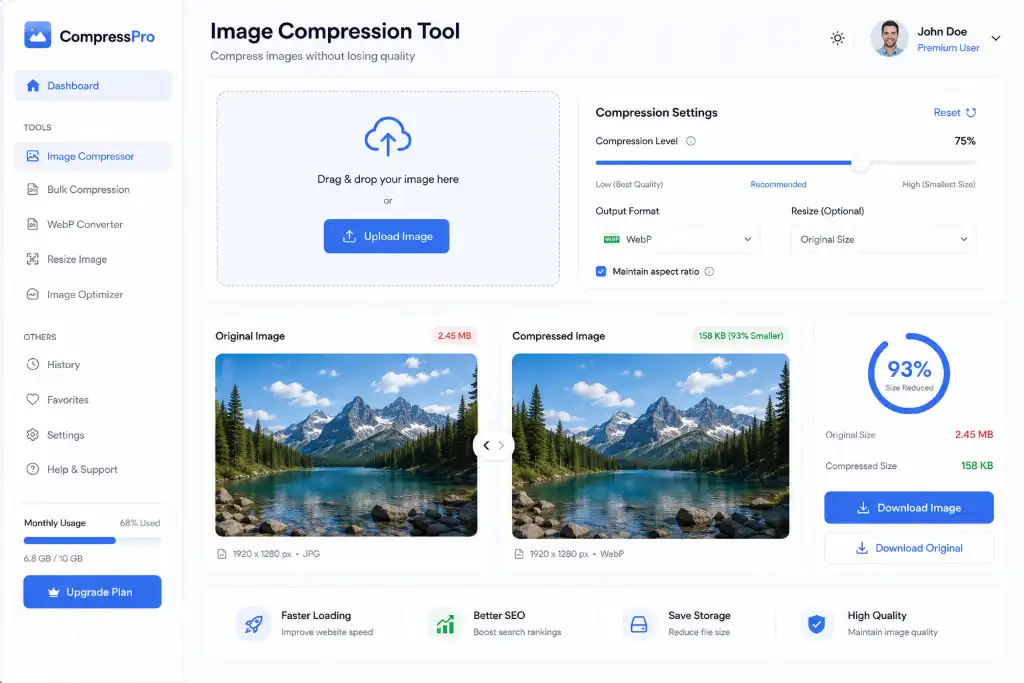
Why Use Our Image Compressor Tool?
Look, there are dozens of image compressors out there. So why should you choose ours? Here's what makes us different:
100% Free
No hidden fees, no premium tiers, no credit card required. Compress as many images as you need, completely free.
Lightning Fast
Our advanced algorithms compress images in seconds, not minutes. Batch process multiple images simultaneously.
Secure & Private
Your images are processed securely and automatically deleted after compression. We don't store or share your files.
Mobile-Friendly
Compress images on the go from your phone or tablet. Works perfectly on all devices and browsers.
No Watermarks
Your compressed images are clean and professional. No annoying watermarks or branding.
Quality Control
Choose your compression level. Balance between file size and quality exactly how you want it.
Plus, when you use our image compressor, you're getting a tool that's constantly updated with the latest compression technology. We're not just another free tool—we're committed to helping you succeed online.
🔗 More Image Tools You'll Love:
- Free Image Cropper Online - Crop to perfect dimensions
- Circle Crop Image - Create perfect circular images
- Auto Crop Object for E-commerce - Perfect product photos
- Professional Image Editor - Advanced editing features
- Merge Images Online - Combine multiple images
Frequently Asked Questions
It depends on the compression type and level. With modern lossy compression at 70-80% quality, the difference is virtually invisible to the human eye. Lossless compression maintains 100% quality while still reducing file size by 20-50%. The key is finding the right balance for your needs. Most website images can be compressed by 60-80% without any noticeable quality loss.
For most websites, aim for these targets: Full-width hero images should be under 300KB, blog post images under 150KB, thumbnails under 50KB, and product images between 100-200KB. In terms of dimensions, 1920px width is sufficient for full-screen images, 1200px for blog content, and 800px for standard displays. Always compress after resizing to your target dimensions.
Yes, reputable image compressors are completely safe. They process your images without storing them permanently. Our tool, for example, automatically deletes uploaded files after processing. Always use trusted tools with clear privacy policies, avoid unknown websites, and never upload sensitive or confidential images to any online tool. For maximum security, you can also use offline compression software.
WebP offers the best compression rates (25-35% smaller than JPEG) with excellent quality, but check browser compatibility. JPEG is best for photographs and complex images. PNG is ideal for graphics, logos, and images requiring transparency. For modern websites, use WebP with JPEG/PNG fallbacks for maximum compatibility and performance.
Typical compression rates: JPEG photos can be reduced 60-80% without visible quality loss, PNG graphics 20-50%, and WebP images 30-50% smaller than JPEG. The exact amount depends on image complexity—simple images compress more than detailed ones. Always preview before finalizing to ensure quality meets your standards.
Always compress before uploading. WordPress does create smaller versions automatically, but it still stores the original large file, wasting storage space and bandwidth. By compressing before upload, you ensure every version WordPress creates is optimized, saving storage, improving backup times, and ensuring faster page loads from the start.
Yes! Bulk or batch compression is the most efficient way to optimize multiple images. Our tool allows you to upload and compress multiple images simultaneously, saving you hours of manual work. This is especially useful for e-commerce sites, photography portfolios, or when optimizing an entire website at once.
Absolutely! Image compression directly impacts page load speed, which is a confirmed Google ranking factor. Faster pages rank better, have lower bounce rates, and provide better user experience—all SEO signals. Additionally, compressed images improve Core Web Vitals scores, particularly Largest Contentful Paint (LCP), which is crucial for rankings in 2024 and beyond.
Lossy compression permanently removes some image data to achieve smaller file sizes (60-90% reduction), ideal for photos where slight quality loss isn't noticeable. Lossless compression reduces file size (20-50%) without any quality loss by optimizing how data is stored, perfect for graphics, logos, and images where every pixel matters. Choose based on your image type and quality requirements.
Yes, if you maintain proper dimensions. Retina displays need images at 2x the display size (e.g., 2000px wide for a 1000px display area). Compress these larger images just like regular ones. The compression reduces file size while maintaining the higher resolution needed for sharp display on retina screens. Just ensure you're not compressing so much that you lose detail.
Follow these tips: 1) Use quality settings between 70-85% for JPEG, 2) Resize to exact display dimensions before compressing, 3) Choose the right format (WebP/JPEG for photos, PNG for graphics), 4) Use smart compression tools that preserve important details, 5) Always preview before finalizing, and 6) Keep originals as backups. This approach maintains visual quality while maximizing file size reduction.
Yes! Modern image compressors work perfectly on mobile devices. Our tool is fully responsive and optimized for smartphones and tablets. You can upload images from your phone's gallery, compress them, and download the optimized versions—all from your mobile browser. This is perfect for social media managers, bloggers, and anyone who needs to optimize images on the go.
For e-commerce product images, use 75-85% quality for JPEG or WebP format. This maintains enough detail for customers to see product features while keeping file sizes under 200KB. For zoom functionality, keep a higher quality version (90%) that loads on demand. Category page thumbnails can be compressed more aggressively (65-75%) since they're smaller. Always test on actual products to find your sweet spot.
Most compressors work with JPEG, PNG, and WebP formats. Some also support GIF, BMP, and TIFF. JPEG and PNG are the most common and compress best. WebP offers superior compression but check compatibility. SVG files are already optimized code, so traditional compression doesn't apply. Always convert to JPEG or PNG first if you have unusual formats, then compress.
Compress every image before uploading—this should be part of your standard workflow. For existing websites, audit and compress all images at least once. Then, compress new images as you add them. If you're redesigning or updating content, re-compress during the update process. Make it a habit: no uncompressed images should ever go live on your website.
Dramatically! Mobile users often have slower connections and limited data. Compressed images load 3-5x faster on mobile networks, reduce data usage by 60-80%, and prevent timeout errors. Since mobile traffic now exceeds desktop, image compression is essential for mobile performance. Google's mobile-first indexing means mobile speed directly impacts your rankings across all devices.
Combine compression with: 1) Image resizing for exact dimensions, 2) Format conversion to WebP, 3) Lazy loading to defer off-screen images, 4) CDN services for faster delivery, 5) Caching plugins to store compressed versions, and 6) Background removal for product images. Using our image compressor with these techniques creates a comprehensive optimization strategy.
Ready to Supercharge Your Website Speed?
Join thousands of website owners who've transformed their performance with simple image compression. It's free, it's fast, and it works.
Start Compressing Now - It's Free!✓ No registration required ✓ No watermarks ✓ Instant results