✨ AI Background Remover
Drag & Drop Image Here
or click to browse
Removing Background...
This takes a few seconds
Free Background Remover Tool Online: Erase Backgrounds in 1 Click, Zero Signup
Looking for a free background remover tool online that actually works without forcing you to create an account? ImageToolsZone's background remover lets you upload a photo, strip out the background in seconds, and download a clean result — no sign-up, no watermark, no waiting around.
Whether you're editing a product shot for your online store, tidying up a portrait, or just need to make image background transparent for a design project, this tool handles it in one click. There's nothing to install, nothing to configure, and no account required before you start editing — just open the tool, drop in a photo, and let it take care of the rest. Keep reading and we'll walk through exactly how it works, who it's built for, and how to get the best possible result every time.
📋 On This Page
- How to Remove a Background from an Image
- What Is an Online Background Remover?
- Why Remove the Background From an Image?
- Remove Background From Product Photos
- Remove Background From Portraits and People
- Make a Transparent PNG From an Image
- Remove White Background From an Image
- Background Removal for Ecommerce
- Who Can Use a Background Remover?
- Tips for Better Background Removal Results
- Background Remover Without Photoshop
- What Can You Do After Removing the Background?
- Frequently Asked Questions
- Related Image Tools
How to Remove a Background from an Image
Removing an image background doesn't need to feel technical. Upload a photo, let the tool do the heavy lifting, pick a new background color if you want one, then download. That's really the whole process.
Upload Your Image
Choose a JPG, PNG, or WebP file from your device — no account needed.
Auto Background Removal
The tool detects the subject and erases the background automatically.
Pick a Background Color
Swap in transparent, white, black, or a custom color to match your project.
Download HD Image
Save the finished, high-resolution cutout straight to your device.
Here's roughly what the workspace looks like once your photo is processed — a live preview on the left, and simple controls on the right so you're never digging through menus to find what you need.
Live Preview
Your subject appears instantly against your chosen background — so you can check hair strands, edges, and fine details before you download anything.
Background Color
No advanced Photoshop skills are required. If you can upload a photo and click a button, you can produce a professional-looking, background-free image in well under a minute — even from a phone browser on a slow connection.
What Is an Online Background Remover?
A background remover is an image editing tool that separates the main subject from the surrounding background. Once that separation happens, the unwanted background gets erased so the subject can sit on a transparent, white, or entirely new background.
For example, you might use a PNG background remover to isolate a product photo, then reuse that same cutout across an ecommerce listing, an ad banner, a catalog page, and a social graphic — without reshooting anything.
It's especially handy for people who want to edit photos quickly without learning layer masks, pen tools, or any of the other complexity that comes with traditional desktop software.
Under the hood, most modern background removers rely on subject-detection technology that scans the photo, identifies edges, and separates foreground pixels from background pixels automatically. You don't need to understand any of that to use it — you just need to know that it works, and that it works fast. The result is an image where the original backdrop simply isn't there anymore, replaced by whatever you choose: nothing at all (transparent), a solid color, or later on, a different photo entirely.
This is different from cropping. Cropping trims the edges of a rectangular photo, but it can't remove a background that sits directly behind your subject — a wall, a sky, a cluttered desk. Background removal actually traces the outline of the subject itself, which is why it's the go-to option any time the goal is isolating a person, product, or object rather than just trimming the frame.
Why Remove the Background From an Image?
An unwanted background can make an otherwise good photo look cluttered or unfinished. Clearing it out opens up a lot more creative and practical options.
Create Transparent Images
Get a see-through backdrop that's perfect for logos, stickers, thumbnails, and website graphics — useful anywhere you want to make image background transparent.
Improve Product Photos
Sellers can isolate items from distracting backdrops for cleaner listings, catalogs, and ads.
Better Profile Pictures
Strip a busy backdrop from a portrait for a cleaner headshot, resume photo, or LinkedIn image.
Design Social Graphics
Background-free subjects combine more easily with colors, templates, and text for Pinterest or Instagram.
Save Editing Time
For simple removal tasks, an online tool beats manually tracing edges in a desktop editor.
Remove Background From Product Photos
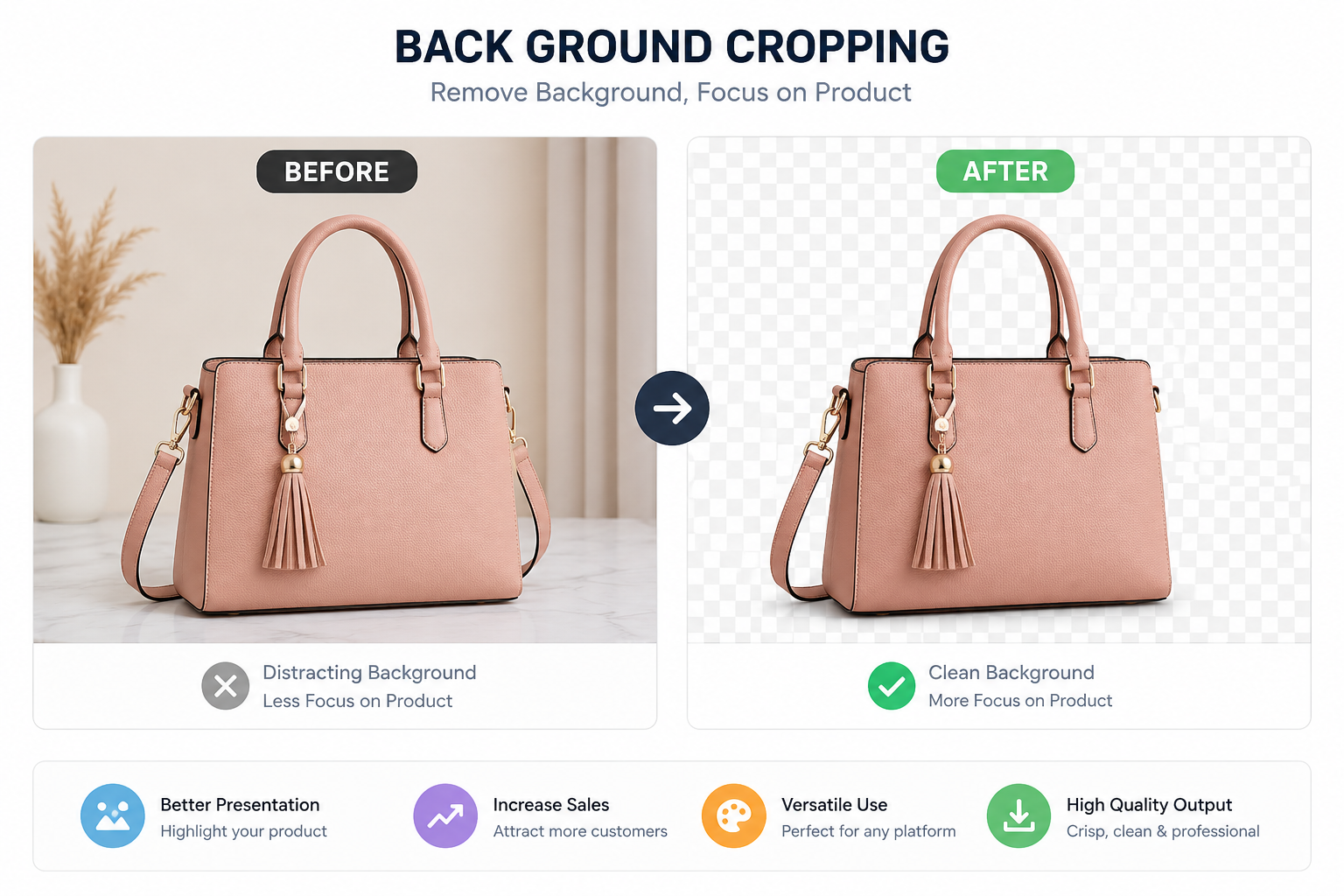
Product photography is one of the most common reasons people search for a way to remove background from product image files. A clean cutout gives you far more freedom with how the final photo gets used.
Free Background Remover for Etsy Sellers and Shop Owners
If you're running a shop and need a free background remover for Etsy seller product images without watermark, this tool is a natural fit — the export is clean, high-resolution, and completely watermark-free, so it's ready to upload straight to your listings.
A clean product cutout can help you build consistent catalogs, drop products onto new backgrounds, prepare promotional banners, and design ads without reshooting a single item. It also makes A/B testing different backgrounds painless — swap the backdrop, keep the product exactly the same.
For ecommerce workflows, pair this tool with our Auto Crop Object for Ecommerce tool right after removing the background, so your product images are framed and sized consistently across your whole store.
Consistency matters more than most sellers realize. Marketplaces like Amazon, Etsy, and Shopify reward listings where every product photo shares the same clean, uncluttered look — it builds trust before a shopper even reads your description. Instead of hiring a photo editor or spending an afternoon in a desktop program for every single item, you can run each photo through the same simple process: upload, remove background, adjust, download. Repeat that for ten products or a hundred, and your entire catalog starts to look like it came from a proper studio, even if the original photos were taken with a phone.
Remove Background From Portraits and People
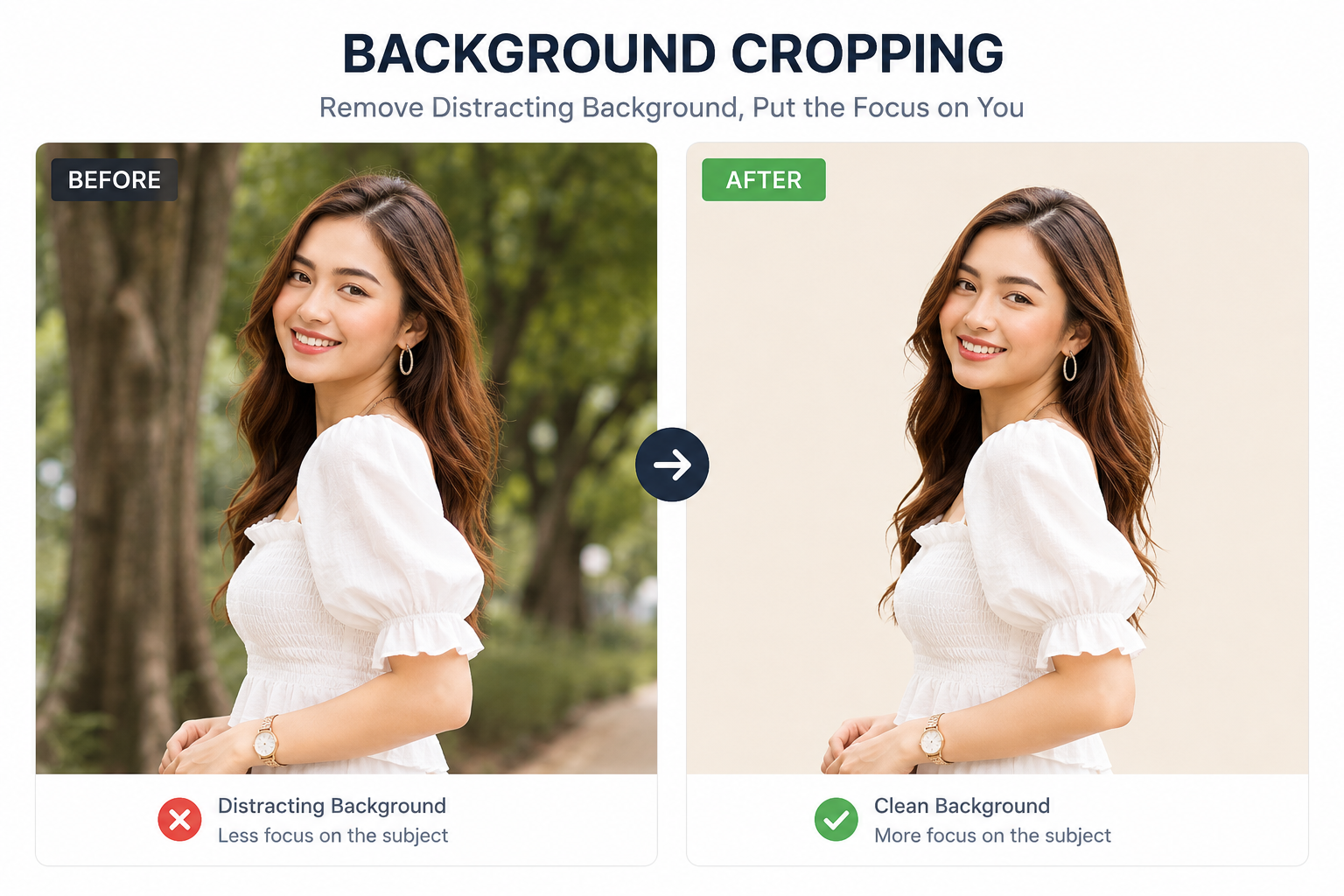
A busy background can pull attention away from the person in a photo. Removing it lets the subject stand on its own — useful for profile pictures, headshots, resumes, social posts, invitations, posters, and creative designs.
Remove Background From Passport Photo Online Free High Resolution Download
Need official-style photos? You can also remove background from passport photo online free high resolution download in the same workflow — upload the photo, swap the backdrop to plain white, then export in high resolution for printing or digital submission. Just double-check your country's exact photo specifications before submitting anywhere official.
Professional Headshots
Clean, distraction-free backdrops for LinkedIn and portfolios.
Resume Photos
Consistent, formal backgrounds for job applications.
Presentations
Cleaner slides without cluttered photo backgrounds.
Invitations & Posters
Place people or objects into custom designs easily.
For best results, start with a clear photo where the subject is sharply separated from whatever's behind them — the sharper that contrast, the cleaner the final edge will be.
Portraits tend to be a little trickier than product shots because of hair, jewelry, and loose fabric — all the small details that a rigid rectangular crop would simply chop through. A proper background removal tool respects those edges instead of cutting straight lines around them, which is exactly why it's worth using for anything involving a person rather than a flat object. If you're prepping a batch of team headshots for a company website, running each one through the same tool keeps the final set looking uniform, even if the original photos were taken on different days, in different rooms, under different lighting.
Make a Transparent PNG From an Image
One of the most useful things you can do with a PNG background remover is create a transparent image — one you can drop onto any background without showing an ugly rectangular edge around it.
Batch Process Transparent PNG Converter — No Registration Required
Working through a whole folder of images? Because this tool skips sign-ups entirely, it works well as a batch process transparent PNG converter no registration required — open the tool, process an image, download, and move to the next one, without ever hitting a login wall or a usage-limit paywall halfway through your batch.
- Product cutouts for online stores
- Logos and icons for websites
- Profile photos and avatars
- Stickers and marketing graphics
- Presentation elements
Once you've removed the background, you can layer the resulting image into other tools or combine it with a second photo for a composite design.
Transparency is what makes a PNG so much more flexible than a JPG for design work. A JPG is always a solid rectangle — even a "background-free" JPG technically has a background, it's just white or black. A true transparent PNG has no background at all, which is why designers reach for it when building layered graphics, website headers, app icons, or anything that needs to sit cleanly on top of other content without a visible box around it.
Remove White Background From an Image
A white background shows up constantly in product photography, scanned graphics, logos, and simple illustrations. If you need to remove white background from image files specifically, the contrast between a plain white backdrop and the subject usually makes for one of the cleanest, fastest removals you'll get.
For more complicated images, results depend on things like image quality, lighting, shadows, and how clearly the subject is separated from the background — a well-lit photo will almost always outperform a dim, low-contrast one.
This matters a lot for scanned documents, product boxes photographed on a white table, or logos exported from other design software. In all of these cases, the background is already close to uniform, so the tool has an easier job telling subject from backdrop. If your source image has a slight off-white or cream tone instead of pure white, that's usually still fine — the detection process is built to handle small variations in shade, not just perfectly pure colors.
Background Removal for Ecommerce
Online sellers constantly need clean images for stores, catalogs, ads, and promo graphics. A tool built as a background remover for ecommerce use case saves real time versus editing every photo by hand.
A background-free product image also gives you flexibility — drop the product onto a white background, a colored background, a lifestyle scene, or a promotional banner, all from the same original cutout.
A Simple Ecommerce Editing Workflow
You can lean on other ImageToolsZone utilities — like the Image Compressor and Resize Image tool — as part of this same workflow to get your final product image store-ready.
Page speed matters just as much as photo quality when it comes to online sales. A beautifully cut-out product image that's 8MB will load slowly on mobile data and can quietly hurt your store's performance and search ranking. Running your background-free image through a compressor after editing keeps file sizes reasonable without any visible drop in quality — a small extra step that pays off in faster pages and fewer visitors bouncing before the image even finishes loading.
Who Can Use a Background Remover?
This tool isn't built for one narrow group — it's genuinely useful across a lot of different day-to-day editing needs. Whether you're running a full-time online shop or just need one clean graphic for a school project, the same simple upload-and-download flow works exactly the same way for everyone.
Ecommerce Sellers
Prep product photos for stores, catalogs, ads, and listings.
Social Media Creators
Clean cutouts for Instagram, Pinterest, and thumbnails.
Bloggers
Remove distracting backgrounds so images fit your blog's design.
Students
Build graphics, posters, and presentations without paid software.
Small Businesses
Prepare product shots, promos, and marketing visuals in-house.
Designers & Freelancers
Speed through simple cutout jobs without opening heavy software.
Tips for Better Background Removal Results
The quality of your starting photo has a big impact on the final cutout. A few small habits make a noticeable difference.
Use a sharp, high-resolution image.
Make sure the subject is clearly visible.
Avoid extremely dark or blurry photos.
Shoot in good, even lighting whenever possible.
Avoid backgrounds with colors close to the subject.
Keep fine edges — hair, fabric, product details — visible.
Images with strong contrast between subject and background are almost always easier to separate cleanly than photos where the two blend together. It's also worth remembering that a slightly larger original photo gives the tool more detail to work with — if you have the option, export or photograph at a higher resolution than you think you'll need, since it's always easier to scale a sharp image down than to sharpen a blurry one after the fact.

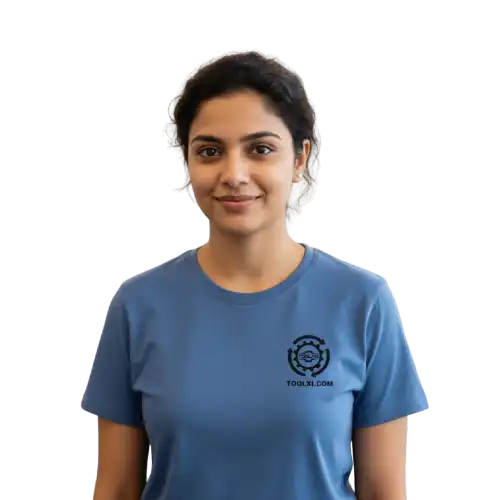
Before you download anything, take a second to zoom in around the edges — hairlines, jewelry, and fine straps are the areas most worth double-checking on any cutout.
Background Remover Without Photoshop
You don't need complicated desktop software to handle a straightforward background removal. An image background remover without Photoshop is genuinely enough for most everyday editing needs — no layers, no masking, no learning curve.
Instead of manually tracing an object pixel by pixel, this workflow is built specifically around one job: separating a subject from its background, quickly.
That focus is exactly what makes it faster to learn than a full desktop suite. Photoshop-style tools are powerful, but they're built to do dozens of unrelated jobs — retouching, compositing, color grading, typography — and background removal is buried somewhere inside all of that. A dedicated online tool skips straight to the part you actually need, which is why it tends to feel so much quicker for a one-off task like cutting out a single product photo or portrait.
What Can You Do After Removing the Background?
Background removal is usually just the first step in a bigger editing workflow, not the last one.
- Add a brand-new background
- Overlay the image onto another photo
- Crop the subject to a specific shape
- Resize for a marketplace or social platform
- Compress the final file for faster loading
- Add text, watermarks, or graphics
- Build a finished product listing image
For example, once your subject is cut out, you can use the Overlay Image tool to place it on top of another photo, then round or reshape the edges with the Round Corners tool for a softer, more polished look.
Other handy next steps include running the result through the Free Image Cropper, converting it with the image format converter, or fine-tuning it in the Professional Image Editor — all without ever leaving your browser or paying for anything.
Thinking of it as one connected toolkit rather than a single one-off tool tends to save the most time in the long run. Most editing jobs — a product photo, a profile picture, a banner graphic — actually need two or three small steps done in sequence, not just one. Once background removal is out of the way, the rest of the workflow usually takes less time than the removal itself.
Frequently Asked Questions
Can I remove a background from an image online for free?
Yes. This online background remover separates the main subject from its background without requiring any desktop editing software, and it's completely free to use.
Can I remove the background from a JPG?
Yes, you can remove background from JPG files directly. After processing, you can save the result in a format that supports transparency, such as PNG.
Can I make an image background transparent?
Yes. Removing the background creates a transparent-background image, which works well for product photos, logos, and other design projects.
Can I remove the background from a product photo?
Absolutely. Background removal is one of the most common ways sellers isolate products for ecommerce listings, catalogs, ads, and promotional designs.
Can I remove a white background from an image?
Yes. Images with a simple, contrasting white background are typically among the easiest to process cleanly — the final result still depends on the specific photo.
Do I need Photoshop to remove an image background?
No. For straightforward removal tasks, this tool offers a much simpler alternative to professional desktop editing software.
Which images work best for background removal?
Sharp, well-lit photos with strong contrast between subject and background tend to produce the cleanest results. Blurry images or busy backgrounds can be more challenging.
Can I use a background-free image for ecommerce?
Yes. Background-free product images work well for listings, catalogs, ads, and store graphics. Always check the specific photo requirements of the marketplace you're publishing to.
Is there a limit on how many images I can process?
Since there's no sign-up required, you can process images one after another without hitting an account-based limit, which makes it convenient for larger batches.
Does the download include a watermark?
No. Downloads from this tool are watermark-free, so the image is ready to use immediately in listings, designs, or social posts.
Related Image Tools
After removing an image background, a few other tools tend to come in handy for finishing the job:
Ready to Remove Your Image Background?
Create cleaner images for ecommerce, social media, websites, presentations, and creative projects — free, fast, and with zero signup.
Upload Your Image & Try It Free →