
Turn Any Photo into Digital Glitch Art Free
Want to convert image to glitch effect online without spending hours learning complex software? You're in the right place. Whether you're creating eye-catching YouTube thumbnails, cyberpunk-style social media posts, or retro VHS-inspired album covers, our free glitch effect generator makes it incredibly simple.
In this guide, we'll walk you through everything you need to know about creating stunning digital glitch art instantly – no Photoshop required, no software installation needed, and absolutely no watermarks on your final images.
📋 On This Page
1. What Is a Glitch Effect?
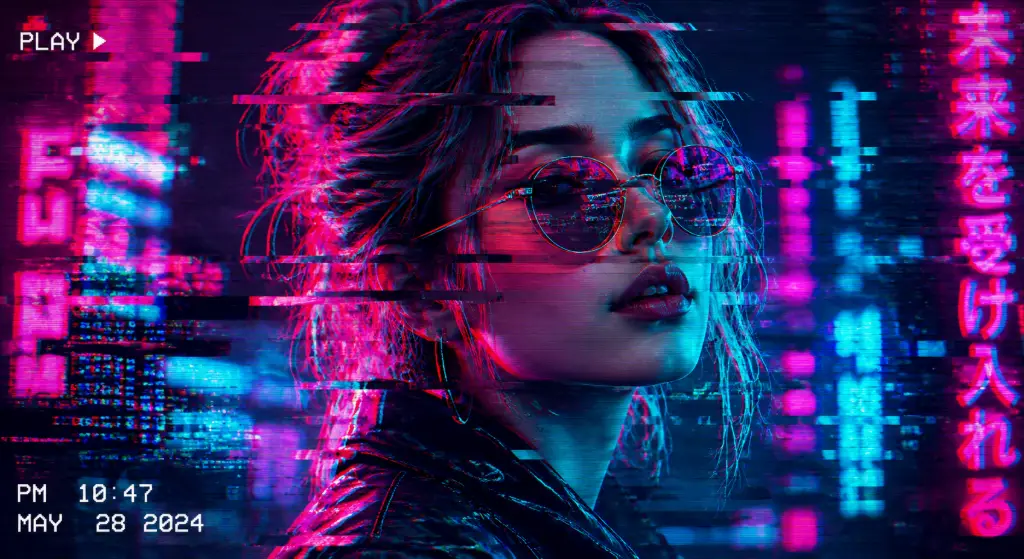
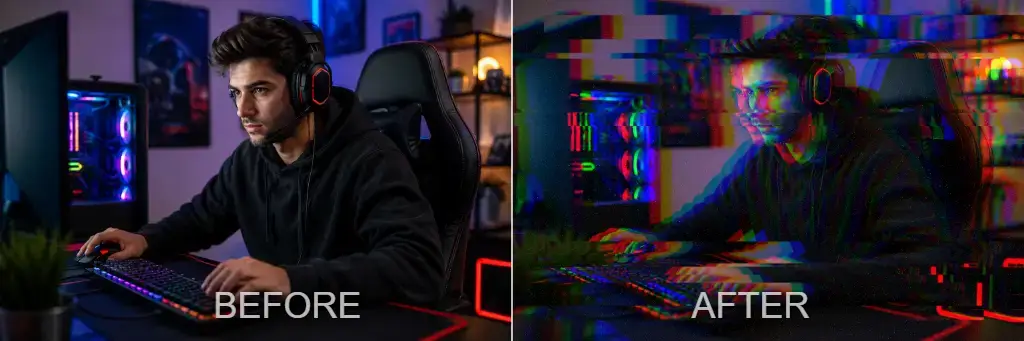
A glitch effect is a digital distortion technique that intentionally corrupts or manipulates an image to create a unique, eye-catching aesthetic. Think of it as controlled chaos – where technology meets art in the most unexpected ways.
When you convert image to glitch effect online, you're essentially mimicking what happens when digital systems malfunction, but in a creative, artistic manner. Here's what makes glitch art so special:
Digital Corruption
Intentional pixel displacement and data manipulation that creates unpredictable, artistic distortions
RGB Channel Separation
Splitting red, green, and blue color channels to create that signature chromatic aberration look
VHS Distortion
Retro tracking errors and signal interference that bring back that nostalgic 80s and 90s vibe
Scanlines
Horizontal lines that mimic old CRT monitors and vintage television screens
Pixel Displacement
Strategic shifting of image sections to create that broken, fragmented appearance
Cyberpunk Style
Futuristic aesthetic combining neon colors, digital noise, and high-tech visual corruption
2. Why Use an Online Glitch Effect Tool?
Let's be honest – not everyone has the time (or budget) to master Photoshop or purchase expensive design software. That's where online glitch effect generators shine. Here's why thousands of creators choose browser-based tools:
✨ Key Benefits:
- No Photoshop Required – Skip the steep learning curve and monthly subscriptions
- Zero Software Installation – Everything runs directly in your browser
- Mobile Friendly – Create glitch art on your phone or tablet, anywhere
- Instant Preview – See changes in real-time as you adjust settings
- Complete Privacy – Your images are processed locally, never uploaded to servers
- 100% Free – No hidden fees, no watermarks, no credit card required
Whether you're a busy social media manager, a student working on a creative project, or a musician designing album art, an online glitch art generator gives you professional results in seconds, not hours.
3. How to Convert an Image to Glitch Effect
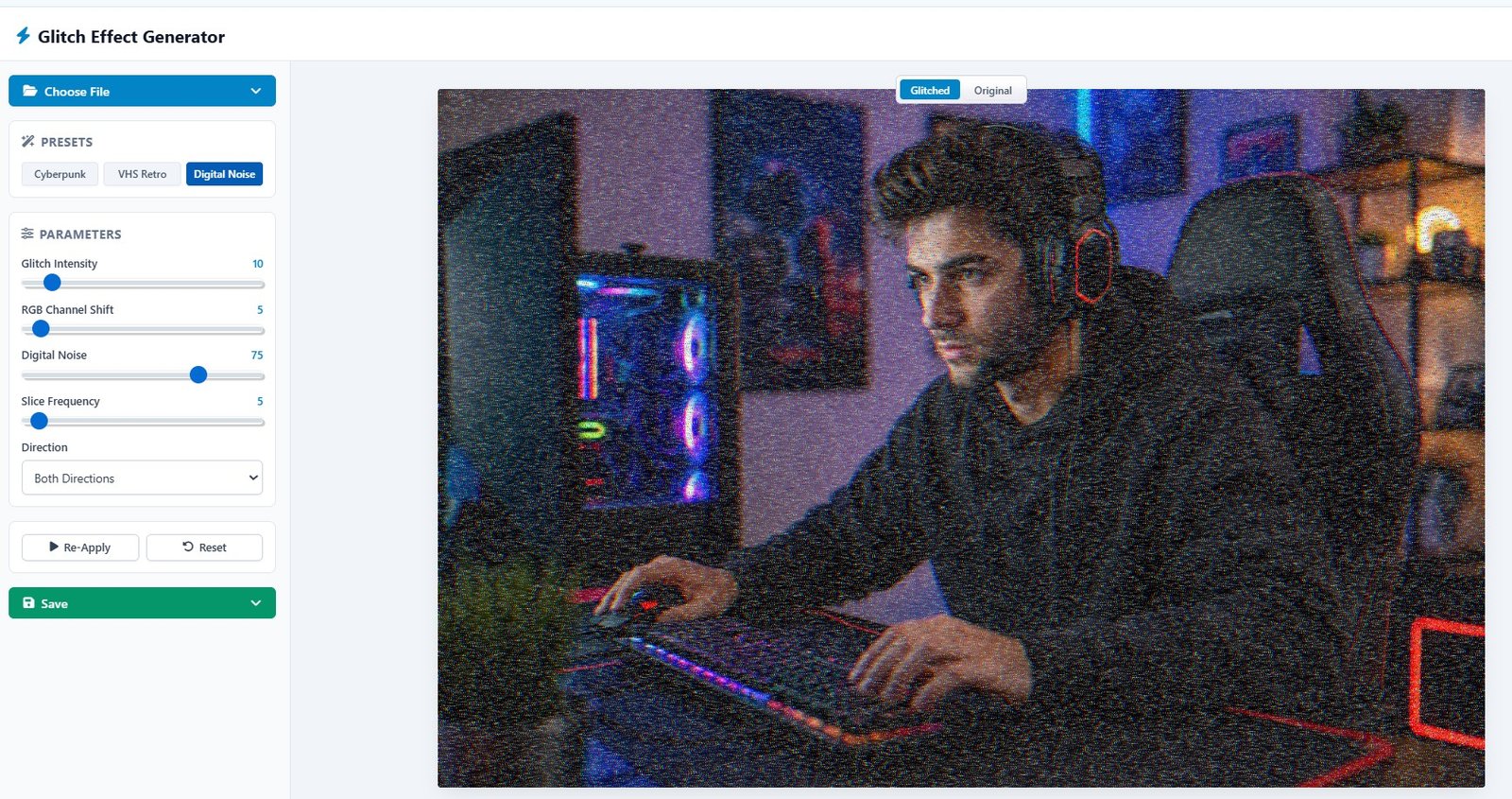
Ready to create some digital magic? Here's your step-by-step guide to using our glitch effect generator. The interface is intuitive, but we'll walk you through every control so you can create exactly the look you want.
Upload Your Image
Click the "Choose File" button at the top and select your image. We support PNG, JPEG, JPG, WEBP, BMP, and GIF formats. The tool accepts high-resolution images, so don't worry about quality loss.
Choose a Preset (Optional)
Start with one of our pre-configured styles: Cyberpunk for futuristic neon looks, VHS Retro for that nostalgic 80s vibe, or Digital Noise for subtle texture. You can always customize from there.
Adjust Parameters
Fine-tune your glitch effect with these controls:
- Glitch Intensity (0-100) – Controls overall distortion strength. Start around 65 for moderate effects
- RGB Channel Shift (0-50) – Separates color channels. Try 10-18 for subtle chromatic aberration
- Digital Noise (0-100) – Adds grain and texture. 33 works great for most images
- Slice Frequency (0-20) – Determines how many horizontal cuts appear. 5 creates clean glitch lines
- Direction – Choose Horizontal, Vertical, or Both Directions for varied effects
Preview in Real-Time
Watch your changes apply instantly. Experiment with different combinations until you achieve the perfect glitch aesthetic. Don't be afraid to push the sliders – you can always reset!
Download Your Creation
Click the "Save" button to download your glitched image in high quality. No watermarks, no registration required. It's that simple!
4. Best Glitch Styles
Not all glitch effects are created equal. Different styles serve different purposes, and knowing which one to use can make or break your design. Let's explore the most popular glitch aesthetics and when to use them.
🌃 Cyberpunk
Best for: Portraits, Gaming content, YouTube thumbnails, Futuristic designs
VHS Retro
Best for: Retro posters, Album covers, Nostalgic content, 80s/90s themes
🔴 RGB Split
Best for: Logos, Banners, Digital art, Modern web design
📡 Digital Noise
Best for: Social media posts, Instagram stories, Textured backgrounds
💥 Broken Screen
Best for: Gaming thumbnails, Action posters, Dramatic effects
📺 TV Error
Best for: Retro edits, Vintage aesthetics, Analog horror
Cyberpunk Style Deep Dive
The cyberpunk aesthetic has exploded in popularity thanks to movies like Blade Runner 2049 and games like Cyberpunk 2077. To nail this look:
- Use high RGB Channel Shift (15-25) for intense color separation
- Crank up Glitch Intensity to 70-85
- Add moderate Digital Noise (25-40)
- Stick with neon color palettes – think hot pink, electric blue, and acid green
VHS Effect Online – The Retro Comeback
Vaporwave and retro aesthetics aren't going anywhere. Create authentic VHS distortion by:
- Setting Glitch Intensity around 45-55
- Using moderate RGB Shift (8-12)
- Adding scanlines for that CRT monitor feel
- Choosing horizontal direction for tracking error simulation
5. Best Images for Glitch Effect
While you can apply glitch effects to virtually any image, some subjects work better than others. Here are the top performers:
Portraits & Faces
Vehicles
Screenshots
Manga Art
Branding
Covers
Thumbnails
Digital Art
6. Creative Uses for Glitch Effects
Once you master how to convert image to glitch effect online, the possibilities are endless. Here are high-conversion applications that actually work:
- YouTube Thumbnails – Increase click-through rates with bold, unexpected visuals that stand out in search results
- Gaming Banners – Create Twitch overlays, Discord server headers, and esports promotional materials
- Discord Profiles – Make your avatar unforgettable with personalized glitch art
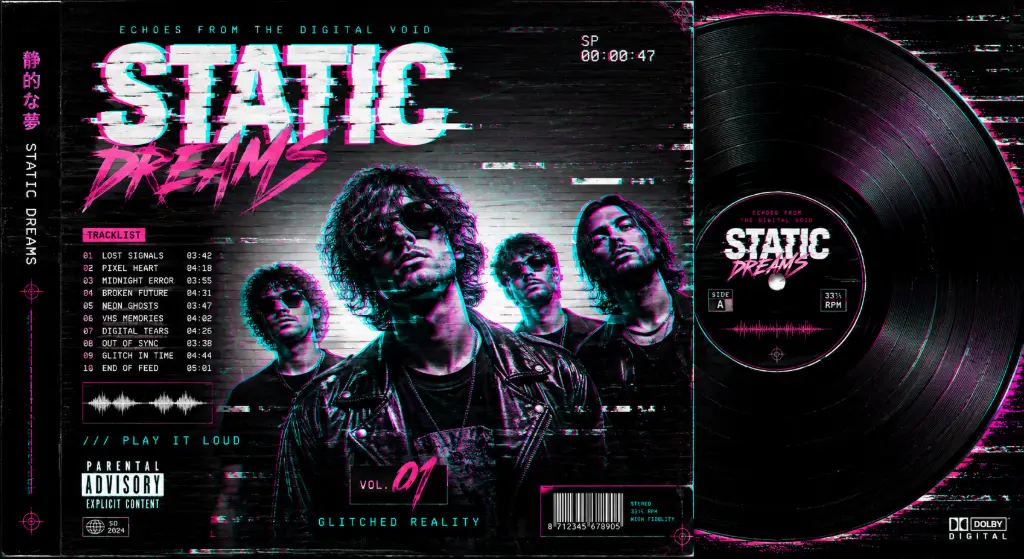
- Album Covers – Give your music releases a modern, edgy aesthetic that matches electronic, hip-hop, or alternative genres
- Podcast Covers – Stand out in crowded podcast directories with unique visual branding
- Event Flyers – Promote concerts, gaming tournaments, or tech events with futuristic designs
- Music Promotion – Create social media content for singles, albums, or tour announcements
- Website Hero Images – Make a strong first impression with cutting-edge visuals
- Instagram Stories – Boost engagement with eye-catching, shareable content
- Marketing Campaigns – Add disruption to traditional advertising for tech products or youth-oriented brands
7. Best Settings for Different Styles
Not sure where to start with the sliders? We've tested hundreds of combinations to bring you these optimal settings for popular glitch styles:
| Style | Intensity | RGB Shift | Noise | Best Use Case |
|---|---|---|---|---|
| Light Glitch | 20 | 5 | 10 | Subtle enhancement, professional photos |
| Cyberpunk | 65 | 18 | 30 | Gaming, futuristic designs, portraits |
| VHS Retro | 45 | 10 | 20 | Nostalgic content, album covers |
| Heavy Distortion | 90 | 35 | 50 | Abstract art, experimental designs |
| RGB Split Only | 30 | 25 | 0 | Logos, clean modern designs |
| Digital Noise | 40 | 8 | 60 | Texture overlays, film grain effect |
8. Why RGB Shift Matters
RGB channel separation is the secret sauce behind professional-looking glitch art. Here's the science behind the magic:
Digital images are composed of three color channels – Red, Green, and Blue. When these channels align perfectly, you get a normal image. But when you shift them apart, something fascinating happens: chromatic aberration.
This is the same effect you see in cheap camera lenses or 3D movies without glasses. By intentionally misaligning these channels, you create:
- Red channel – Creates warm, glowing edges on one side
- Green channel – Adds mid-tone separation and depth
- Blue channel – Produces cool, cyan fringing
The result? That signature glitch look that screams "digital disruption." For subtle effects, keep RGB shift between 5-10. For intense cyberpunk vibes, push it to 20-35.
9. Why Scanlines Create Retro Effects
Remember old CRT televisions and arcade machines? Those horizontal lines you saw weren't a defect – they were how the display technology worked. Scanlines draw images line by line, creating that distinctive retro aesthetic.
When you add scanlines to your glitch art, you're tapping into powerful nostalgia. This works especially well for:
- Vaporwave and synthwave aesthetics
- Retro gaming content
- 80s and 90s themed designs
- Analog horror projects
Combine scanlines with VHS tracking errors for maximum retro impact.
10. Privacy & Security – Your Images Stay Yours
We know privacy matters. That's why our free glitch photo editor processes everything locally in your browser. Here's what that means for you:
🔒 Our Privacy Promise:
- Your images never leave your device – No server uploads, no cloud storage
- Everything processes in your browser – Using client-side JavaScript
- No registration required – No email, no account creation
- No watermarks – Your creations are 100% yours
- No data collection – We don't track or store your images
This is a huge advantage over many online tools that require uploads. Your personal photos, client work, and proprietary designs stay completely private.
11. Supported File Formats
Our glitch effect generator works with all major image formats:
- PNG – Best for images with transparency
- JPEG/JPG – Great for photographs
- WEBP – Modern format with excellent compression
- BMP – Uncompressed bitmap format
- GIF – For simple animations (static frame processing)
Download your glitched images in high-quality PNG format to preserve all the detail and color information.
12. Who Uses This Glitch Effect Tool?
Our image distortion tool serves a diverse community of creators:
Graphic Designers
Create unique assets for client projects without expensive software
Students
Add creative flair to presentations and digital art projects
Social Media Managers
Produce scroll-stopping content for brands
Gamers & Streamers
Design eye-catching overlays and thumbnails
Photographers
Experiment with artistic digital manipulation
Music Artists
Create album covers and promotional materials
13. Related Tools to Enhance Your Workflow
Once you've created your glitch art, you might need additional editing capabilities. Check out these complementary tools from ImageToolsZone:
For more creative effects, try our oil painting effect, sketch converter, or black and white converter.
Ready to Create Stunning Glitch Art?
Start converting your images to glitch effects right now – no signup, no watermarks, completely free!
Try our Glitch Effect Generator today
Frequently Asked Questions
What is a glitch effect?
A glitch effect is a digital distortion technique that intentionally corrupts or manipulates an image to create artistic visual disruptions. It mimics technology malfunctions like RGB channel separation, pixel displacement, scanlines, and VHS tracking errors to produce unique, eye-catching aesthetics popular in cyberpunk, retro, and modern digital art.
How do I convert a photo into glitch art?
To convert a photo into glitch art: 1) Upload your image to an online glitch effect generator, 2) Choose a preset style (Cyberpunk, VHS, RGB Split, etc.), 3) Adjust parameters like glitch intensity, RGB channel shift, digital noise, and slice frequency, 4) Preview changes in real-time, 5) Download your creation. The entire process takes less than a minute and requires no design experience.
Is the glitch effect free to use?
Yes! Our glitch effect generator is 100% free to use. There are no hidden fees, no subscription requirements, and no watermarks on your downloaded images. You can create as many glitch art pieces as you want without paying a cent.
Can I create glitch art without Photoshop?
Absolutely! Our online glitch effect tool requires no Photoshop or any other software installation. Everything runs directly in your web browser, making it accessible on any device – desktop, laptop, tablet, or smartphone. You get professional results without the learning curve or monthly subscription fees.
Does this tool work on mobile devices?
Yes, our glitch effect generator is fully mobile-friendly. The interface adapts to your screen size, and all features work perfectly on smartphones and tablets. You can create glitch art on the go using iOS or Android devices without any loss of functionality.
Will my images be uploaded to a server?
No, your images are never uploaded to any server. All processing happens locally in your browser using client-side JavaScript. This means your photos remain completely private and secure on your device. We don't store, track, or collect any of your images.
Can I download glitch effects in PNG format?
Yes, you can download your glitched images in high-quality PNG format. PNG preserves transparency and maintains excellent image quality without compression artifacts. We also support JPEG, WEBP, and other common formats depending on your needs.
Can I control RGB distortion and color channel shifts?
Definitely! Our glitch effect generator gives you precise control over RGB channel separation. You can adjust the RGB Channel Shift slider from 0 to 50, allowing you to create subtle chromatic aberration or intense color splitting. You can also choose the direction (horizontal, vertical, or both) for customized effects.
Which images work best for glitch effects?
Images with strong contrasts, clear subjects, and bold colors work best for glitch effects. Popular choices include: portraits and people, gaming screenshots, anime/manga art, car photography, album covers, logos, YouTube thumbnails, and music posters. High-resolution images with good lighting produce the most striking results.
Is there a watermark on downloaded images?
No watermarks! When you download your glitch art, you get a clean, professional image without any branding, watermarks, or attribution requirements. The images are completely yours to use for personal or commercial projects.
What is RGB channel shift in glitch art?
RGB channel shift separates the red, green, and blue color channels of an image, creating chromatic aberration. This mimics the effect of misaligned color channels in old displays or cheap lenses, producing that signature glitch look with colored edges and depth distortion. It's one of the most recognizable elements of glitch art.
Can I use glitch effects for commercial projects?
Yes, you can use glitch effects created with our tool for commercial projects. Since there are no watermarks and no licensing restrictions, you're free to use your creations for client work, marketing materials, product designs, social media management, or any other commercial purpose.
Ready to transform your images? Try our glitch effect generator now and create stunning digital art in seconds!