What is the Custom Shape Crop Tool?
If you've ever wanted to cut out a photo in an irregular, non-rectangular shape — think a star for a social media graphic, a freehand blob for a blog thumbnail, or a circle for a profile picture — you know how frustrating it can be with traditional editors. You either need Photoshop-level skills or you're stuck paying for tools you'll barely use twice a month.
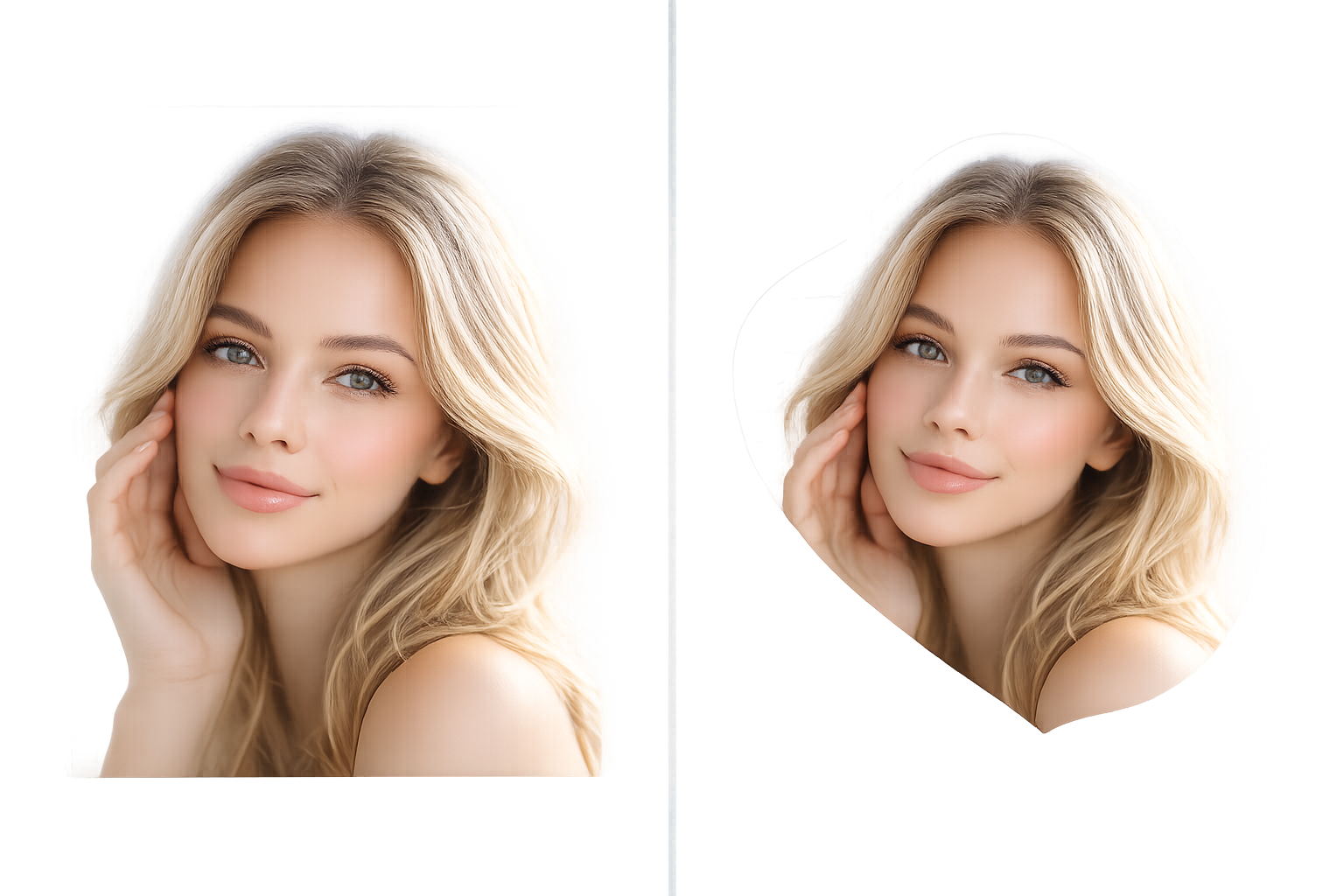
That's exactly the problem the Custom Shape Crop Tool on ImageToolsZone solves. It's a browser-based, completely free image cropper that lets you draw any shape directly on your photo — rectangle, circle, or a fully custom freehand polygon — and download a clean, transparent-background PNG in seconds.
No app to install. No account to create. No watermark slapped on your work. It runs entirely in your browser using HTML5 Canvas, which also means your image never leaves your device — instant privacy.
The Technology Behind the Tool
The tool is built on modern HTML5 Canvas APIs. When you draw a freehand path over your image, the tool records every coordinate of your cursor movement and builds an SVG-like clipping path from those points. It then uses that path to mask the image data at full resolution — cropping only the pixels inside your shape — and exports the result as a PNG with a transparent background outside the crop area.
In plain English: what you draw is exactly what you get, with pixel-level precision. Even on mobile, the touch event handlers mirror your finger movement in real time.
The Three Core Cropping Modes
Rectangle Mode
Click and drag to draw a perfect rectangular or square selection. Ideal for standard banner crops, product images, and thumbnails.
Circle Mode
Draw from center to edge for a perfect circular crop. Exactly what you need for profile pictures, team photo grids, and round stickers.
Freehand / Polygon Mode
Draw any shape you can imagine — irregular outlines, custom polygons, product silhouettes, artistic cutouts. This is the game-changer.
Who Actually Uses This Tool?
You'd be surprised how wide the audience is. Here are the people who land on this tool every single day:
Custom profile pic shapes, story graphics, and branded thumbnails
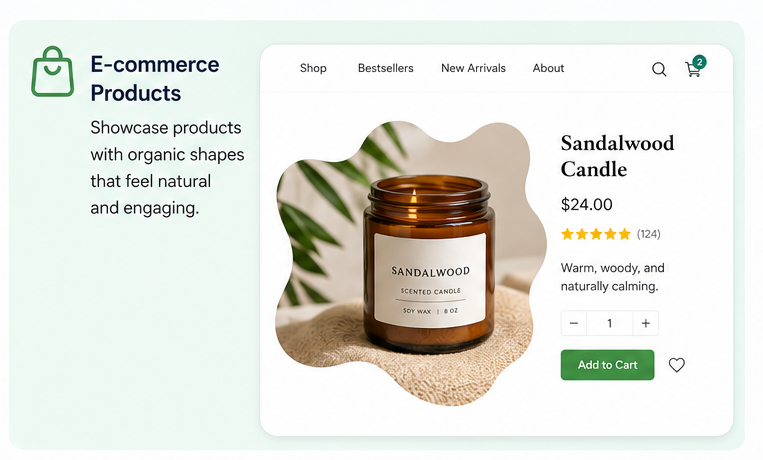
Product photo cutouts with transparent backgrounds for listings
Quick mockups without opening Illustrator or Photoshop
Fun, shaped image cut-outs for classroom presentations
Unique featured images that don't look like stock photo rectangles
Quick DIY marketing visuals without hiring a designer
If you're looking for related tools, check out our Circle Crop Image tool for perfectly round crops, or the Oval Shape Crop tool for soft, elliptical cuts. And if you need to trim away backgrounds entirely, the Free Background Remover works beautifully in tandem with this cropper.
How to Use the Custom Shape Crop Tool?
The tool was designed to be zero-learning-curve. If you can click and drag, you can use it. Here's how the process actually works, step by step, including a few tricks most first-time users miss.
Step-by-Step: Crop an Image into Any Shape
Upload Your Image
Click the blue "📁 Upload Image" button. You can select any JPG, PNG, WEBP, or GIF from your device. The image loads directly into the browser canvas — nothing is sent to a server.
Choose Your Crop Shape
Once the image loads, three shape buttons appear: Rectangle, Circle, and Freehand. Rectangle is selected by default. Click the one that matches what you want to create.
Draw Your Selection
For Rectangle: click one corner of your intended crop area and drag diagonally to the opposite corner. For Circle: click the center point and drag outward to set the radius. For Freehand: click and drag freely across the image — the tool traces every movement of your cursor or finger in real time.
Review & Adjust
If your selection isn't quite right, hit " Reset Selection" to redraw without losing your image. You can also switch shape modes mid-session — just click a different shape button to start fresh.
Click "Crop Image"
The blue "Crop Image" button activates as soon as you make a valid selection. Click it and the tool instantly computes your crop, applying the clipping path at full resolution and generating a PNG preview.
Download or Share
Click "💾 Download Image" to save the cropped PNG to your device. On mobile, you can also tap "📱 Share to WhatsApp" to send it directly using the Web Share API — no downloading to gallery needed.
Using Freehand Mode: The Right Technique
Freehand is the most powerful mode, but it takes a tiny bit of practice to get clean results. A few things that actually help:
- Slow, steady strokes capture more data points and produce smoother polygon edges.
- On a touchscreen, use a single finger and trace like you're drawing with a pen — not swiping.
- You don't need to close the path perfectly. The tool automatically closes the selection when you release, connecting your last point back to the first.
- Zoom in on your screen (browser zoom works) for more precision on small subjects.
What Happens to the Background After Cropping?
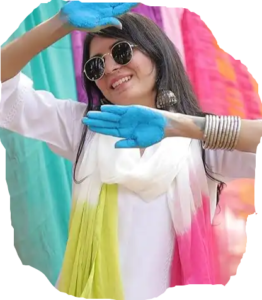
The area outside your shape selection becomes fully transparent in the downloaded PNG. That's why the tool exports PNG specifically — JPEG doesn't support transparency. When you use the downloaded file in a design tool, the transparent area shows whatever is behind it (the slide background color, another image layer, a website background, etc.).
This is what makes the tool especially useful for creating irregular shape photo editors with no background — you skip the background removal step entirely by just cropping to the shape you want.
Mobile Cropping: Does It Actually Work?
Yes — and it works better than most people expect. The tool was built with full touch support from day one. The freehand mode responds to touchstart, touchmove, and touchend events, so drawing with your finger on a phone or tablet is genuinely smooth. The canvas automatically scales to fit your screen width, so you're never squinting at a tiny image.
Where to Use Your Custom Cropped Images?
A custom-shaped image is worth roughly zero if you don't know where to actually deploy it. Here's a breakdown by platform and use case — practical, specific, and based on what real users actually do with these crops.
Social Media Profile Pictures — Beyond the Circle
Most platforms force a circular profile picture at display time, but the asset you upload is often square. Using a social media profile picture cropper with freehand shapes lets you control exactly which part of your photo sits in that circle before it's cropped again by the platform.
But some platforms — Discord, Telegram, certain LinkedIn banner areas, gaming profiles — support non-circular avatars. A custom pentagon or organic blob shape makes your profile genuinely distinctive in a sea of round headshots.
Instagram, Pinterest & Visual-First Content
Story cutouts, collage elements, product flat-lays, Pinterest pins — all of these benefit from images that aren't plain rectangles. An irregular shape crop makes the image feel editorial, not stock. It stops the scroll in a way a standard photo crop just doesn't.
Blog Featured Images & Website Design
If you run a blog or website, you know that rectangular featured images get boring fast. A freehand-cropped image overlapping a colored background section adds visual hierarchy without any CSS trickery — just a PNG with transparency placed over a solid-color div.
| Platform / Context | Recommended Crop Shape | Export Format |
|---|---|---|
| LinkedIn Profile Photo | Circle | PNG (transparent) |
| Instagram Story Sticker | Freehand / Organic | PNG (transparent) |
| eCommerce Product Listing | Freehand (around object) | PNG (white bg) |
| Blog Featured Image | Diagonal / Trapezoid Freehand | PNG |
| Presentation Slide Visual | Circle or Custom | PNG (transparent) |
| WhatsApp Sticker | Freehand | PNG (transparent) |
| YouTube Thumbnail Element | Rectangle or Circle | PNG |
| Gaming Avatar / Discord | Hexagon / Freehand | PNG (transparent) |
eCommerce & Product Photography
Online sellers need clean, isolated product images. The freehand polygon image cutter lets you trace right around a product edge — a sneaker, a bottle, a piece of jewellery — and remove everything outside that trace with a single click. Pair this with the Auto Crop for eCommerce tool for an even faster workflow when you're batch-processing many products.
Presentations, Reports & Infographics
Slides that use custom-shaped images instead of rectangular photo inserts look noticeably more polished. A circular headshot, a diagonal freehand crop of a cityscape, a wave-shaped image at the bottom of a slide — these are designer tricks that are now accessible to everyone.
Print, Stickers & Physical Products
Custom die-cut stickers printed by services like Sticker Mule or Printful need a clean outline mask. The freehand crop gives you that outline instantly, which you can then send directly as your sticker artwork. For best results, crop with a little padding around your subject, then let the print service auto-detect the outline.
Why Choose Freedom Shape Crop Tool?
There are dozens of image cropping tools online. So why does this one keep coming up in searches for freehand polygon image cutter online and irregular shape photo editor with no background? Here's what actually sets it apart — not marketing fluff, but real functional differences.
It's Genuinely Free — No Premium Tier Hidden Behind It
A lot of "free" online tools give you one or two crops and then hit you with a paywall or a watermark. This tool has no freemium trap. Every feature — rectangle, circle, freehand, download, WhatsApp share — is fully available to anyone, without logging in.
Your Image Never Leaves Your Device
Privacy is a real concern when editing personal photos. Because this tool processes everything in-browser using the HTML5 Canvas API, your image is never uploaded to any server. The moment you close the tab, everything is gone. No cloud storage, no data retention, no ad targeting from your photos.
The Freehand Mode Is Actually Usable
Most browser-based crop tools that claim freehand capability produce either laggy point-click polygon tools (cumbersome) or coarse lasso selections (imprecise). This one uses continuous mouse/touch tracking with real-time path rendering, so what you draw is what you see — smooth, responsive, and pixel-accurate.
✅ Freedom Shape Crop Tool
- Truly free, no watermark
- Real-time freehand drawing
- Transparent PNG export
- Works on mobile (touch)
- No upload to servers
- WhatsApp share built-in
- Full resolution output
Typical "Free" Crop Tools
- Watermark unless you pay
- Only rectangle crop
- Upload required (privacy risk)
- Poor mobile experience
- Reduced resolution output
- Forced account signup
- Ads / upsell popups
It Works at Full Image Resolution
One of the most frustrating things about web-based image tools is resolution loss. This tool draws the crop path scaled to the canvas display size but applies it to the original image data at full resolution. Your 4000px wide photo comes back at 4000px — not squished to 800px to "save bandwidth."
WhatsApp Sharing Built Right In
This one feature alone saves a significant amount of friction. Instead of downloading the file, finding it in your gallery, opening WhatsApp, and attaching it — you just tap "Share to WhatsApp" on mobile. On supporting browsers, the Web Share API opens the native share sheet directly. On desktop, it falls back to opening WhatsApp Web. Either way, it's the fastest path from crop to share.
Part of a Bigger Ecosystem of Free Tools
The Custom Shape Crop Tool doesn't exist in isolation — it's part of a full suite of free image editors at ImageToolsZone. After you crop, you might need to compress, enhance, add a watermark, or convert the format. All of that is available for free in the same place, without switching platforms.
Key Features at a Glance
Here's what you're getting without any signup, download, or payment — just a browser and an image:
Core Cropping Capabilities
Classic click-drag crop with corner anchor points for perfect alignment
Center-to-edge radius drawing for clean circular cutouts
Real-time path tracking — trace any shape, any complexity
Crop applied at original image resolution, not display canvas size
Background outside crop becomes transparent — perfect for layering
Reset selection without losing the image, or clear to start over
Full mobile freehand drawing via touchstart/move events
One-tap share via Web Share API on supported mobile browsers
What File Formats Are Supported?
You can upload JPG, PNG, WEBP, GIF, and BMP files as your input image. The output is always a PNG — because PNG supports transparency, and transparency is what makes the custom shape crop actually useful. If you need a different output format, run the PNG through the Image Format Converter after downloading.
Supported Browsers
The tool runs on any modern browser that supports HTML5 Canvas — which is essentially every browser released after 2015. Tested and working on Chrome, Firefox, Safari, Edge, and Samsung Internet. Works on Android and iOS without any special permissions.
Any File Size Limits?
There are no server-side file size limits because nothing is uploaded. The practical limit is your device's RAM — very large images (50MB+) may slow down older devices. For most photos under 20MB, the tool is instant. If you're working with large photos, use the Resize Image tool first to bring them to a manageable working size.
Real-World Use Cases
Sometimes the best way to understand a tool is to see exactly how other people use it. Here are some concrete scenarios where the Custom Shape Crop Tool delivers real results.
Use Case 1: Etsy Seller Creating Product Listing Photos
An Etsy seller photographing handmade ceramics on a busy kitchen counter backdrop. Instead of fighting with a background removal tool (which often struggles with complex backgrounds), they use freehand mode to trace around the ceramic piece, crop it out, and place it on a clean white background before uploading. The whole process takes under 2 minutes per product.
Use Case 2: Teacher Building an Interactive Classroom Slideshow
A primary school teacher wants images of animals in a variety of fun shapes — not boring rectangles — for a wildlife quiz. They crop each animal photo into a star, hexagon, or circle shape, download the PNGs, and drop them into Google Slides over colored background boxes. The slides look genuinely engaging, not like a stock photo dump.
Use Case 3: Blogger Adding Visual Interest to Long-Form Articles
A food blogger wants to feature a photo of a dish without it just sitting as a plain square in the middle of the page. They use freehand to crop the dish in a sweeping diagonal cut, creating a visual that overlaps the text column when overlaid on the blog's CSS grid. The result looks professionally designed with zero Photoshop involved.
After cropping, they also run the image through the Image DPI Changer to optimize it for web vs. print use and the Image Palette Generator to pull the dominant colors for their post's color scheme.
Use Case 4: Freelance Designer Making a Quick Client Mockup
A designer needs to show a client how a headshot photo will look in a hexagonal frame on a company website. Instead of firing up Illustrator, they open the freehand tool, roughly trace a hexagon, crop the headshot, and drop the transparent PNG into Figma or Canva for the mockup. Twenty seconds versus twenty minutes.
How It Compares to Other Tools
vs. Adobe Photoshop Lasso Tool
Photoshop's magnetic lasso and polygonal lasso are more precise for professional photo editing work. But they require a paid subscription, a download, and a learning curve that many casual users don't have time for. For 90% of everyday use cases — social media, blogs, quick mockups — the freehand crop tool here gets the job done in seconds, for free, in a browser.
vs. Canva's Crop Feature
Canva's built-in cropping is limited to preset shapes (circles, triangles, etc.) unless you're on a paid plan. It's also tied to Canva's ecosystem — you can't just grab the PNG and go. This tool gives you a raw, transparent PNG with a completely custom shape with no platform lock-in.
vs. remove.bg
remove.bg uses AI to remove backgrounds and is excellent for portraits and clear foreground subjects. But it costs credits for high-resolution exports and doesn't give you creative control over the shape of the crop — it just removes the background. The freehand crop tool is about creative shape control, not background AI detection. They're complementary, not competing. Use remove.bg for complex backgrounds, this tool for custom shape control. Then compress with the Image Compressor before publishing.
vs. Other Free Online Croppers
Most free online image croppers offer only rectangular crops. A handful add circles or ovals. Very few offer true freehand polygon drawing, and even fewer do it with real-time rendering, transparent output, and full-resolution preservation — all simultaneously. That combination is what makes this tool stand out in its category.
For additional editing needs after cropping, explore the Advanced Photo Editor or round off your image corners with the Round Corners tool.
Frequently Asked Questions
These are the real questions people search for before (and after) using the tool — answered honestly.
What exactly is a Custom Shape Crop Tool?
How do I crop an image into a custom SVG path shape online for free?
Is this really free? No watermark, no hidden charge?
Does the tool upload my photos to a server?
Can I use the freehand polygon image cutter on my phone?
What image formats can I upload?
Does cropping reduce the image resolution or quality?
Can I crop an image into an irregular shape for a social media profile picture?
What's the difference between freehand crop and background removal?
Can I crop into a heart, star, or polygon shape with this tool?
Why does the cropped image have a transparent background?
How do I reset my selection and try again without clearing the image?
Can I share the cropped image directly to WhatsApp?
Is there a limit on how many images I can crop?
What should I do if the freehand selection looks jagged or rough?
Does it work for eCommerce product photo editing?
Can I add a watermark or text to the cropped image afterward?
Explore More Free Tools on ImageToolsZone
Everything you need for image editing in one place — all free, all no-watermark.
Rotate & Flip Image
Rotate any angle or flip horizontally/vertically without uploading to a server.
Add Image to PDF
Insert a cropped image directly into a PDF document online, free.
Image Splitter
Split any image into a grid of equal pieces for social media multi-post grids.
Oil Painting Effect
Transform your cropped photo into a painterly artwork in one click.
Merge Images Online
Combine two or more images side by side or as layers — no watermark.
Image DPI Changer
Change your image DPI for print-ready exports without quality loss.
Rectangle, circle, freehand polygon, or any irregular outline — crop your photo into exactly the shape you need in seconds. No software. No signup. No watermark.