Image DPI Checker & Converter – Check and Change DPI Online Free
Check the DPI, pixel dimensions, file size, and estimated print size of your image instantly. Change DPI to your desired value. Everything runs right in your browser — your image never leaves your device.
Drag & Drop Your Image Here
or
JPG, PNG, WebP, BMP and other supported image formatsImage Preview
Image Details
Estimated Print Size (at current DPI)
Print size is computed from pixel dimensions ÷ DPI. If DPI metadata is missing, this estimate cannot be calculated.
Change the DPI of my Image
Select your desired DPI value to convert
General DPI / Print Quality Guidelines
| DPI | Typical Use | Quality |
|---|---|---|
| 72 DPI | Web / screen only | Low |
| 96 DPI | Screen / office docs | Low |
| 150 DPI | Newspapers, posters (far view) | Acceptable |
| 300 DPI | Photo prints, magazines, brochures | High |
| 600 DPI | Art prints, high-end print | Very High |
These are general guidelines. Perceived quality also depends on viewing distance, print medium, and content. DPI metadata and pixel resolution are different properties — a small image at 300 DPI may still print tiny.
Image DPI Changer Online Free – Change Image DPI Without Losing Quality
An Image DPI Changer Online Free tool solves a problem almost everyone runs into sooner or later: you have a photo, a form asks for a specific DPI, and you have no idea what DPI your image is even set to right now. Maybe it's a passport photo that keeps getting rejected. Maybe it's a print shop asking for "300 DPI minimum." Whatever brought you here, this page explains what DPI actually is, how to check image dpi online in a few seconds using the tool above, and what the number actually means for printing — without the technical jargon that usually makes this topic more confusing than it needs to be.
What Is DPI?
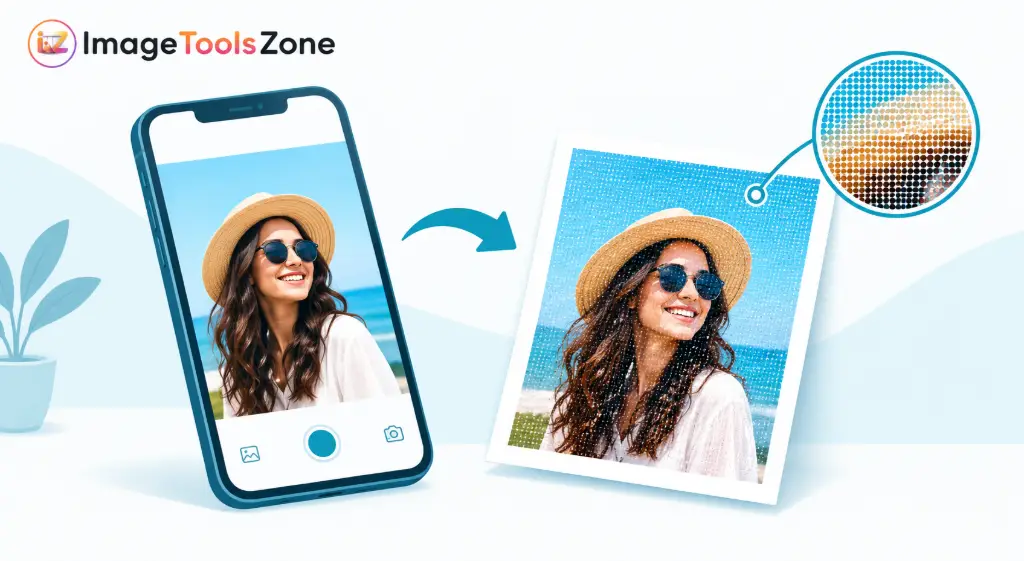
DPI stands for "dots per inch," and it's the number of tiny printed dots a printer squeezes into every inch of paper. For digital photos, people usually mean PPI ("pixels per inch"), but in everyday conversation the two get used interchangeably — and honestly, that's fine for our purposes. What matters is this: DPI tells you how densely packed the detail is when the image gets printed at a certain size. A higher number generally means a sharper, cleaner print, while a lower number can look soft or slightly blocky once it's on paper.
If you want to check photo dpi online instead of digging through file properties or opening an editing program, that's exactly what the tool above does. Drop your image in, and it reads the embedded DPI value straight from the file's metadata.
How to Check Image DPI
Checking your image's DPI with our tool takes less time than making a cup of tea. Here's exactly how it works if you want to check jpg dpi online or check any other common format:
- Upload your image. Drag and drop it into the tool, or click to browse your device.
- Let the tool analyze the image. It reads the file's embedded metadata automatically — no waiting, no processing queue.
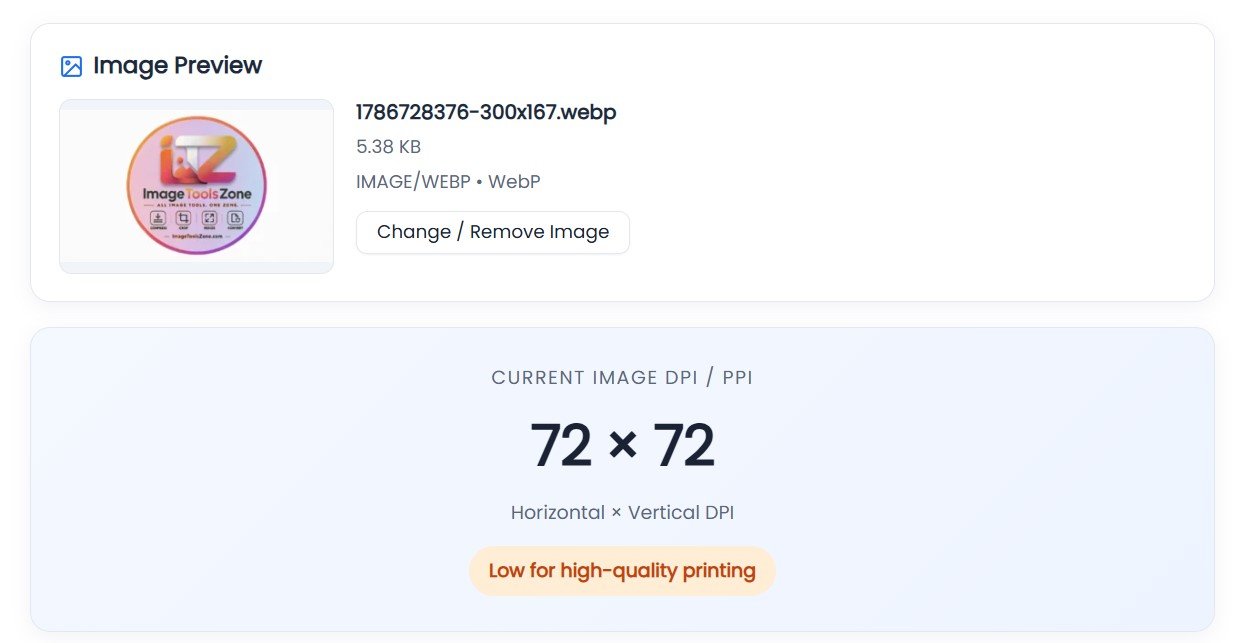
- View the horizontal and vertical DPI. Most images share the same value for both, but some scanned files don't, so it's worth checking both numbers.
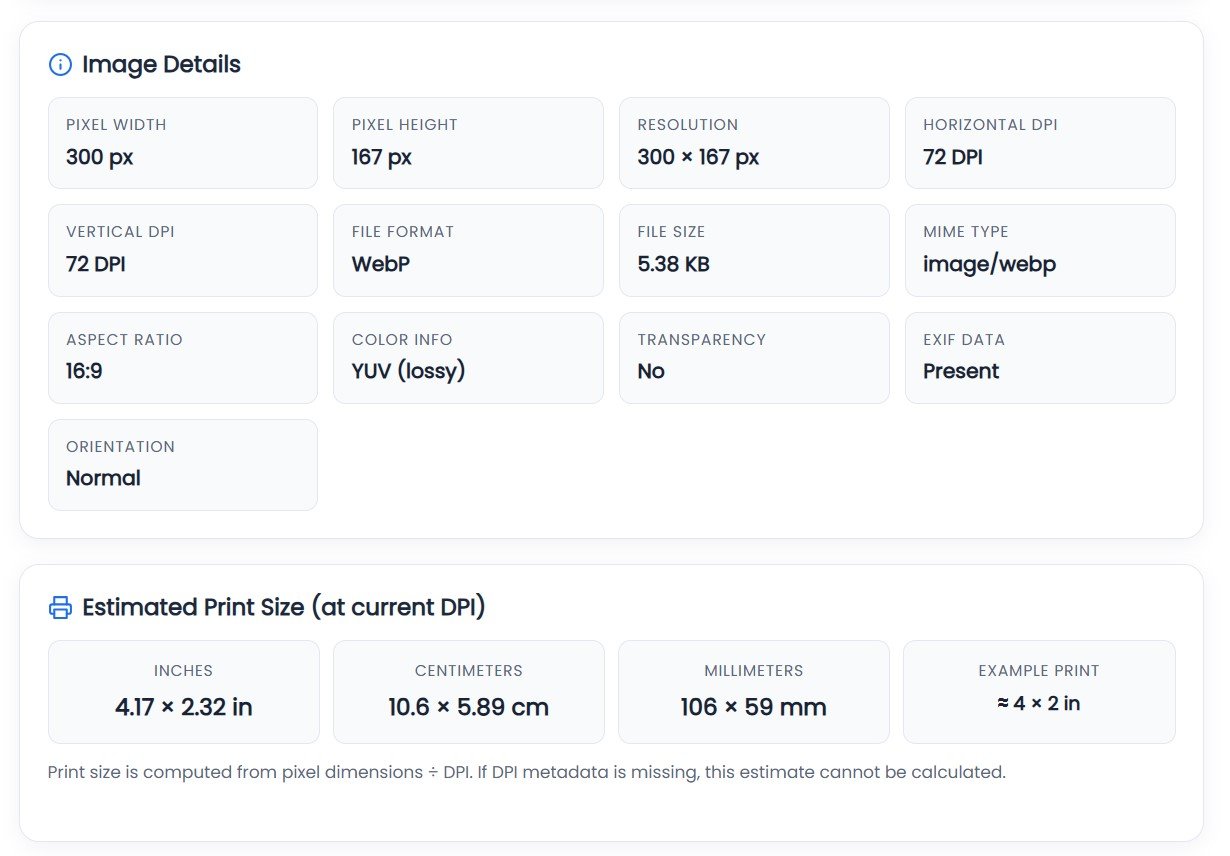
- Check the image dimensions. You'll see the pixel width and height, which is the real driver of print quality.
- View the estimated print size. Based on the DPI and pixel dimensions, the tool estimates how large you can print the image before it starts looking soft.
This whole flow works entirely in your browser, so you can check image dpi before printing without installing any software or creating an account.
How to Change the DPI of Your Image
Upload Your Image
First, upload the image you want to change using the Image DPI Changer tool.
- The tool reads the image's current DPI and pixel dimensions.
Select Your Desired DPI
Under "Change the DPI of my Image", select the DPI you want.
The tool provides these preset options:
You can also enter a custom value in the "Other" field.
Click "Convert DPI"
After selecting your desired DPI, click the green "Convert DPI" button.
The tool processes the image and changes its DPI setting.
Check the Conversion Results
After processing, the "Conversion Complete!" section displays the details of your converted image.
For example, the screenshot shows:
- Original DPI: 72 × 72
- New DPI: 300 × 300
- Pixel Dimensions: 300 × 167 (unchanged)
- New Print Size: 1.00 × 0.56 inches
- Format: WebP
Download the Converted Image
If the results are correct, click:
Your converted image will then be saved to your device.
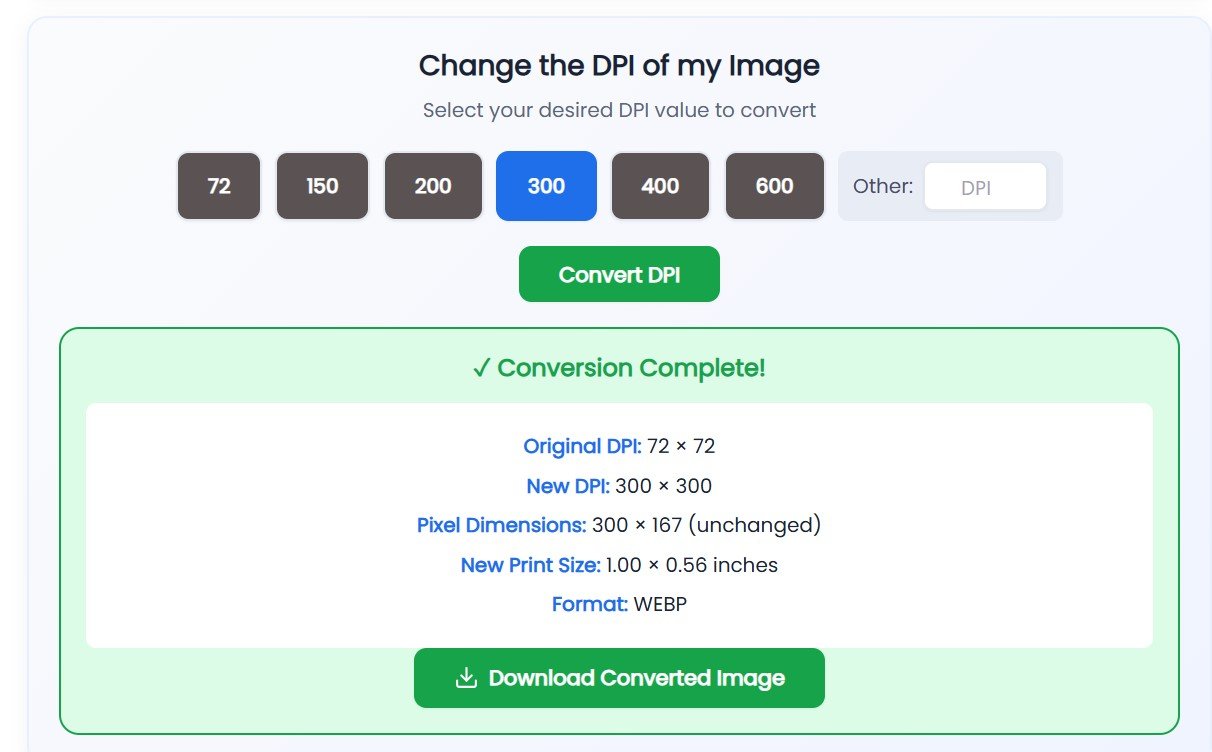
Example of the conversion results display
What Is a Good DPI for Printing?
There's no single "correct" DPI for every situation — it really depends on what you're printing and how close someone will be standing when they look at it. That said, a few values come up again and again:
- 150 DPI — acceptable for large posters and banners viewed from a distance, where fine detail matters less.
- 300 DPI — the most common benchmark for standard print jobs: photos, brochures, documents, and most things you'd hold in your hands.
- 600 DPI — used for fine detail work like professional photography prints, intricate line art, or documents that will be scrutinized closely.
People often want to check 300 dpi image online before submitting artwork to a print shop, since 300 DPI is the number most commercial printers ask for. But if you're printing a large event banner, 300 DPI might be complete overkill — and if you're printing a tiny wallet photo, even 150 DPI might look perfectly sharp. Think of it less as a rule and more as a starting point that shifts with context.
DPI vs Image Resolution
These terms get mixed up constantly, so here's the distinction laid out plainly:
- DPI/PPI metadata — a number stored inside the file that tells printers how densely to space the pixels. It can technically be changed without touching a single pixel.
- Pixel dimensions — the actual width and height of the image in pixels (say, 3000 × 2000). This is the true source of image detail.
- Physical print size — how large the image appears once printed, calculated from pixel dimensions divided by DPI.
- Actual image detail — the real sharpness and clarity captured by the camera or scanner, which no metadata field can fake.
An easy way to picture it: DPI is like the instructions on a recipe card, while pixel dimensions are the ingredients. You can rewrite the instructions all day, but you can't bake a bigger cake without more ingredients.
Does Increasing DPI Improve Image Quality?
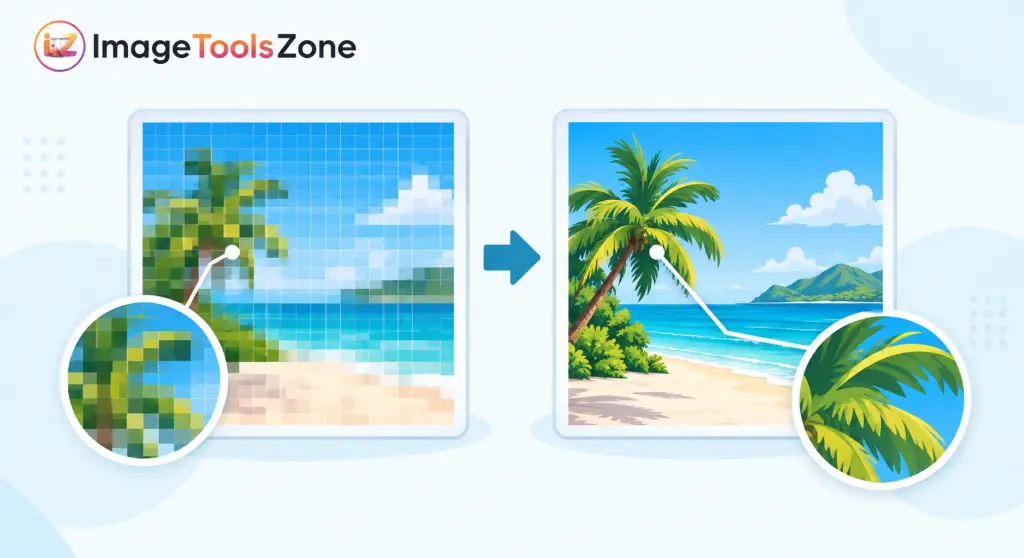
This is probably the single biggest misconception around DPI: changing the DPI value in a file's metadata does not add a single new pixel to the image. If a photo is 800 × 600 pixels and you change its DPI from 72 to 300, the file will now claim it prints smaller and denser — but the actual detail captured in those 800 × 600 pixels hasn't changed at all. The image is exactly as sharp, or as blurry, as it was before.
Real image quality comes from the source: the camera sensor, the scan resolution, or how the file was originally saved. So while adjusting DPI is genuinely useful for meeting a printer's or portal's technical requirement, it's not a shortcut for turning a low-quality photo into a high-quality one.
Who Needs an Image DPI Checker?
It's easy to assume DPI only matters to designers, but in practice this comes up in everyday situations far more often than people expect:
If any of these sound familiar, using an image dpi checker for printing before you submit a file can save you a rejected application, a wasted print run, or an awkward back-and-forth with a print shop asking you to resend the file "at the correct DPI."
More Free Image Tools You'll Actually Use
Checking DPI is often just one step in getting an image print-ready or upload-ready. These free tools handle the other steps people usually need along the way:
Free Image Cropper
Trim an image down to the exact area you need before checking its final DPI and print size.
Crop an image →Custom Shape Crop Tool
Cut a photo into a specific shape for ID cards, badges, or layout templates that call for a non-rectangular photo.
Try custom crop →Circle Crop Image
Turn a photo into a perfect circle — handy for profile photos, badges, and stamped document layouts.
Crop to circle →Resize Image to Exact Size
Set precise pixel or inch dimensions so your image prints at the exact size a form or print shop requires.
Resize now →Convert Image Format
Switch between JPG, PNG, and other formats without losing quality — useful when a portal only accepts one file type.
Convert a file →Background Remover
Strip out a busy background before submitting a passport photo or product image for printing.
Remove background →View Image Metadata
See everything else hiding inside your file besides DPI — camera details, timestamps, and more.
View metadata →Ready to check your image?
Scroll back up, drop your file into the tool, and get your image's DPI, dimensions, and print size in seconds.
Check My Image DPIFrequently Asked Questions
What is DPI in an image?
DPI stands for dots per inch, a measurement of how densely pixels or printed dots are packed into each inch of an image when it's printed. It affects how sharp or soft a photo looks on paper, though it doesn't change the actual pixel content of the file.
How can I check the DPI of a JPG?
Upload the JPG to the tool above and it will read the embedded DPI value directly from the file's metadata, along with its pixel dimensions and estimated print size — no software needed.
How do I check PNG DPI?
The same process works for PNG files. Some PNGs don't store a DPI value at all, in which case the tool will show a default or missing value rather than a false number.
Is 300 DPI good for printing?
300 DPI is a widely used standard for everyday printing like photos, brochures, and documents. It isn't a universal rule, though — posters and banners viewed from a distance can look fine at a lower DPI, while fine art prints sometimes call for higher.
What is the difference between DPI and resolution?
DPI is a print-density setting stored in the file's metadata, while resolution usually refers to the actual pixel dimensions of the image. Resolution determines the real amount of detail; DPI determines how that detail is spread out when printed.
Can I check image DPI without downloading software?
Yes. The tool on this page runs entirely in your browser, so you can check image dpi online without installing anything or creating an account.
Why does my image show no DPI information?
Some images, especially ones downloaded from the web or exported from certain apps, never had a DPI value written into their metadata. In that case, many programs assume a default like 72 or 96 DPI until you set one manually.
Does changing DPI increase image quality?
No. Changing the DPI value only changes how the file reports its print density — it doesn't add new pixels or sharpen existing detail. Actual image quality comes from the original pixel dimensions and source capture.
What DPI do passport photos usually need?
Most passport and ID photo guidelines ask for around 300 DPI at a specific physical size, but requirements vary by country and agency, so it's worth checking the exact specification before submitting.