
Convert Color Image to Black and White in 1 Click (Free)
- Convert an Image to Black and White Online
- How to Convert an Image to Black and White
- What Is a Black and White Image Converter?
- Why Convert a Photo to Black and White?
- Black and White Image Converter for Different Uses
- Features of Our Black and White Image Converter
- Black and White vs Grayscale – What's the Difference?
- Frequently Asked Questions
Convert an Image to Black and White Online
Looking to convert image to black and white without the hassle of downloading expensive software? You've found the right place. Our image to grayscale converter transforms your colorful photos into stunning monochrome masterpieces in just seconds.
Here's the thing: whether you're a professional photographer wanting to create that timeless black and white aesthetic, a student preparing a presentation, or someone who just loves the artistic vibe of grayscale images, our black and white photo converter has got you covered.
What makes this tool special? It's dead simple. You don't need any design skills or technical knowledge. Just turn photo black and white online by uploading your image, and let our converter handle the rest. The tool processes everything right in your browser, so there's no waiting around for uploads to remote servers.
💡 Pro Tip
Black and white photography isn't just about removing color—it's about emphasizing contrast, texture, and emotion. Our converter preserves these elements while giving you that classic monochrome look.
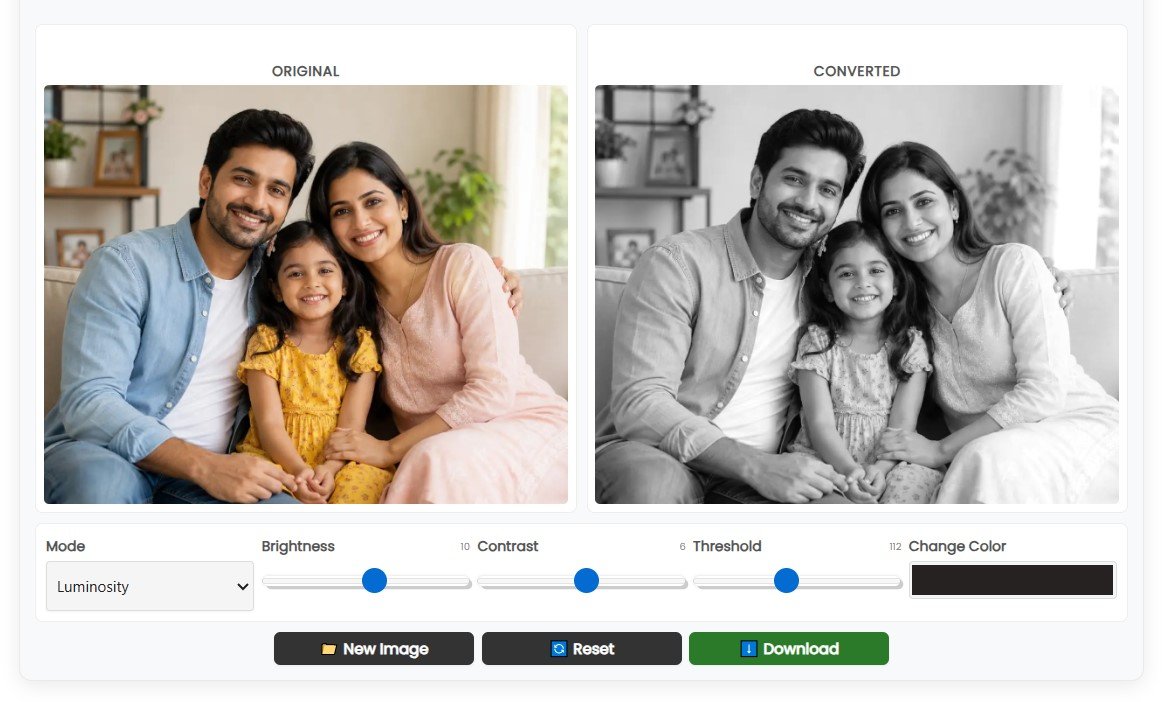
Show the converter interface with before/after comparison
How to Convert an Image to Black and White
Wondering how easy it is to convert color image to black and white using our tool? Let me walk you through the process. It's so straightforward that you'll be converting images like a pro in no time.
Upload Your Image
Click the upload button and select your JPG, PNG, or other image format from your device
Automatic Processing
Our converter instantly transforms your color photo into grayscale
Preview & Adjust
See the black and white version and tweak settings if needed
Download
Save your converted image in high quality, ready to use
Step-by-Step Breakdown
Step 1: Upload Your Image
Start by clicking the upload button or simply drag and drop your image into the tool. We support all major image formats including JPG, PNG, WEBP, and more. There's no file size limit that'll make you sweat, and the upload happens lightning-fast.
Step 2: The Converter Does Its Magic
Once uploaded, our grayscale image converter online gets to work immediately. It analyzes your image and converts it to black and white using advanced algorithms that maintain the quality and detail of your original photo.
Step 3: Preview Your Black and White Photo
See your converted image side by side with the original. This lets you compare and make sure you're happy with the result before downloading. If you want to fine-tune things, you can adjust brightness, contrast, or apply different conversion modes.
Step 4: Download and Use
Happy with how it looks? Click download and your black and white image is saved to your device. It's that simple. No watermarks, no quality loss, just a clean monochrome image ready for whatever you need.
What Is a Black and White Image Converter?
Let's break this down in simple terms. A black and white photo converter is a digital tool that takes a colorful image and strips away all the hues, leaving you with shades of gray ranging from pure black to pure white.
But here's what's interesting: when people say "black and white," they usually mean grayscale images. Technically speaking:
- Grayscale images contain 256 shades of gray (from 0 = black to 255 = white)
- True black and white (binary) would be just black and white pixels with no gray in between
- Monochrome is the umbrella term for any single-color image
When you make image black and white online using our tool, you're actually creating a grayscale image. This gives you those beautiful tonal variations that make black and white photography so compelling.
How Does the Conversion Work?
Our image to grayscale converter doesn't just randomly remove colors. It uses a formula that considers how the human eye perceives different colors. Green tones contribute more to the final brightness than blue, for example. This ensures your converted image looks natural and maintains the visual hierarchy of the original.
🎨 The Science Behind It
Color images use RGB (Red, Green, Blue) values to create millions of colors. When converting to grayscale, the tool calculates a weighted average: typically 30% red, 59% green, and 11% blue. This matches how our eyes perceive brightness in different colors.
Why Convert a Photo to Black and White?
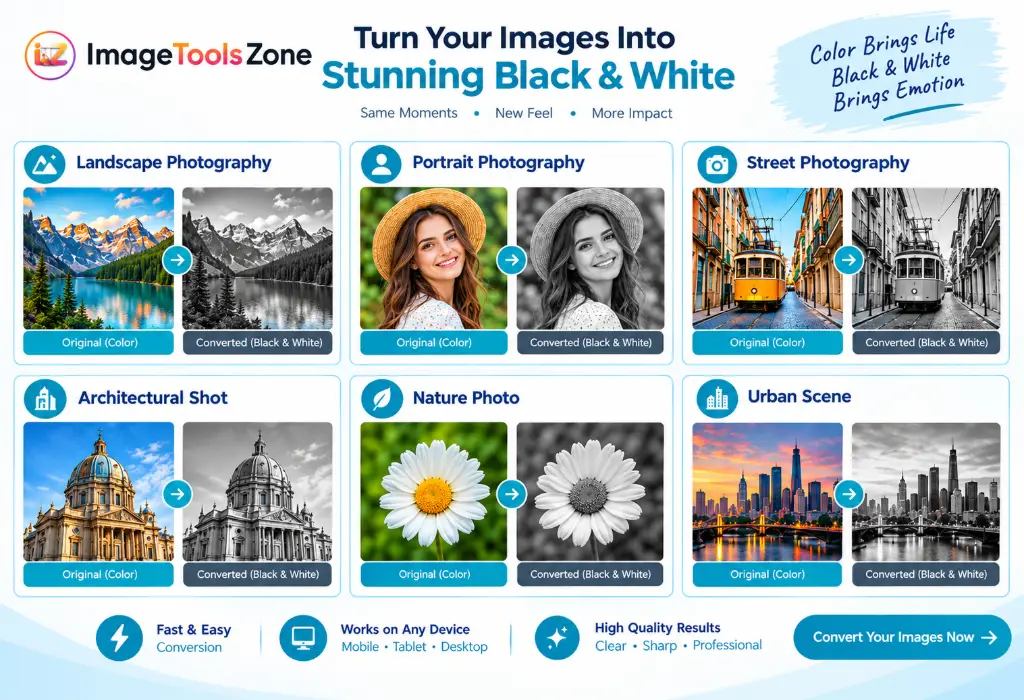
There are tons of reasons why you'd want to turn photo black and white online. Let me share some of the most common (and creative) uses:
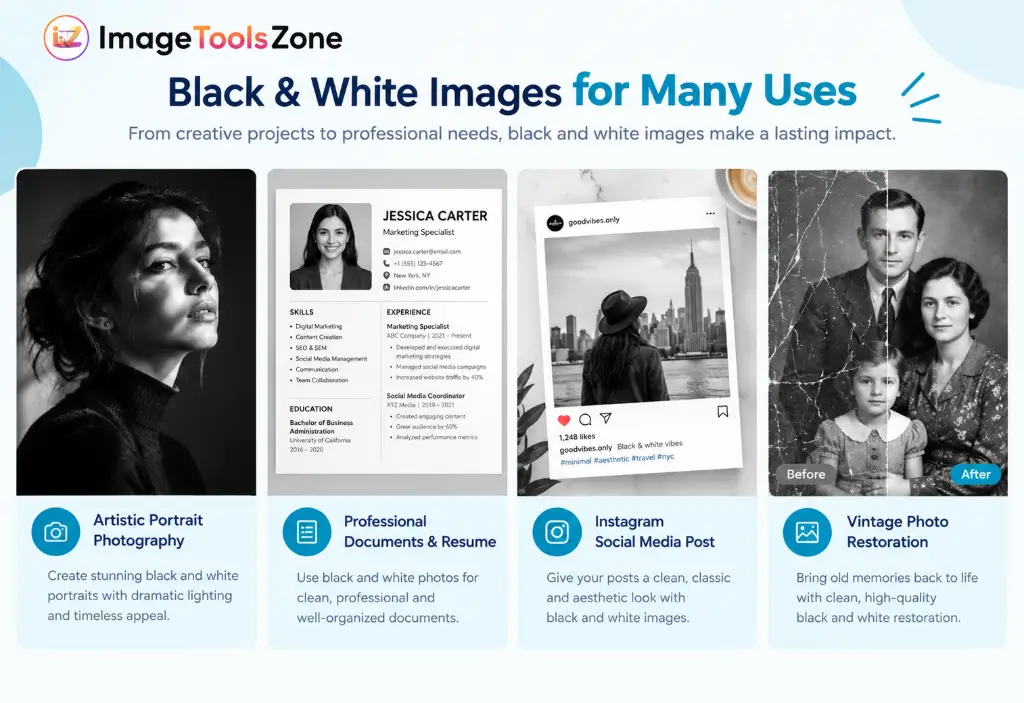
Create Timeless Art
Black and white photography has a classic, timeless quality. It removes the distraction of color and focuses attention on composition, emotion, and subject matter.
Perfect for Printing
Many printing projects require or look better in black and white. Think documents, resumes, forms, or artistic prints that need that monochrome aesthetic.
Enhance Creativity
Removing color forces you to think differently about contrast, texture, and lighting. It's a fantastic way to develop your photographic eye.
Social Media Impact
Black and white posts stand out in colorful social media feeds. They create a cohesive aesthetic for your Instagram, Facebook, or other platforms.
Professional Profile Pictures
Many professionals prefer black and white headshots for LinkedIn, company websites, or business cards. They look polished and serious.
Reduce Visual Noise
Sometimes colors clash or distract from your main subject. Converting to grayscale eliminates this problem instantly.
Real-World Applications
Beyond the creative aspects, there are practical reasons to convert color image to black and white:
- Document preparation: Scanned documents often look cleaner in black and white
- Archival purposes: Black and white images take up less storage space
- Accessibility: Some people with color vision deficiencies prefer grayscale images
- Artistic projects: School assignments, art portfolios, creative presentations
- Vintage effects: Create that nostalgic old-photo look instantly
- Focus on emotion: Black and white often conveys mood better than color
Black and White Image Converter for Different Uses
Our black and white photo converter isn't a one-trick pony. It's versatile enough to handle various scenarios. Here's how different people use it:
📄 Convert Photo to Black and White for Printing
Need to print photos for a project, scrapbook, or frame? Black and white images often print better, use less ink, and create a sophisticated look. Perfect for school projects, business presentations, or artistic prints.
📑 Turn a Picture Black and White for a Document
Working on a resume, report, or official document? Many professional documents require or benefit from grayscale images. Our tool helps you prepare images that meet these requirements quickly.
🖼️ Convert Images to Grayscale for Printing
Artists and photographers often print in black and white to emphasize texture and contrast. Whether you're creating a portfolio or gallery piece, our converter prepares your images perfectly.
Make a Black and White Profile Picture
Professional headshots in black and white convey seriousness and sophistication. Convert your photo for LinkedIn, company directories, or business cards with just a few clicks.
📲 Convert Photos to Black and White for Social Media
Create a cohesive Instagram aesthetic or make your posts stand out. Black and white images create visual interest in busy social media feeds and can help establish your personal brand.
Turn Color Images Into Grayscale for School Projects
Students often need to convert images for presentations, reports, or art projects. Our free tool makes this easy without requiring expensive software or technical skills.
Features of Our Black and White Image Converter
What makes our image to grayscale converter stand out from the crowd? Let me tell you about the features that users love:
100% Free to Use
No hidden fees, no premium tiers, no credit card required. Convert as many images as you want, completely free.
Lightning Fast
Our tool processes images in seconds. No long wait times or slow uploads. Get your black and white images instantly.
Privacy Protected
Your images are processed locally in your browser. We don't store or upload your photos to any server. Your privacy matters.
Multiple Format Support
Upload JPG, PNG, WEBP, GIF, and other common formats. Download in your preferred format without quality loss.
Adjustment Controls
Fine-tune brightness, contrast, and threshold. Choose between different conversion modes like Luminosity, Average, Desaturate, and more.
Live Preview
See your changes in real-time. Compare before and after side by side before downloading your final image.
Mobile Friendly
Works perfectly on smartphones, tablets, and desktops. Convert images on the go, anywhere, anytime.
No Watermarks
Download clean, professional images without annoying watermarks or branding. Your images, your way.
Advanced Features for Power Users
While our tool is simple enough for beginners, it also offers features that photography enthusiasts will appreciate:
- Multiple conversion algorithms: Choose from Luminosity, Average, Desaturate, True B&W, and Sepia modes
- Fine-tuned controls: Adjust brightness, contrast, and threshold to perfect your image
- Color customization: Some modes let you choose custom tones
- High-quality output: Maintain the original resolution and quality
- Batch processing ready: Convert multiple images one after another quickly
Black and White vs Grayscale – What's the Difference?
This is a common question, and honestly, the terms are often used interchangeably. But there are some technical differences worth knowing:
Technical Breakdown
Grayscale: An image with 256 shades of gray (0-255). This is what most people mean when they say "black and white."
True Black and White: Also called binary or 1-bit images. Only pure black and pure white pixels, no gray tones.
Monochrome: Any image using only one color (which could be grayscale, or even sepia, cyanotype, etc.)
When you use our convert color image to black and white tool, you're creating grayscale images. This gives you those beautiful tonal variations that make black and white photography so rich and dimensional.
Why Does This Matter?
For most practical purposes—printing photos, creating social media content, preparing documents—grayscale is what you want. It preserves the detail and depth of your image while removing color.
True black and white (binary) images are mainly used for specific technical applications like fax documents, certain types of scanning, or artistic effects where you want high contrast with no middle tones.
Frequently Asked Questions
It's super easy! Just upload your color photo to our converter, and it automatically transforms it into black and white. You can then preview the result, make adjustments if needed using our brightness and contrast sliders, and download your grayscale image. The whole process takes less than a minute, and you don't need any editing skills.
Absolutely! Our tool specializes in converting JPG images to black and white. Just upload your JPG file, and we'll convert it to grayscale while maintaining the quality. You can also download the result as JPG or switch to PNG format if you prefer. There's no limit to how many JPG images you can convert.
Yes! PNG files work perfectly with our converter. PNG is actually great for black and white images because it supports transparency and maintains high quality without compression artifacts. Upload your PNG, convert it to grayscale, and download it in PNG format to preserve that quality.
You don't need Photoshop at all! Our free online converter does the job just as well, if not better for quick conversions. Simply upload your image, and our tool handles the conversion instantly. It's free, requires no installation, and works right in your browser. Plus, you won't need to learn complicated software—just upload, convert, and download.
You're looking at one right now! Our black and white photo converter is completely free to use. No subscription, no hidden fees, no watermarks. You can convert as many images as you want, whenever you want. We believe great tools should be accessible to everyone, not just those who can afford expensive software.
While people often use these terms interchangeably, there's a technical difference. Grayscale images contain 256 shades of gray, from pure black to pure white, creating smooth tonal transitions. True black and white (or binary) images contain only two colors: black and white, with no gray tones in between. Our converter creates grayscale images, which is what most people want for photography and general use.
Unfortunately, once you convert a color image to black and white, the color information is permanently lost. You can't simply "undo" it to get the original colors back. However, there are AI-powered colorization tools that can add color to black and white images, though the results are educated guesses rather than the original colors. That's why we always recommend keeping a copy of your original color image.
Not at all! Our converter maintains the original resolution and quality of your image. The only thing that changes is the color information—everything else stays the same. In fact, black and white images can sometimes appear sharper because there's no color noise. When you download your converted image, it'll be just as crisp and clear as the original.
Yes! Our tool gives you full control. After converting your image to black and white, you can use our brightness, contrast, and threshold sliders to fine-tune the result. Want a darker, moodier look? Lower the brightness. Need more punch? Increase the contrast. You can preview all changes in real-time before downloading.
Absolutely. Your privacy is our priority. All image processing happens locally in your browser—we don't upload your photos to any server or store them anywhere. Once you close the page, your images are gone. We don't track what you convert or keep any copies. Your photos stay yours, period.
Related Image Tools You Might Find Useful
While you're here, check out these other free tools that complement our black and white converter:
Ready to Create Stunning Black and White Images?
Don't let complicated software hold you back. Convert your color images to black and white in seconds—completely free, no registration required.
Start Converting Now →