
YouTube Thumbnail Downloader
Download YouTube video thumbnails in HD quality for free.
Fetching thumbnail...
Result
Available Thumbnail Sizes
YouTube Thumbnail Downloader – Download HD Thumbnails Free
Looking for a fast, reliable way to download YouTube thumbnails in the highest quality? You've landed in the perfect spot. Our YouTube Thumbnail Downloader lets you grab stunning HD thumbnails from any YouTube video in seconds – no registration, no watermarks, completely free.
Whether you're a content creator researching competitor strategies, a marketer building presentation decks, or simply someone who loves saving eye-catching visuals, this tool makes it effortless. Just paste your YouTube URL, and instantly access thumbnails in multiple resolutions – from standard quality up to full HD 1280×720 pixels.
What is a YouTube Thumbnail Downloader?
A YouTube Thumbnail Downloader is a specialized online tool that extracts and saves the preview images (thumbnails) from YouTube videos. Think of it as your personal visual archive – whenever you come across a compelling YouTube video, you can instantly grab its thumbnail in the best available quality.
These thumbnails aren't just random screenshots. YouTube creators carefully design them to attract clicks, often using professional graphic design tools, bold text overlays, and eye-catching imagery. When you use a YouTube Thumbnail Downloader HD tool, you're accessing these professionally crafted visuals in their original resolution.
What is a Thumbnail?
A thumbnail is a compressed, smaller version of an image or video frame that serves as a preview. On YouTube, it's the clickable image that represents your video before someone watches it.
Why Download Thumbnails?
Save inspiration for your own designs, analyze competitor strategies, create mood boards, or use thumbnails for educational presentations and research purposes.
100% Free & Safe
No hidden fees, no software installation, no account creation. Just paste, click, and download. Your privacy is protected – we don't store your URLs or data.
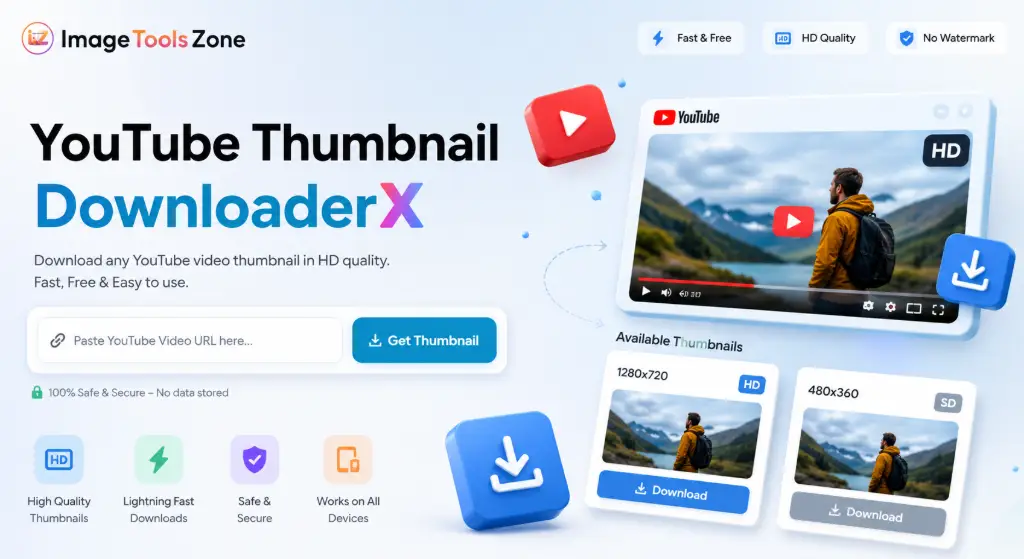
Our intuitive YouTube Thumbnail Downloader interface makes it simple to extract HD thumbnails from any video
How to Download a YouTube Thumbnail
Getting your hands on high-quality YouTube thumbnails doesn't require any technical skills. Our YouTube Thumbnail Download Online tool is designed with simplicity in mind. Follow these straightforward steps:
Copy the YouTube Video URL
Navigate to the YouTube video whose thumbnail you want to save. Click the address bar and copy the entire URL (it should look like youtube.com/watch?v=VIDEO_ID or youtu.be/VIDEO_ID).
Paste It Into the Tool
Return to our YouTube Thumbnail Downloader and paste the URL into the input field. The tool accepts all YouTube link formats – standard videos, Shorts, embedded links, you name it.
Click "Get Thumbnail"
Hit the button and watch the magic happen. Our system instantly extracts the video ID and fetches all available thumbnail resolutions from YouTube's servers.
Preview the Available Thumbnails
You'll see a large preview of the highest resolution thumbnail, plus a grid showing all other available sizes. Each thumbnail displays its exact dimensions so you know what you're getting.
Choose Your Preferred Resolution
Browse through the options – from maximum resolution (1280×720) down to standard quality (120×90). Select the size that fits your needs.
Download the Thumbnail
Click the download button, and your thumbnail saves instantly as a JPG file. The filename includes the video ID for easy organization. Alternatively, copy the direct image URL for immediate use.
The entire process takes less than 10 seconds. No waiting, no complicated steps, no watermarks ruining your images. That's the power of a well-designed YouTube Thumbnail Saver.
Lightning Fast
Get thumbnails in under 5 seconds
100% Secure
No data storage, complete privacy
Always Available
24/7 access, no downtime
Mobile Friendly
Works perfectly on any device
Download YouTube Thumbnails in HD
When we talk about Download YouTube Thumbnail in Full Resolution, we're not exaggerating. YouTube actually stores multiple versions of each thumbnail, and our tool gives you access to all of them. Here's what you're working with:
Available Thumbnail Resolutions Explained
Understanding the different quality levels helps you choose the right thumbnail for your specific needs:
Maximum Resolution (1280×720)
The holy grail of YouTube thumbnails. This YouTube Thumbnail Downloader 1080p quality (technically 720p HD) is what creators upload as their custom thumbnail. Perfect for presentations, detailed analysis, or when you need every pixel.
High Quality (480×360)
Solid mid-tier resolution that balances quality and file size. Great for web use, social media posts, or when you need decent quality without massive file sizes.
Medium Quality (320×180)
The standard YouTube player thumbnail size. Ideal for quick previews, mobile displays, or when you're building thumbnail galleries.
Standard Quality (120×90)
Smallest available size, but still useful for tiny previews, favicon-style displays, or when bandwidth is a concern.
Why Higher Resolution Thumbnails Matter
You might wonder, "Why bother with HD when smaller sizes exist?" Here's the deal:
Professional Presentations: When you're creating slides for client meetings, educational content, or conference talks, pixelated thumbnails look unprofessional. HD thumbnails keep your visuals crisp even on large screens.
Design Analysis: If you're studying what makes thumbnails clickable – the text placement, color schemes, facial expressions – you need to see the details. Low-res thumbnails blur out the very elements you're trying to analyze.
Future-Proofing: That 480×360 thumbnail might look fine today, but what if you need it for a 4K presentation next year? Download the highest resolution now, and you'll never regret it. You can always scale down, but you can't scale up without losing quality.
Social Media Versatility: Different platforms have different image requirements. Instagram posts, Twitter headers, Facebook ads – they all need different sizes. Starting with an HD YouTube Thumbnail Downloader JPG gives you the flexibility to crop and resize for any platform.
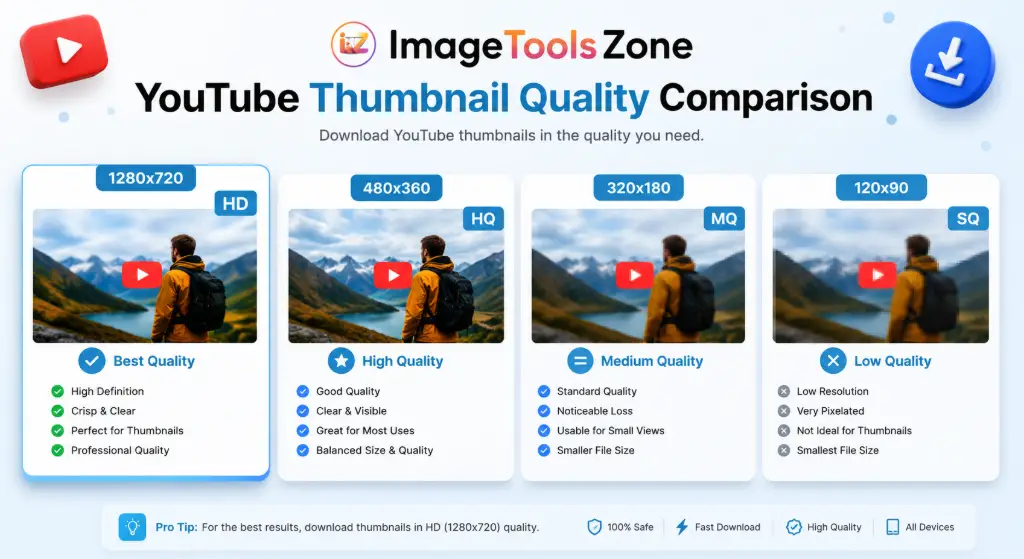
Visual comparison showing the dramatic difference between standard and HD YouTube thumbnails
Where Are YouTube Thumbnails Used?
You'd be surprised how many legitimate, creative ways people use downloaded YouTube thumbnails. This isn't just about saving pretty pictures – it's about having a powerful visual resource at your fingertips.
Content Creator Research & Analysis
Successful YouTubers don't guess what works – they study it. By downloading thumbnails from top-performing videos in their niche, creators can:
- Analyze color psychology and visual patterns
- Study text overlay placement and font choices
- Understand facial expression strategies
- Identify trending thumbnail styles in their category
- Create mood boards for their own thumbnail designs
It's competitive intelligence, but visual. And it's completely ethical – these thumbnails are public-facing marketing materials designed to be seen.
Educational & Academic Research
Researchers studying digital media, marketing trends, or visual communication often need to archive YouTube thumbnails for:
- Case studies on viral content
- Analysis of misinformation spread through visuals
- Documentation of historical events as covered on YouTube
- Academic papers on visual rhetoric and persuasion
- Teaching materials for media literacy courses
Having a reliable YouTube Thumbnail Downloader makes this research process smooth and efficient.
Social Media Planning & Content Calendars
Marketing teams planning cross-platform campaigns often save YouTube thumbnails to:
- Create content calendars with visual references
- Share video concepts with clients or stakeholders
- Build presentation decks showing competitor strategies
- Develop brand guidelines based on successful visual patterns
- Archive campaign assets for future reference
Personal Organization & Bookmarking
Sometimes you just want to remember that amazing video you watched. Thumbnails serve as visual bookmarks:
- Create visual watchlists that are easier to scan than text
- Organize tutorial collections by topic
- Save inspiration for DIY projects
- Track educational series you're following
- Build reference libraries for hobbies and interests
Design Inspiration & Mood Boards
Graphic designers, photographers, and visual artists use YouTube thumbnails as:
- Color palette inspiration
- Composition studies
- Typography examples
- Trend analysis for client work
- Creative mood boards for projects
Key Features That Make Our Tool Stand Out
There are dozens of thumbnail downloaders out there. Here's why creators and researchers keep coming back to ours:
Instant Processing
No waiting in queues, no "processing your request" delays. Paste the URL and get results in 2-3 seconds. Our tool works directly with YouTube's CDN, so there's no middleman slowing things down.
Smart URL Detection
Works with every YouTube URL format imaginable – standard links, Shorts, mobile URLs, embedded links, even URLs with tracking parameters. Just paste and go.
One-Click Download
Each thumbnail comes with a dedicated download button. Click it, and the image saves instantly with a meaningful filename (youtube-thumbnail-VIDEO_ID.jpg) for easy organization.
Copy Image URL
Need the direct link instead of downloading? One click copies the image URL to your clipboard – perfect for embedding in documents, sharing with teams, or using in other tools.
Mobile-Optimized
Works flawlessly on phones and tablets. The responsive design adapts to any screen size, so you can download thumbnails on the go without zooming and scrolling nightmares.
Privacy-First Approach
We don't store your URLs, we don't track your downloads, we don't require accounts. The tool runs entirely in your browser – your data never leaves your device.
Related Image Tools You'll Love
Once you've downloaded your YouTube thumbnails, you might want to edit, optimize, or repurpose them. Here are some powerful free tools that complement your thumbnail workflow:
These tools work seamlessly together. Download a thumbnail, remove the background, resize it for Instagram, add your watermark, and compress it for web use – all without leaving your browser or paying a dime.
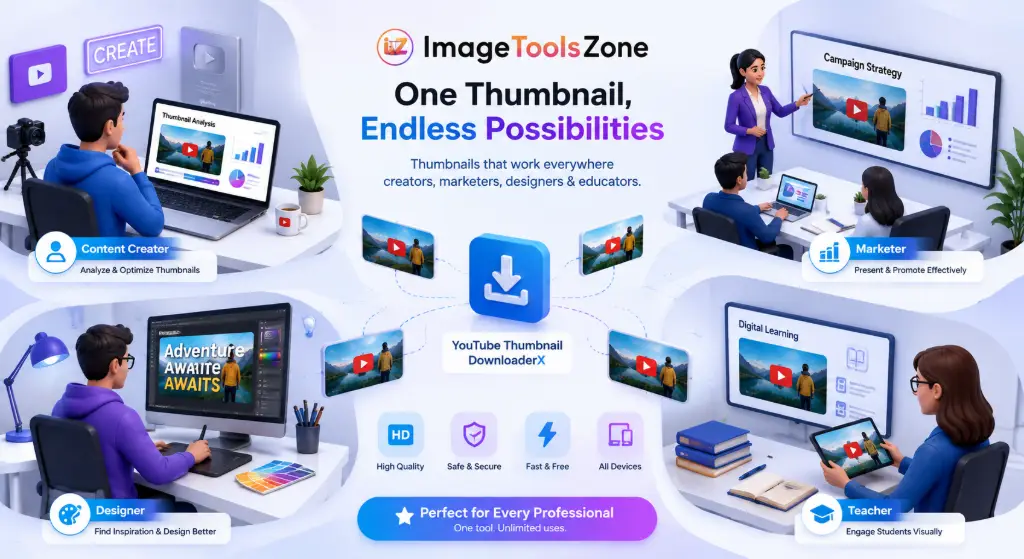
Complete workflow from downloading YouTube thumbnails to publishing optimized images across platforms
YouTube Thumbnail Downloader: Tips for Best Results
Getting the most out of this tool is easy, but these pro tips will take your thumbnail game to the next level:
Always Grab the Highest Resolution Available
Even if you think you only need a small thumbnail, download the HD version. Storage is cheap, but you can't recreate quality later. That 1280×720 YouTube Thumbnail Downloader 1080p file might seem large now, but it'll be a lifesaver when you need it for a high-res presentation six months from now.
Organize with Descriptive Filenames
Our tool automatically names files with the video ID, but consider renaming them to something meaningful like "competitor-analysis-tech-review-march2024.jpg" or "inspiration-minimalist-thumbnail-style.jpg". Future you will thank present you.
Create Thumbnail Libraries by Category
Don't just download randomly. Build organized folders: "Gaming Thumbnails," "Educational Content," "Vlog Styles," "Product Reviews." Over time, you'll have a visual reference library that's worth its weight in gold.
Study the Patterns
Once you've downloaded 20-30 thumbnails from successful videos in your niche, lay them out side by side. What do you notice? Consistent color schemes? Similar text placement? Facial expressions? This is how you reverse-engineer success.
Use Thumbnails for A/B Testing Inspiration
Planning your own video? Download thumbnails from similar content, then use our image editor to create variations. Test different text overlays, color adjustments, or cropping styles before committing to your final design.
YouTube Thumbnail Downloader FAQ
A YouTube Thumbnail Downloader is a free online tool that extracts and saves the preview images (thumbnails) from YouTube videos. Instead of taking screenshots or using browser developer tools, you simply paste the video URL and instantly access all available thumbnail resolutions – from standard quality up to full HD (1280×720 pixels). These tools are completely legal since YouTube thumbnails are public-facing images designed to be viewed by anyone.
It's incredibly simple: 1) Copy the YouTube video URL from your browser's address bar, 2) Paste it into the YouTube Thumbnail Downloader input field, 3) Click the "Get Thumbnail" button, 4) Browse the available resolutions displayed on screen, 5) Click "Download" on your preferred size. The entire process takes less than 10 seconds, and the thumbnail saves as a JPG file to your device. No registration, no software installation, no watermarks.
Absolutely! Our YouTube Thumbnail Downloader HD feature gives you access to the maximum resolution available, which is typically 1280×720 pixels (720p HD). However, availability depends on whether the video creator uploaded a custom thumbnail. If they didn't, YouTube auto-generates thumbnails at lower resolutions. Our tool automatically checks what's actually available and only shows you working options – you'll never see a broken image or fake resolution claim.
Yes! YouTube Shorts thumbnails work exactly the same as regular video thumbnails. Just paste the Shorts URL (youtube.com/shorts/VIDEO_ID) into the downloader, and you'll get access to all available resolutions. The tool automatically detects the video ID regardless of whether it's a Short, a regular video, or even a live stream recording.
YouTube stores thumbnails in four standard resolutions: Maximum Resolution (1280×720 pixels), High Quality (480×360 pixels), Medium Quality (320×180 pixels), and Standard Quality (120×90 pixels). The ideal upload size for creators is 1280×720 pixels with a 16:9 aspect ratio. Our YouTube Thumbnail Downloader shows you all available sizes so you can choose the one that fits your needs.
Yes, all YouTube thumbnails are downloaded in JPG format by default. This is the standard format YouTube uses for thumbnails, and it's perfect for web use, presentations, and general viewing. JPG offers excellent quality with reasonable file sizes. If you need to convert to PNG, WebP, or another format after downloading, you can use a free image format converter tool.
Completely free! There are no hidden fees, no premium tiers, no download limits, and no watermarks. You can download as many thumbnails as you need, in any resolution, without paying a cent. The tool is supported by displaying related tools and resources, but the thumbnail downloader itself is 100% free to use, forever.
Nope! This is a web-based tool that runs entirely in your browser. There's nothing to download, install, or update. It works on Windows, Mac, Linux, iOS, Android – any device with a modern web browser. The tool processes everything client-side, meaning your data never leaves your device, and you don't need to create an account or provide any personal information.
If a video doesn't have a custom thumbnail uploaded by the creator, YouTube only generates lower-resolution auto-thumbnails. Older videos (pre-2015) especially might not have HD thumbnails available. Additionally, some videos with copyright restrictions or age limitations might have limited thumbnail availability. Our tool automatically detects what's actually available and only shows you working options, so you won't waste time trying to download non-existent HD versions.
Yes, downloading YouTube thumbnails for personal use, research, education, or inspiration is perfectly legal. Thumbnails are public-facing marketing images designed to be seen by anyone browsing YouTube. However, you should respect copyright – don't claim others' thumbnails as your own work, don't use them commercially without permission, and don't redistribute them in ways that violate the creator's rights. When in doubt, use thumbnails for analysis and inspiration, not replication.
Ready to Start Downloading?
Our YouTube Thumbnail Downloader is waiting for you. Paste your first URL above and experience how fast, easy, and free downloading HD thumbnails can be. Whether you're a content creator, marketer, researcher, or just someone who appreciates great visuals, this tool will become your go-to resource for YouTube thumbnail extraction.