Why a Heart Cropper Is Perfect for Social Media Images
Transform your ordinary photos into eye-catching heart-shaped masterpieces that stop the scroll and capture hearts on every platform
1. What Is a Heart Cropper?
Let's be honest – we've all scrolled past countless square and circular profile pictures on social media. They blend together, don't they? That's exactly where a heart shape image cropper changes the game completely.
A heart cropper is a specialized online tool that lets you crop image into heart shape instantly, without needing any design skills or expensive software. Instead of the boring rectangular or circular frames everyone uses, you get a beautiful heart-shaped photo that instantly stands out in any feed.
How Does It Actually Work?
The magic happens in three simple steps:
- Upload Your Photo: Choose any image from your device – whether it's a couple selfie, a pet photo, or a special memory you want to share.
- Position & Adjust: Move your photo around within the heart frame until you've got the perfect composition. Most tools, like the one at ImageToolsZone's heart cropper, let you zoom and reposition with just your mouse or finger.
- Download & Share: Get your heart-shaped image in seconds, ready to post anywhere.
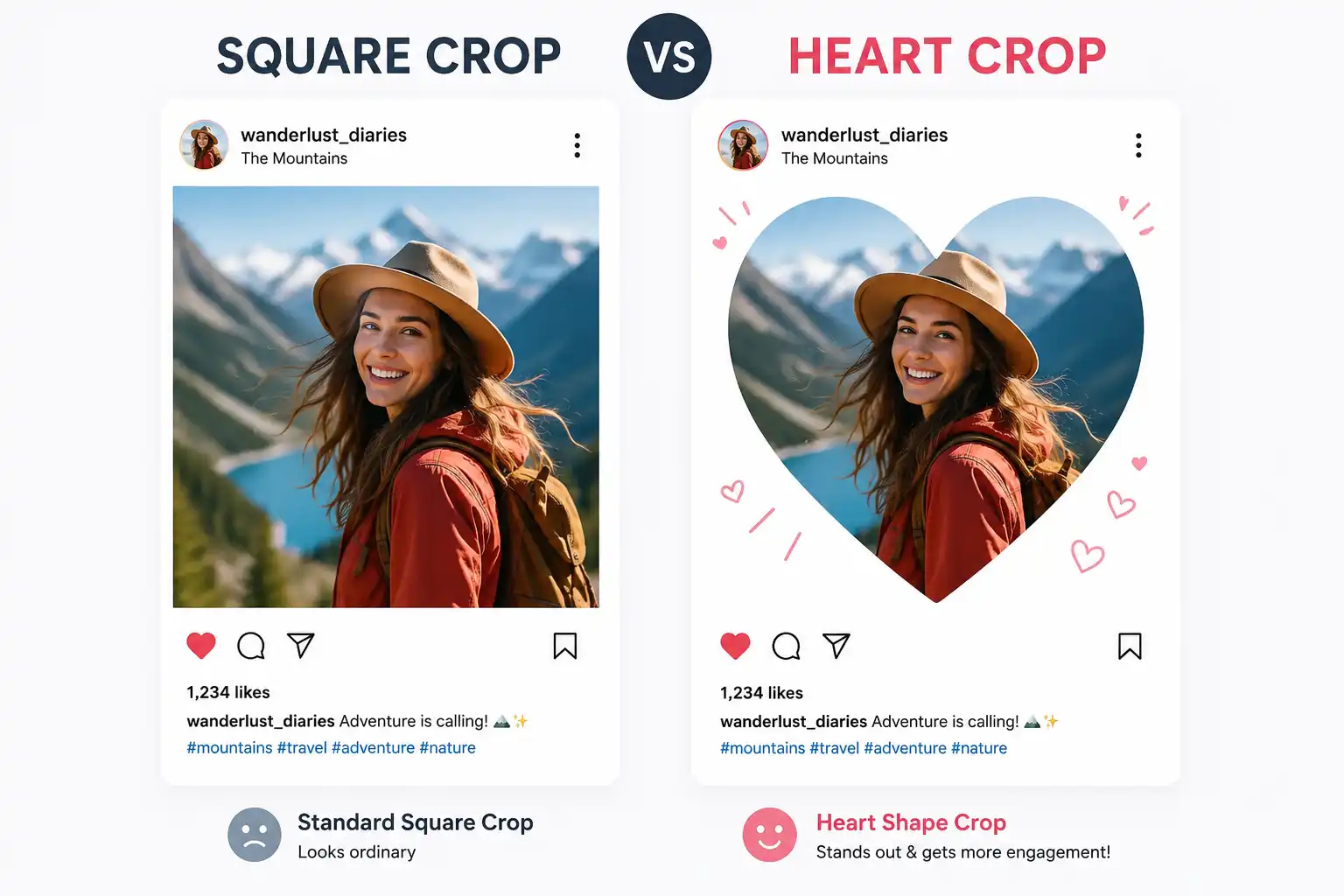
Normal Crop vs Heart Crop – What's the Difference?
Think about it: when you use a regular cropper, you're limited to standard geometric shapes. Sure, they're functional, but they're also... predictable. A heart cropper adds personality and emotion to your images instantly.
While a circle crop might work for professional headshots, and a custom shape crop gives you flexibility, nothing says "I care" quite like framing your photo in a heart. It's the difference between saying "here's a photo" and "here's something special."
🔗 Related Tools You Might Love
2. Why Heart-Shaped Photos Get More Attention on Social Media
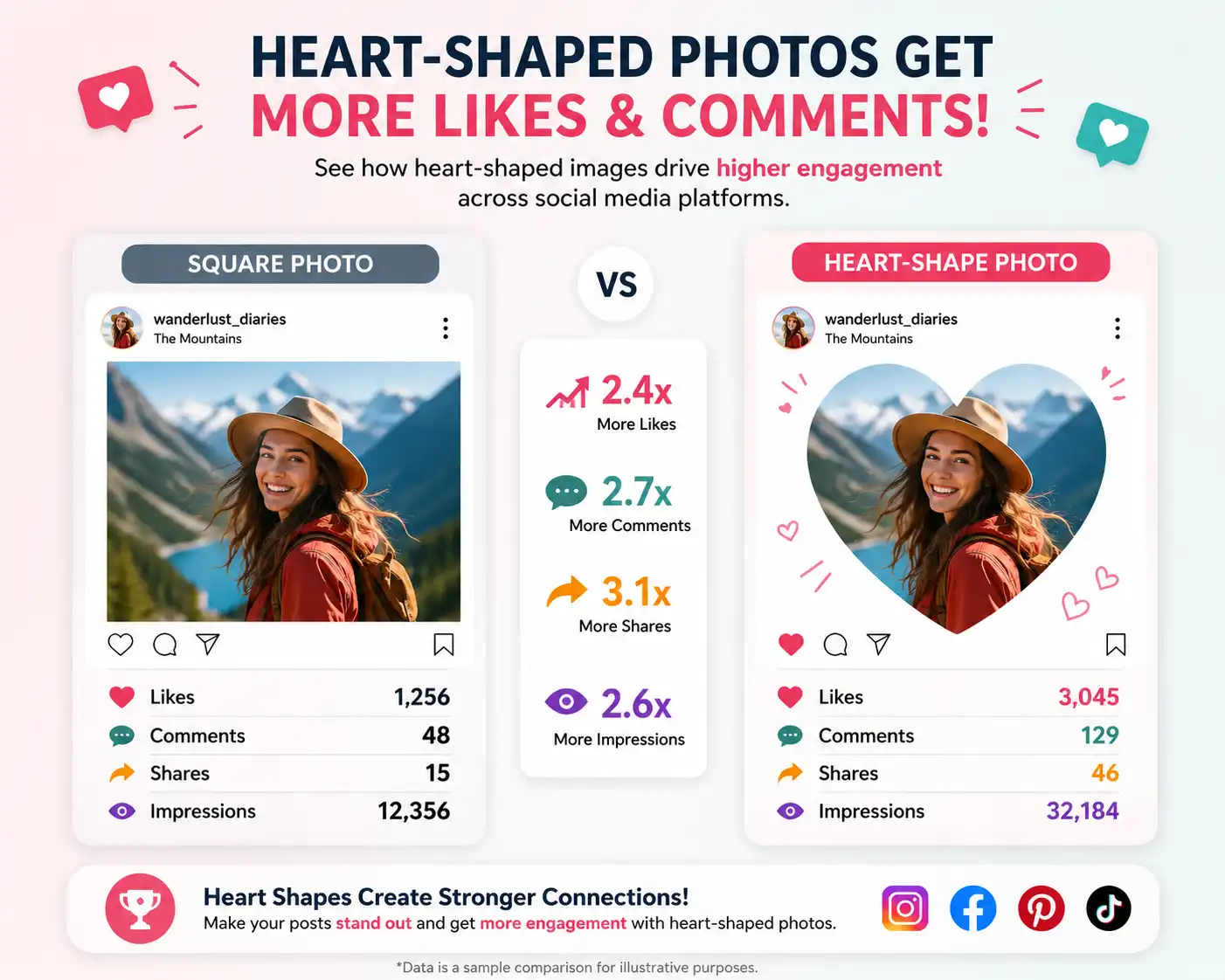
Here's something interesting: our brains are wired to notice patterns and breaks in patterns. When someone's scrolling through their feed at lightning speed (we all do it), they're seeing hundreds of images. Most are squares. Some are circles. Then suddenly – BAM – a heart-shaped photo appears.
The scroll stops. Eyes focus. Engagement happens.
Unique Shape Stands Out
In a sea of identical squares and circles, a heart shape creates an instant visual interruption. It's unexpected, which makes it memorable. People remember what breaks the pattern.
Creates Emotional Connection
Hearts aren't just shapes – they're symbols of love, care, and affection. Using a heart cropper for Instagram or Facebook instantly adds emotional weight to your image, making viewers feel something before they even read your words.
Looks More Creative
Let's face it: anyone can post a square photo. But taking the time to create heart-shaped pictures shows effort and creativity. It signals that you care about how your content looks and how it makes people feel.
Perfect for Celebrations
Whether it's Valentine's Day, an anniversary, or just because, heart-shaped photos are perfect for love and celebration posts. They set the tone before a single emoji is typed.
The Psychology Behind the Heart
There's actual science here. Studies show that images with emotional triggers get 2x more engagement than neutral ones. A heart shape is universally recognized as a symbol of love and positivity. When you use a heart shape photo editor, you're tapping into that universal language.
Plus, let's talk about the algorithm. Platforms like Instagram and Facebook prioritize content that keeps people engaged longer. When your heart-shaped photo makes someone pause their scroll, you're signaling to the algorithm that your content is worth showing to more people. It's a win-win.
3. Best Social Media Uses for Heart-Shaped Images
Not sure where to use your newly created heart-shaped photos? Let me walk you through the platforms where they absolutely shine.
Instagram – Your Visual Playground
Instagram is basically begging for creative profile pictures and posts. Here's where heart croppers work magic:
- Valentine's Day Posts: Obviously, right? But don't just limit yourself to February 14th. Use your heart cropper for Instagram for any romantic content year-round.
- Couple Photos: That cute selfie from your date night? Frame it in a heart and watch the likes roll in.
- Story Highlights: Create custom heart-shaped cover images for your highlights to make your profile look cohesive and thoughtful.
- Reels Covers: Stand out in the Reels tab with eye-catching heart-shaped thumbnails.
Facebook – Where Connections Matter
Facebook might be more "traditional," but that doesn't mean you can't get creative:
- Anniversary Posts: Celebrate your milestones with heart-shaped photos that show how much your relationship means to you.
- Profile Pictures: Update your DP temporarily for special occasions – it's a subtle way to share your mood or celebrate something.
- Memory Posts: Throwback photos look even more nostalgic in heart frames.
WhatsApp – Personal & Intimate
Your WhatsApp DP is more personal than your public social media. It's where close friends and family look:
- DP for Couples: Match with your partner using coordinated heart-shaped profile pictures.
- Status Images: Create heart-shaped images for your status updates to share feelings without words.
Pinterest – Inspiration Central
Pinterest users love aesthetic, saveable content:
- Romantic Pins: Create heart-shaped quote images, couple inspiration, or wedding ideas.
- DIY Projects: Show off your crafts in heart frames for that extra touch of charm.
YouTube – Beyond Just Videos
Yes, even YouTube:
- Thumbnail Decorations: Add heart-shaped elements to your thumbnails for lifestyle, relationship, or Valentine's content.
- Channel Art: Incorporate heart-shaped photos into your banner for a personal touch.
🔗 Enhance Your Images Further
4. Top Occasions to Use a Heart Cropper
Some moments are just meant to be framed in hearts. Here are the perfect occasions to pull out your free heart image cropper:
Valentine's Day
The obvious choice, but for good reason. Whether you're coupled up or celebrating self-love, heart-shaped photos are the language of V-Day.
Wedding Photos
From engagement shoots to the big day itself, wedding photos in heart frames are absolutely gorgeous for announcements and thank-you posts.
Engagement Announcements
Just said yes? A heart-shaped photo of your ring or your happy faces tells the story better than words ever could.
Mother's Day
Show mom some love with heart-framed childhood photos or recent memories together.
Father's Day
Dads deserve heart-shaped love too! Frame those special father-child moments.
Friendship Day
Best friends are the family we choose. Celebrate your ride-or-dies with heart photos.
Birthday Collages
Create heart-shaped birthday tributes for loved ones – it's more personal than a generic card.
Baby Announcements
Expecting or just welcomed a new arrival? Heart-shaped baby photos or ultrasound images are incredibly sweet.
5. Benefits of Using a Heart Cropper
Still on the fence about whether it's worth the effort? Let me break down why using a social media photo cropper with heart shapes is one of the easiest upgrades you can make to your content:
Makes Photos More Attractive
It's simple psychology – unique shapes draw the eye. A heart frame adds instant visual interest to even the most ordinary photo. That coffee shot? Cute. That coffee shot in a heart? Adorable and shareable.
Increases Social Engagement
We mentioned this earlier, but it bears repeating: different shapes = more stops in the scroll = more likes, comments, and shares. People engage with what catches their attention, and heart shapes are attention magnets.
Easy to Create Without Design Skills
You don't need to be a Photoshop wizard. Modern tools like ImageToolsZone's heart cropper are designed for everyone. Upload, adjust, download – done in under a minute.
Free and Instant
Why pay for expensive software when you can get professional-looking results for free? Online heart croppers give you instant results without watermarks or hidden fees.
Gives a Professional Look
Paradoxically, something as playful as a heart shape can make your content look more professional. It shows you put thought into your presentation and care about quality.
6. Best Types of Photos for Heart Cropping
Not every photo works perfectly in a heart shape (though many do!). Here are the types of images that look absolutely stunning when you create heart-shaped pictures:
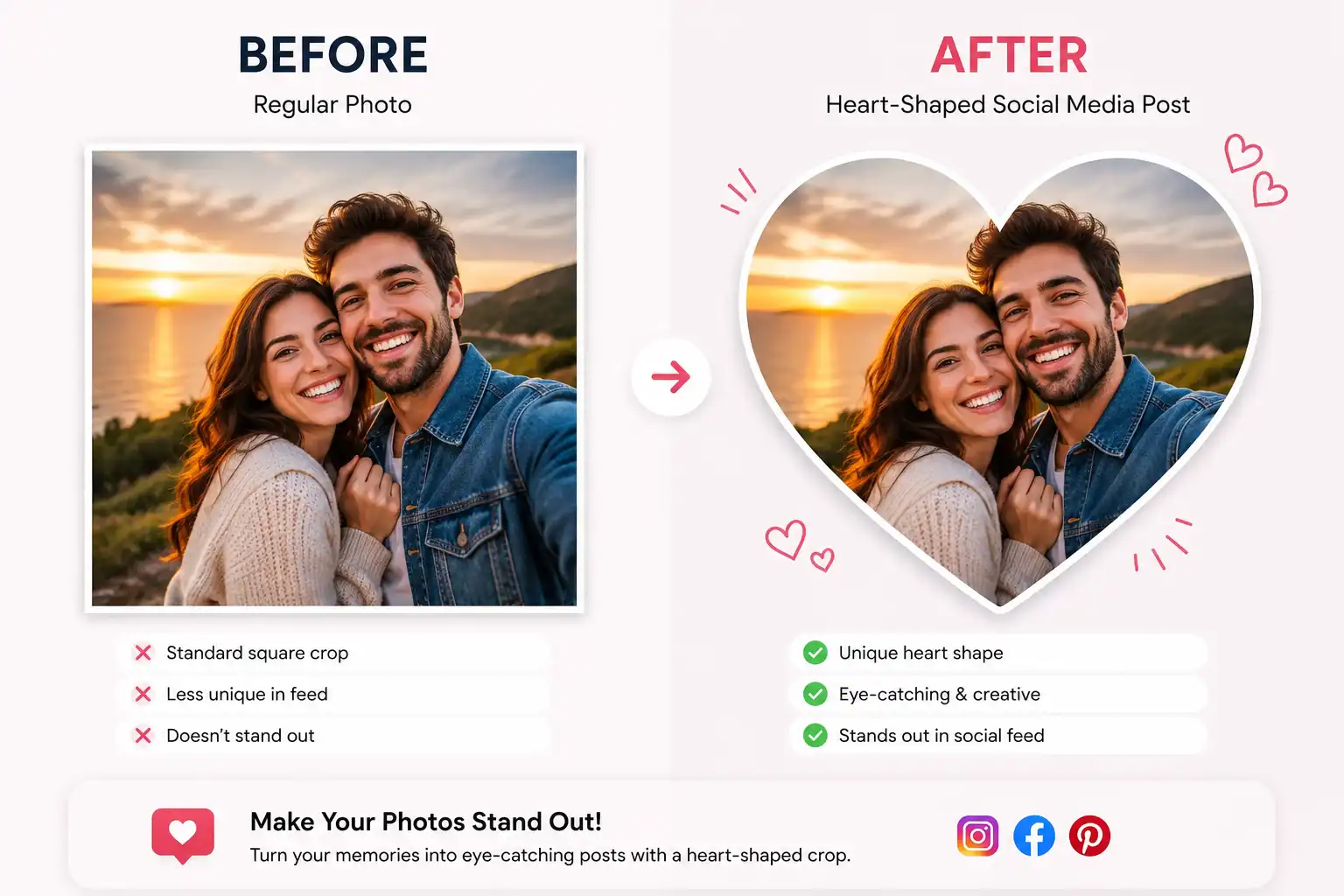
👫 Couple Pictures
Selfies, date night photos, travel adventures – any photo of you and your partner looks more romantic in a heart frame. Focus on faces or upper bodies for best results.
👰 Wedding Photos
Ceremony shots, first dance, cake cutting – wedding photos are emotional by nature, and the heart shape amplifies that emotion beautifully.
🐾 Pet Photos
Your furry friends deserve heart frames too! Close-up pet portraits or cute pet selfies work wonderfully.
👨👩👧 Family Portraits
Multi-generational photos, family gatherings, holiday pictures – hearts add warmth to family memories.
👶 Baby Photos
Newborn shots, milestone moments, those chubby cheeks – babies and hearts are a match made in heaven.
👯 Friendship Pictures
Group selfies, adventure photos with your besties, throwback friend photos – show your squad some love.
Composition Tips for Heart Cropping
To get the best results when you crop image into heart shape online free:
- Center Your Subject: Hearts are narrow at the bottom and wider at the top. Position faces or main subjects in the upper-middle area.
- Use Close-Ups: Heart shapes work best with portraits or close-up shots rather than wide landscapes.
- Consider the Background: Simple backgrounds work best. If needed, use a background remover first.
- Think Vertical: Vertical or square photos adapt better to heart shapes than horizontal ones.
7. Creative Ideas for Heart-Shaped Photos
Ready to get really creative? Here are some unique ways to use your heart-shaped profile picture maker beyond the obvious:
Valentine's Day Cards
Skip the store-bought cards. Create personalized digital Valentine's cards with heart-shaped photos of you and your loved one. Add a sweet message and send via email or social media.
Instagram Reels Covers
Make your Reels stand out in the grid with heart-shaped cover images. It creates a cohesive, aesthetic look when someone visits your profile.
Social Media Profile Pictures
Temporarily change your profile picture to a heart-shaped photo for special occasions. It's a subtle way to show you're celebrating something without making a big announcement.
Digital Invitations
Planning a party, bridal shower, or baby shower? Use heart-shaped photos in your digital invitations for an extra touch of warmth and personality.
Scrapbooks & Memory Books
Creating a digital or physical scrapbook? Heart-shaped photos add variety and visual interest to your layouts.
Photo Collages
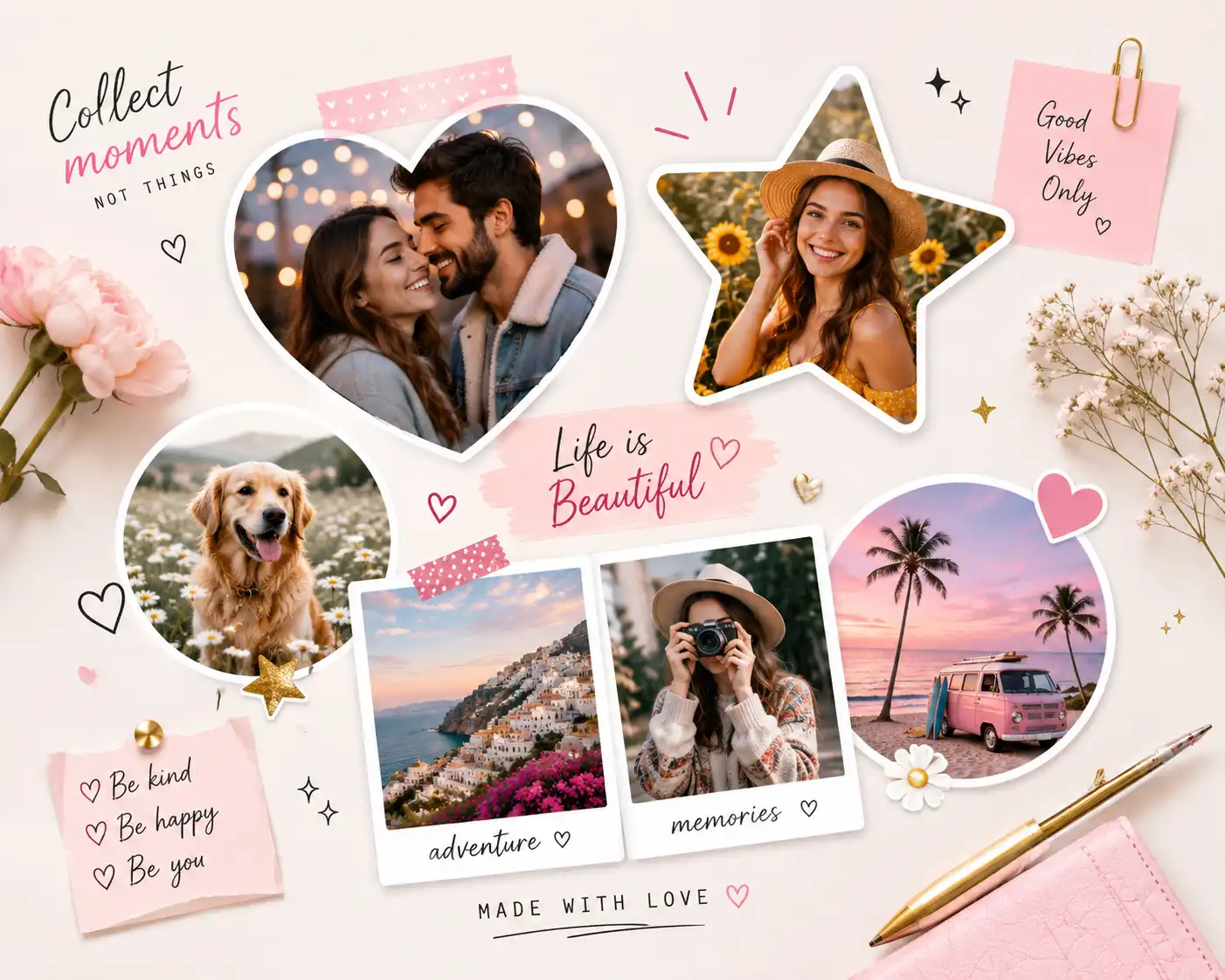
Mix heart-shaped photos with other shapes for dynamic collages. Try combining hearts with star shapes or polygon shapes for a fun, eclectic look.
🔗 More Creative Tools
8. Heart Cropper vs Regular Photo Cropper
Let's settle this once and for all. Here's a side-by-side comparison to show you exactly what you're getting with a specialized heart cropper:
| Feature | Heart Cropper | Regular Cropper |
|---|---|---|
| Creative Shape | ✅ Unique heart silhouette | ❌ Only squares/rectangles |
| Social Media Appeal | ✅ High engagement potential | ❌ Blends with feed |
| Romantic Posts | ✅ Perfect for love content | ❌ Generic appearance |
| Unique Design | ✅ Stands out instantly | ❌ Common and expected |
| Emotional Impact | ✅ Evokes feelings | ❌ Neutral presentation |
| Special Occasions | ✅ Ideal for celebrations | ❌ One-size-fits-all |
| Memorability | ✅ People remember it | ❌ Easily forgotten |
| Versatility | ✅ Multiple use cases | ❌ Limited applications |
More Tools to Enhance Your Heart-Shaped Photos
Once you've created your perfect heart-shaped image, you might want to polish it further. Here are some complementary tools:
🎨 Professional Editing
Use a professional image editor to adjust brightness, contrast, and add filters to your heart photos.
🔄 Format Conversion
Need a different file type? Convert image formats without losing quality.
📐 Exact Sizing
Make sure your heart photo fits platform requirements perfectly with an image resizer.
🎭 Creative Effects
Turn your photo into a sketch or add an oil painting effect before cropping to heart shape.
🖼️ Split & Combine
Create grid posts with an image splitter or merge multiple images into one heart collage.
📊 Metadata & Quality
Check your image metadata or change DPI settings for print-quality hearts.
Ready to Create Heart-Shaped Magic?
Stop scrolling past boring square photos. Start creating content that captures hearts and stops thumbs in their tracks.
Try the Heart Cropper Free Now ❤9. Frequently Asked Questions
Cropping an image into a heart shape is incredibly simple with the right tool. First, visit a heart shape photo editor like ImageToolsZone. Upload your chosen photo, then use the positioning tools to center your subject within the heart frame. You can zoom in or out and drag the image until it looks perfect. Once you're happy with the composition, click download and you'll have your heart-shaped image ready to share in seconds. No design skills required!
Yes! Most online heart croppers, including the one at ImageToolsZone, are completely free to use. You don't need to create an account, pay subscription fees, or deal with watermarks on your downloaded images. Simply upload, crop, and download – that's it. Some premium tools might offer advanced features for a fee, but for basic heart cropping, free tools work perfectly.
Absolutely! Instagram actually loves creative content. You can use heart-shaped images as your profile picture (though Instagram will display it as a circle, the heart shape will still be visible within that circle), in your posts, Stories, Reels covers, and even in your highlights. Heart-shaped photos tend to perform well on Instagram because they stand out in the feed and create emotional connections with viewers.
Not if you use a quality tool. Good online heart croppers maintain your original image quality. The cropping process itself doesn't reduce quality – it just changes the visible area of your photo. However, if you're concerned about quality, make sure to download your image in a high-quality format like PNG. Also, avoid repeatedly editing and re-saving the same image, as that can cause quality loss over time.
PNG is generally the best format for heart-shaped images because it supports transparency. This means the areas outside the heart shape will be transparent, allowing your heart photo to blend seamlessly on any background color. JPEG is also fine if you don't need transparency, and it creates smaller file sizes. Most heart croppers let you choose your preferred format when downloading.
Most free online heart croppers work with one image at a time, but the process is so quick (usually under 30 seconds per image) that it's still efficient. If you need to batch process many images, you might want to look for premium tools or desktop software that offers batch processing features. For occasional use, doing them one by one is perfectly manageable.
For the best results, start with a high-resolution photo that's at least 1000x1000 pixels. Square or vertical (portrait) photos work best with heart cropping since hearts are taller than they are wide. If you're using a horizontal (landscape) photo, you might need to zoom in quite a bit, which could reduce quality. When in doubt, bigger is better – you can always scale down, but you can't scale up without losing quality.
Most basic heart croppers focus solely on cropping, but you can easily add text using a separate tool. After creating your heart-shaped image, use a professional image editor or even free apps like Canva to add text, quotes, or dates. Alternatively, some advanced heart croppers include text overlay features built right in.
It depends on your industry and brand personality. For creative industries, lifestyle brands, wedding businesses, or any company with a warm, personal brand, heart-shaped photos can work beautifully. They're perfect for Valentine's Day promotions, anniversary celebrations, or showing company culture. However, for very formal or corporate industries, you might want to stick with traditional shapes for official communications and save hearts for special occasions or social media.
Yes! Online heart croppers are mobile-friendly, so you can upload photos directly from your phone, crop them into heart shapes, and download them right back to your device. The process works just as well on mobile as it does on desktop. Some apps also offer heart cropping features, but web-based tools are often more convenient since you don't need to download anything.
If your photo isn't cooperating, try these tips: First, use the zoom and position tools to find the best composition. Sometimes moving your subject slightly higher or lower makes a big difference. If that doesn't work, consider using a background remover first to isolate your subject, then crop to heart shape. You can also try resizing your photo to a more square format before cropping.
The heart cropper tool itself is free to use for both personal and commercial purposes. However, you need to make sure you have the rights to the original photo you're cropping. If it's your own photo or one you have permission to use, you can use the heart-shaped version commercially. If you're using stock photos or someone else's images, check their licensing terms first.
Most basic heart croppers create transparent backgrounds, so there's no border – just your photo in a heart shape. If you want a colored border or background, you'll need to use an additional editing tool. Upload your heart-shaped PNG to an image editor, add a colored layer behind it, or use the custom photo frame generator to add decorative borders.
Yes! Since you're working with a copy of your original image, your source photo remains untouched. If you don't like how your heart crop turned out, simply start over with the original photo. Most online tools also have undo/redo buttons while you're editing, so you can experiment freely before downloading.
Most free online heart croppers accept files up to 5-10MB, which is more than enough for high-quality photos. If your file is larger, you can use an image compressor to reduce the file size without noticeably affecting quality. This also makes your photos load faster on social media.
For true heart-shaped collages (multiple photos arranged in a heart pattern), you'd use a merge images tool or collage maker. However, you can create individual heart-shaped photos and then arrange them in a collage. Some people also like to crop one main photo to heart shape and add smaller heart-shaped accents around it for a creative effect.
Reputable online tools like ImageToolsZone process your images temporarily and don't store them permanently. Your photos are typically deleted from the server shortly after processing (usually within an hour). However, if you're working with sensitive or private images, always check the privacy policy of any online tool you use. For maximum privacy, you could also look for offline software options.
Most heart croppers are designed for static images, not videos. However, you can create heart-shaped video content by using video editing software that supports masking or by creating a heart-shaped overlay. For social media Stories and Reels, some apps offer heart-shaped frames you can apply to video content. It's more complex than photo cropping, but definitely possible with the right tools.
Start Creating Heart-Shaped Content Today
Join thousands of content creators who are making their social media stand out with heart-shaped photos. It's free, fast, and incredibly easy.
Create Your First Heart Photo Now