🎯 Free Image Cropper Online – Crop Perfectly in Seconds!
Struggling with wrong image sizes for Instagram, passport, or WhatsApp? Stop wrestling with complicated software. Our free image cropper online tool lets you crop, resize, and perfect your images instantly—no signup, no watermark, no hassle.
Start Cropping Now – It's Free!📋 On This Page
🚀 The Image Size Struggle is Real
😤 Sound Familiar?
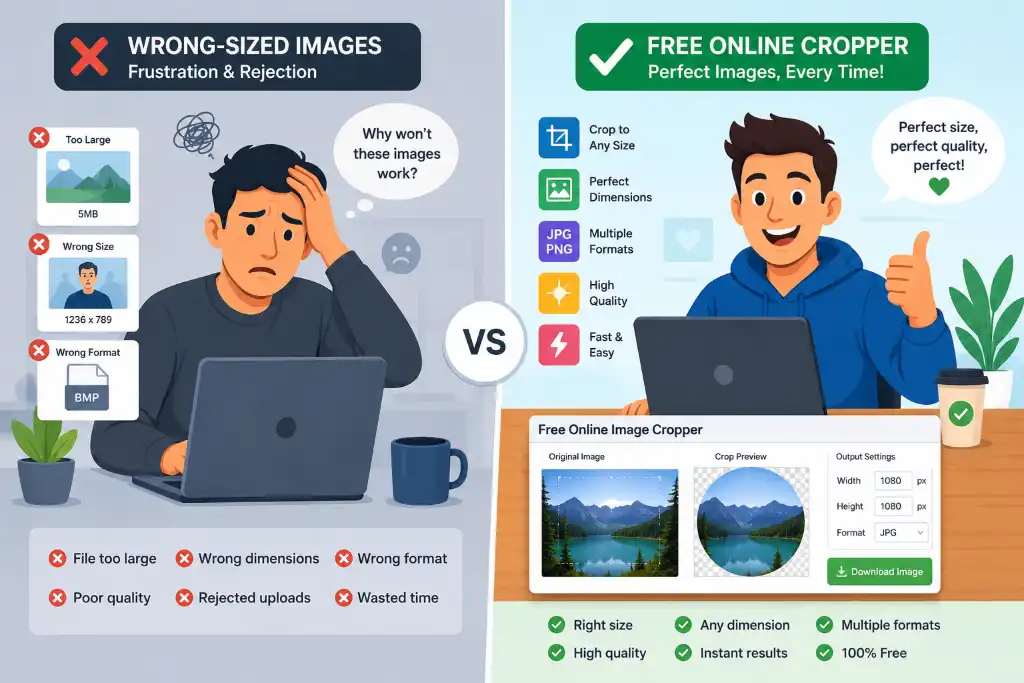
You've got the perfect photo, but when you upload it to Instagram, it gets awkwardly cropped. Your passport photo gets rejected because it's not exactly 2x2 inches. Your WhatsApp profile picture looks stretched and unprofessional. We've all been there!
The problems that drive us crazy:
- Blurry, pixelated images after cropping
- Wrong aspect ratios ruining your composition
- Expensive software that requires downloads and installations
- Complicated tools that need a PhD to figure out
- Watermarks plastered all over your "free" edits
✨ Here's the Good News
Imagine cropping your images in seconds—right from your browser, without installing anything. That's exactly what our free image cropper online does. Whether you need to crop image to oval shape for a creative project or crop image into heart shape for Valentine's Day, we've got you covered.
No technical skills needed. No credit card required. Just upload, crop, and download your perfectly sized image. It's that simple.
🤔 What is a Free Image Cropper?
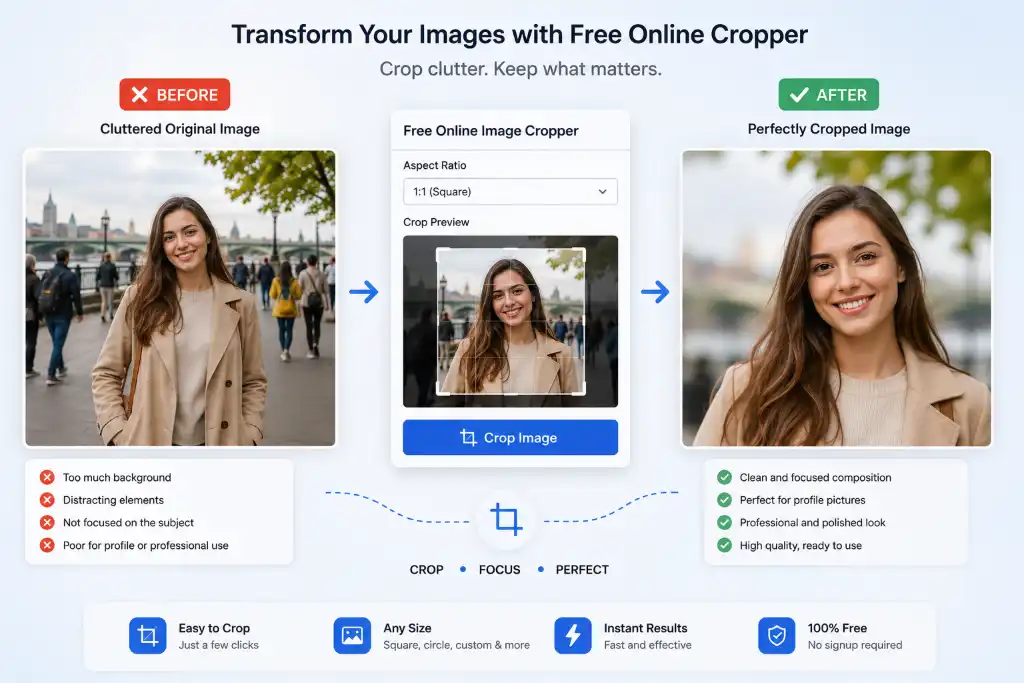
Let's break it down in plain English. An image cropper is a digital tool that lets you trim away the parts of your photo you don't need. Think of it like using scissors on a physical photograph—but way more precise and without the risk of cutting too much!
When you crop image online free, you're essentially:
- Removing unwanted backgrounds or distractions
- Focusing attention on what matters most
- Adjusting dimensions to fit specific requirements
- Changing aspect ratios for different platforms
- Improving overall composition
The best part? Modern online croppers like ours work directly in your web browser. That means no software downloads, no eating up storage space on your device, and no waiting for installations. Whether you're on a Windows PC, Mac, iPhone, or Android phone, you can crop images instantly.
Need to crop image into custom shapes or crop image into polygon shapes? Our tool handles that too. From basic rectangles to creative stars using our star shape cropper, the possibilities are endless.
⭐ Key Features That Make Our Tool Stand Out
We didn't just build another boring image editor. We created a free image cropper that actually solves real problems. Here's what you get:
100% Free Forever
No hidden fees, no "premium" upgrades, no credit card required. Crop as many images as you want without spending a dime. We believe great tools should be accessible to everyone.
No Watermark
Hate when "free" tools stamp their logo all over your work? So do we. Download your cropped images clean and professional, ready to use anywhere.
Lightning Fast
Our tool processes images in seconds, not minutes. Upload, crop, download—done before your coffee gets cold. Perfect for when you're in a rush.
HD Quality Output
Never sacrifice quality for convenience. Our advanced algorithm maintains crystal-clear resolution even after cropping. Your images stay sharp and professional.
Mobile-Friendly
Crop images on the go! Our responsive design works perfectly on smartphones and tablets. Edit your photos anywhere, anytime, without installing apps.
Multiple Format Support
Work with JPG, PNG, WebP, and more. Need to convert image format without quality loss after cropping? We've got that covered too.
Privacy Protected
Your images never leave your device. We don't store, share, or analyze your photos. What you crop stays between you and your browser.
Preset Sizes
One-click cropping for Instagram, Facebook, YouTube, passports, and more. No need to memorize dimensions—we've done the homework for you.
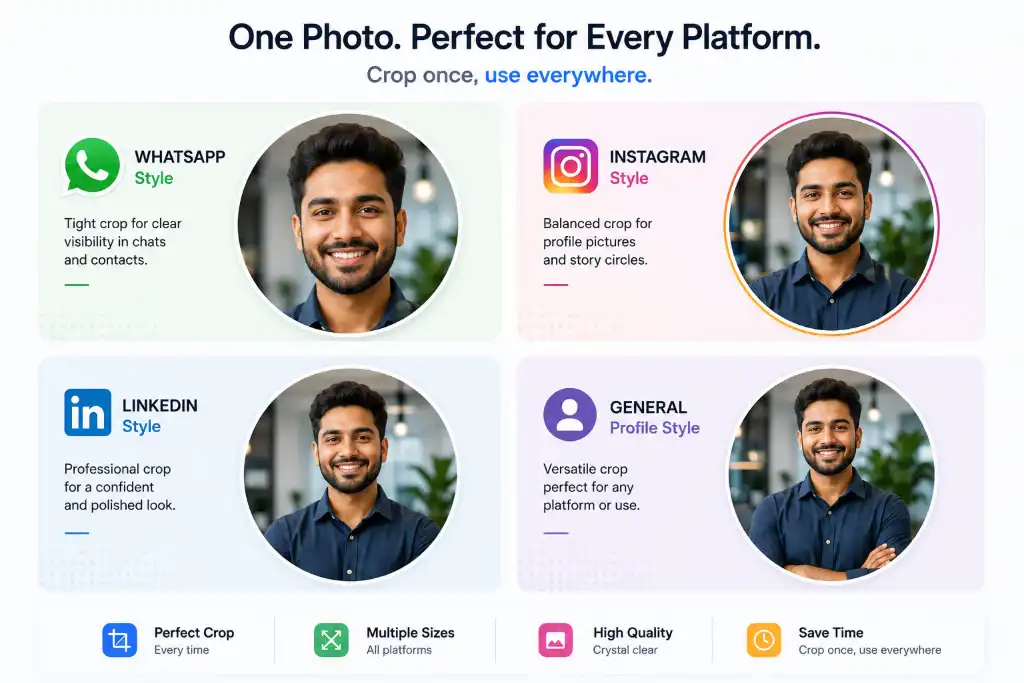
⭕ Circle Crop: The Secret to Professional Profile Pictures
Let's talk about why circle crop has become the gold standard for profile pictures across the internet. It's not just a trend—it's smart design.
When you crop image in circle online, you're creating a focused, professional look that works everywhere:
Circular DP looks clean in chats and status updates
500x500pxPerfect for profile pics and story highlights
320x320pxProfessional circular headshots build trust
400x400pxWhy circles work so well:
- Universal compatibility – Looks great on every platform
- Focus on faces – Eliminates distracting backgrounds
- Modern aesthetic – Clean, contemporary design
- Consistency – Creates uniform look across platforms
Using our circular image cropper, you can transform any rectangular photo into a perfect circle in seconds. No more awkward square-to-circle conversions that cut off half your face!
⚖️ Online Tool vs Desktop Software: The Real Comparison
Still wondering if you should download Photoshop or use an online tool? Let's compare apples to apples:
| Feature | Free Image Cropper (Online) | Desktop Software |
|---|---|---|
| Installation | ✅ Not required – works instantly | ❌ Required – takes time & space |
| Speed | ✅ Instant processing | ❌ Slower startup & processing |
| Device Support | ✅ Mobile + Desktop + Tablet | ❌ Mostly desktop only |
| Cost | ✅ 100% Free | ❌ Paid or limited trial |
| Updates | ✅ Automatic | ❌ Manual updates needed |
| Storage | ✅ Zero storage used | ❌ GBs of space required |
| Learning Curve | ✅ Beginner-friendly | ❌ Steep learning curve |
When you're looking for the best free image cropper for quick edits, online tools win hands down. Save the heavy-duty software for complex projects that actually need it.
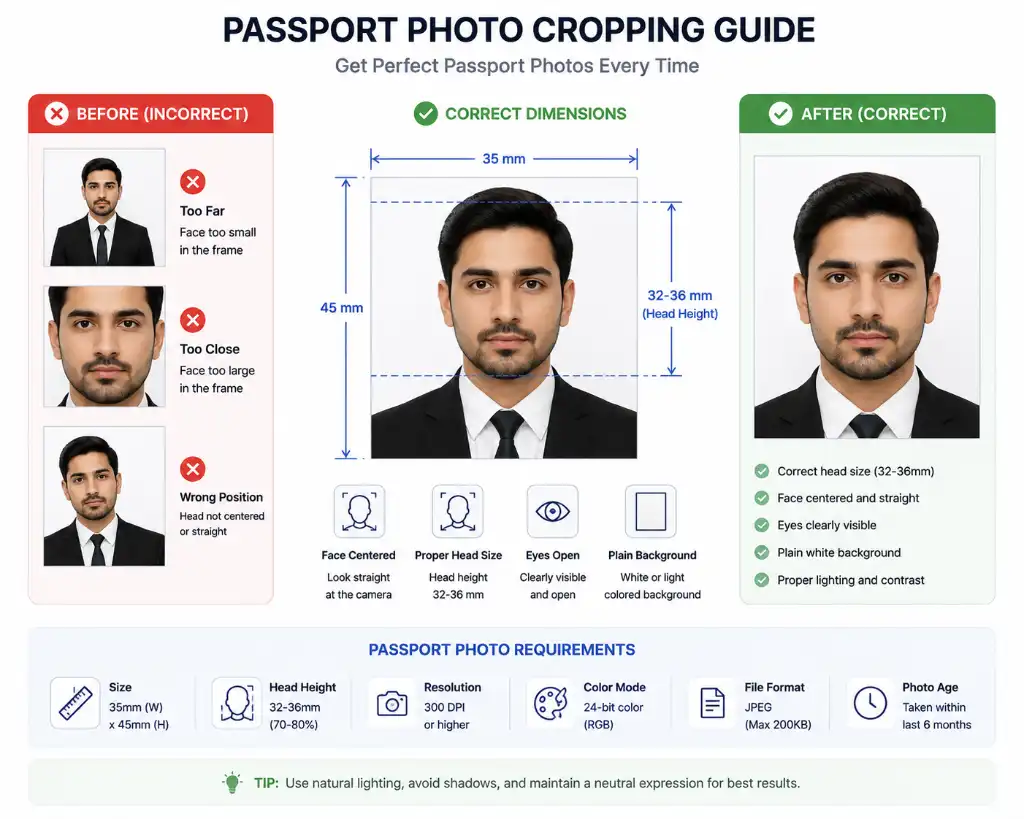
📸 Crop Image for Passport – Get It Right the First Time
Passport photo rejections cost time and money. Don't let incorrect dimensions be the reason your application gets delayed.
Common Passport Photo Mistakes:
- Wrong size (not exactly 2x2 inches / 51x51mm)
- Head too large or too small in frame
- Background not plain white/off-white
- Poor lighting or shadows
Our tool helps you crop image for passport size online with precision. Simply upload your photo, select the passport preset, and our tool automatically adjusts to the exact 2x2 inch requirement with proper head positioning guidelines.
Need to resize image to exact size for different countries? We support various passport photo dimensions for US, UK, Canada, India, and more.
📱 Crop Image for Instagram Post Size – Stop the Awkward Cuts!
Instagram is visual real estate, and every pixel counts. Posting the wrong size means Instagram crops your beautiful photo automatically—and usually not in the way you want.
Instagram size cheat sheet:
- Square posts: 1080x1080 pixels (1:1 ratio)
- Portrait posts: 1080x1350 pixels (4:5 ratio)
- Landscape posts: 1080x566 pixels (1.91:1 ratio)
- Stories: 1080x1920 pixels (9:16 ratio)
- Reels: 1080x1920 pixels (9:16 ratio)
When you crop image for Instagram post size using our tool, you get pixel-perfect results every time. No more guessing, no more frustrating trial-and-error uploads.
Plus, if you need to compress images after cropping to meet Instagram's file size limits, we've got that covered too!
💬 Crop Image for WhatsApp DP – Look Professional in Every Chat
Your WhatsApp display picture is often the first impression you make in professional and personal conversations. A poorly cropped DP can look unprofessional or even get cut off awkwardly.
WhatsApp DP best practices:
- Use circular crop (WhatsApp displays DP as circle)
- Recommended size: 500x500 pixels minimum
- Keep face centered and well-lit
- Avoid busy backgrounds
Our crop image for WhatsApp DP feature automatically creates the perfect circular crop with optimal sizing. Your photo will look sharp whether someone views it on a phone or desktop.
Want to get creative? Try our round corner tool for a softer look, or add a custom photo frame to make your DP stand out!
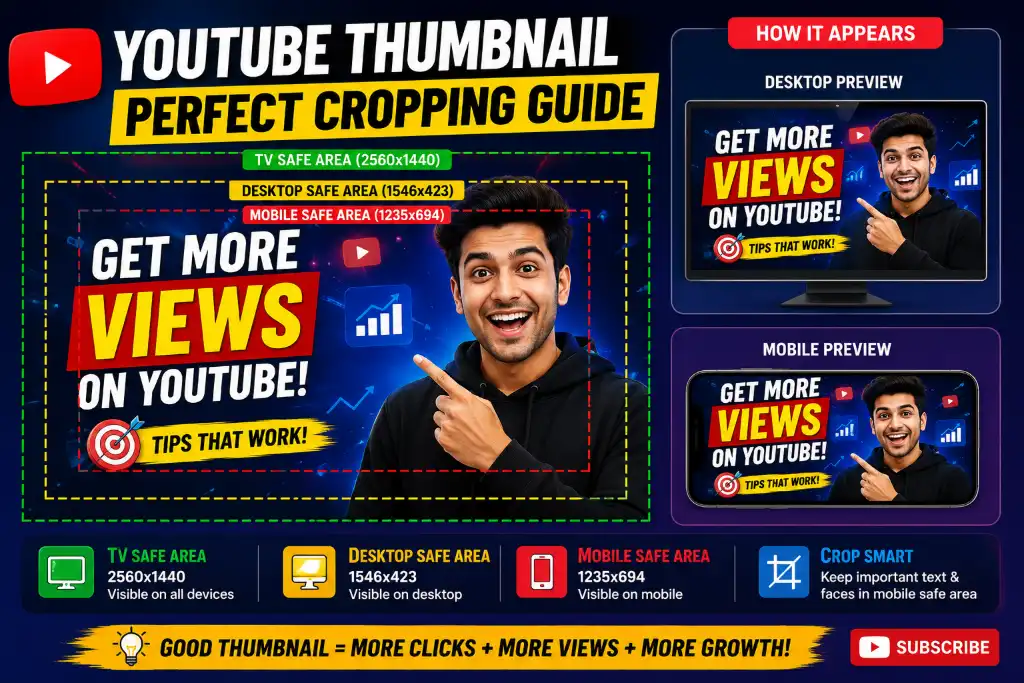
🎥 Crop Image for YouTube Thumbnail – Get More Clicks
YouTube thumbnails are your video's billboard. A poorly sized or cropped thumbnail can kill your click-through rate before anyone even sees your content.
YouTube thumbnail specs:
- Ideal size: 1280x720 pixels
- Minimum width: 640 pixels
- Aspect ratio: 16:9
- File size: Under 2MB
- Format: JPG, PNG, or GIF
When you crop image for YouTube thumbnail with our tool, you ensure your most important elements—faces, text, key objects—are positioned perfectly within the safe zone. No more important details getting cut off on mobile devices!
After cropping, you might want to enhance your image or add your channel watermark to protect your content.
🏆 Why Choose Our Free Image Cropper?
There are dozens of image cropping tools out there. Here's why thousands of users choose ours:
No Signup Required
Why should cropping an image require an account? We respect your time. Just visit, upload, and crop. No email, no password, no nonsense.
Privacy Safe
Your images are processed locally in your browser. We never upload, store, or share your photos. What happens in the cropper, stays in the cropper.
Lightning Fast
Our optimized code means you spend seconds cropping, not minutes waiting. Batch process multiple images without breaking a sweat.
Beginner-Friendly UI
No tutorials needed. If you can point and click, you can use our tool. Clean interface, intuitive controls, zero confusion.
💝 What Our Users Say
"Finally, a tool that just works! I needed to crop 50 product photos for my Etsy shop, and this took me 10 minutes instead of 2 hours. Lifesaver!" – Sarah M., Small Business Owner
"I'm not tech-savvy at all, but this was so easy. Cropped my passport photo perfectly on the first try. No more expensive photo booth visits!" – James K., Retired Teacher
📏 Popular Preset Image Sizes
Stop memorizing dimensions! Our tool comes pre-loaded with the most commonly used sizes:
Instagram Post
YouTube Thumbnail
US Passport
Facebook Cover
Twitter Header
LinkedIn Banner
Need a custom size? No problem! You can also crop image to specific size in KB or exact pixel dimensions. Just enter your preferred width and height, and we'll crop accordingly.
🔗 More Free Image Tools You'll Love
Once you've cropped your image, check out these other powerful tools in our suite:
❓ Frequently Asked Questions
Absolutely! There are no hidden charges, no premium tiers, and no watermarks. You can crop as many images as you need without paying a cent. We believe everyone deserves access to quality image editing tools.
Nope! No registration required. Just visit the page, upload your image, crop it, and download. It's that simple. We don't even ask for your email address.
We support all major image formats including JPG, JPEG, PNG, WebP, and BMP. You can also convert between formats after cropping if needed.
Not at all! Our tool maintains the original quality of your image. The cropped portion retains the same resolution and clarity as the original. You're just removing parts you don't need, not compressing or degrading what remains.
Yes! Our tool is fully responsive and works perfectly on mobile devices. Whether you're using an iPhone, Android phone, iPad, or Android tablet, you'll get the same great experience without installing any apps.
We support images up to 10MB in size, which is more than enough for most photos. If you have larger files, you might want to compress them first before cropping.
No, your privacy is important to us. All image processing happens locally in your browser. We don't upload, store, or have access to your images. Once you close the page, your images are gone from our system.
Currently, our tool processes one image at a time to ensure the best quality and speed. However, the process is so fast that cropping multiple images sequentially is still quicker than using desktop software.
Cropping removes parts of the image to focus on a specific area, while resizing changes the overall dimensions without removing content. Our tool can do both! You can resize images after cropping if needed.
Yes! We offer specialized tools for circle cropping, heart shapes, star shapes, polygons, and custom shapes. Check out our shape-specific croppers!
Simply upload your photo, select the "Passport" preset (2x2 inches or 51x51mm), and our tool will guide you to position your face correctly. Make sure your photo has a plain background and good lighting for best results.
Yes! Before downloading, you can adjust your crop as many times as you want. Just drag the crop box, resize it, or reposition it until you're satisfied. The original image remains unchanged until you download the cropped version.
Our tool works on all modern browsers including Chrome, Firefox, Safari, Edge, and Opera. For the best experience, we recommend using the latest version of any major browser.
Absolutely! Once you download your cropped image, it's yours to use however you want—personal or commercial use. Just make sure you have the rights to the original image you're cropping.
This can happen if you're cropping a small portion of a large image and saving it at high quality. The cropped section maintains its resolution. If you need a smaller file size, try our image compressor after cropping.
Yes! You can enter custom width and height values in pixels to crop to exact dimensions. This is perfect for web design, social media, or any project requiring precise measurements.
Our tool requires an internet connection to load initially, but once loaded, most processing happens in your browser. For true offline editing, you'd need desktop software, but you'd lose the convenience and zero-installation benefits.
For basic to intermediate cropping, our tool is perfect. If you need advanced features like layers, filters, or complex retouching, check out our professional image editor or advanced photo editor.
🎉 Ready to Crop Like a Pro?
Stop struggling with wrong image sizes. Stop downloading bulky software. Stop paying for tools you barely use.
Our free image cropper online gives you everything you need to create perfectly sized images in seconds. Whether you're preparing passport photos, Instagram posts, YouTube thumbnails, or WhatsApp DPs, we've got the right tools for the job.
Remember: No signup. No watermarks. No cost. Just pure, simple, effective image cropping.
Upload Your Image Now – It's Free!📚 Related Resources
Want to take your image editing further? Explore these helpful guides and tools: