Instagram Reel Thumbnail Maker – Create Eye-Catching Reel Covers Free
An Instagram Reel Thumbnail Maker is the quickest way to turn a plain frame into a cover people actually tap. Our free Instagram Reel Thumbnail Maker runs in your browser, so you can design a Reel cover online in a few minutes, preview how it sits on your profile grid, and save it without making an account. Whether you post once a week or every day, a strong cover is often the first thing a viewer judges.
1. Create Eye-Catching Instagram Reel Thumbnails Without Design Skills
You spend an hour filming and editing a Reel, then Instagram picks a random frame as the cover: eyes half closed, a blurry hand, no context. Or you upload a photo and the headline gets chopped off in the grid. It happens to almost everyone, and it quietly costs you taps.
This free Instagram Reel Thumbnail Maker fixes that with a simple editor that works on a phone or a laptop. Pick a ready-made template, drop in your photo, change the headline and colors, and download the finished cover. Everything is editable, so the result looks like yours and not like a copy of someone else's.
Editable templates
Start from a layout instead of a blank canvas.
Custom text
Write your own headline, pick fonts and colors.
Instant download
Save as PNG, JPG or WebP in one click.
Ready to try it? The editor is right above this section.
Create Your Reel Thumbnail Free2. How to Use the Instagram Reel Cover Creator
If you want to create an Instagram Reel cover, follow these eight steps. Most people finish in under five minutes.
Choose a template
Browse the ready-made layouts and pick one that matches your topic.
Upload your photo
Add an Instagram Reel cover photo from your phone or computer. Drag and drop works too.
Select the 9:16 format
Use the Reel canvas, or switch to another size if you need one.
Add your headline
Click the text, type your title, then adjust font, size and color.
Adjust image and background
Tweak brightness, contrast, colors, shapes and background fills.
Manage layers
Move items forward or back so text always sits above the photo.
Preview the grid crop
Check the full cover and the profile grid version before you export.
Download
Save your design, then upload it as the cover inside Instagram.
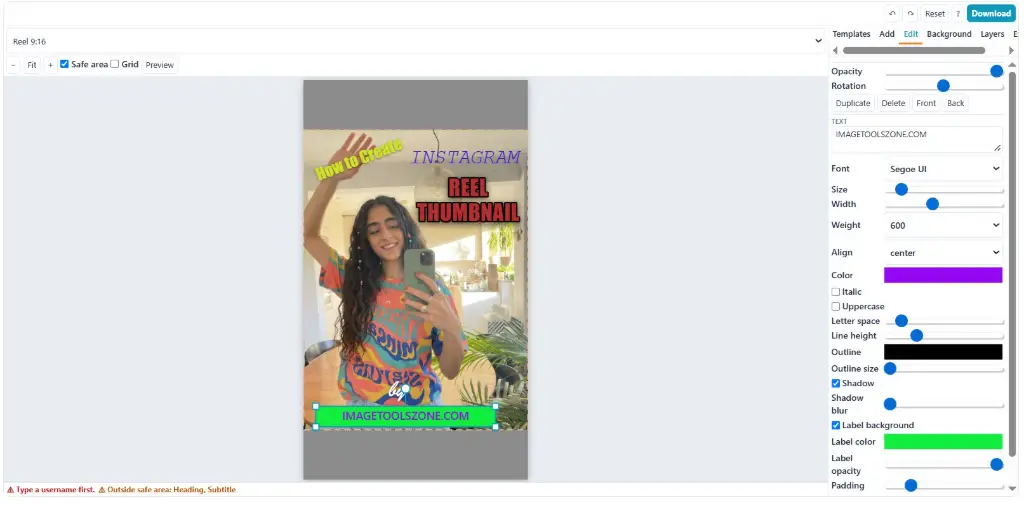
Follow the steps above with your own photo.
Try the Free Reel Cover Maker Now3. Features of Our Free Instagram Reel Cover Maker
This Instagram thumbnail editor keeps the controls you need and leaves out the clutter.
Ready-to-edit templates
Instagram Reel cover templates free to use, built for 9:16.
Drag-and-drop upload
Bring in a photo without leaving the page.
Custom canvas sizes
Stay on 9:16 or enter your own width and height.
Text styling
Choose fonts, weight, spacing and color.
Photo adjustments
Fix brightness, contrast and color before export.
Backgrounds
Solid colors and soft gradient fills.
Shapes and lines
Add badges, frames and dividers.
Layers
Reorder and position every object.
Safe area guide
Grid preview shows what the profile will crop.
Undo, redo, duplicate
Experiment freely and copy a design for the next Reel.
PNG, JPG, WebP
Pick the format that suits your upload.
Save and reopen
Come back to a project and edit it later.
Instagram Reel Thumbnail Download Options
For an Instagram reel thumbnail download of your own design, choose PNG for sharp text, JPG for smaller files, or WebP for a good balance. To get a thumbnail from someone else's Reel, note that this tool is not an Instagram reel thumbnail downloader. It edits and exports covers you create yourself.
4. Who Can Benefit From an Instagram Reel Thumbnail Maker?
Creators and influencers
Keep a recognizable look across every post.
Social media managers
Produce covers for several accounts quickly.
Beauty and skincare
Show results and routines clearly.
Fitness coaches
Label workouts so people find them fast.
Food bloggers
Make recipes look worth saving.
Travel vloggers
Put the destination front and center.
Small businesses
Promote products without hiring a designer.
Marketers and agencies
Reuse layouts for client campaigns.
Teachers and students
Give tutorials a clear, tidy cover.
5. Practical Ways to Use a Custom Instagram Reel Cover
A custom Instagram Reel cover works best when it tells people what they will get in one glance. Some ways to use it:
Beauty and skincare
Show the product or the result with a short label like "Night Routine".
Fitness and workouts
Name the exercise and the time: "10-Minute Core".
Food and recipes
Use a close, bright dish photo and the dish name.
Travel vlogs
Pair a standout landscape with the place name.
Product promotion
Highlight one product and one clear benefit.
Tutorials
State the skill being taught in a few words.
Personal branding
Use your face, your colors and a steady layout.
Multi-Reel branding
Duplicate one design and swap the photo and headline.
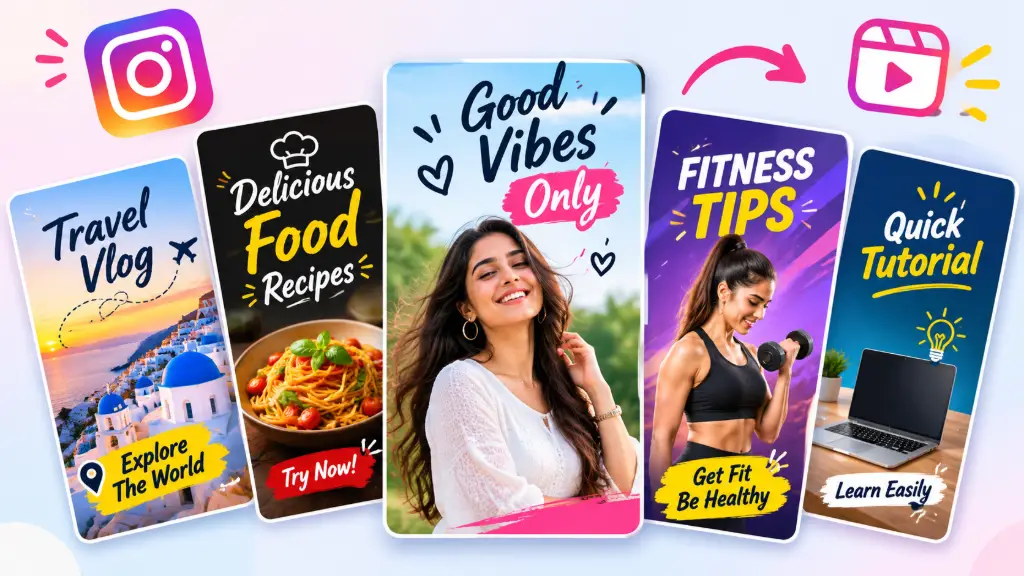
6. Instagram Reel Thumbnail Templates for Different Niches
Starting from Instagram Reel thumbnail templates saves the most time. Here is how each niche tends to use them.
Beauty and skincare
Soft backgrounds, a close-up face or product, and a short title with plenty of breathing room.
Fitness and workout
Bold, high-contrast text with the movement or equipment clearly visible.
Food and cooking
Warm tones, a tight shot of the finished dish, and the recipe name in large letters.
Travel and lifestyle
Wide scenery with a small location tag so the picture does the talking.
Business and marketing
Clean layouts with a single offer, tip or number in the headline.
Educational and tutorial
A simple background, one keyword in big type, and a small step or lesson label.
7. Advantages and Limitations of Our Reel Thumbnail Maker
No tool fits every job, so here is an honest look at what this one does and does not do.
✅ Advantages
- Free online editing workflow
- Ready-made editable templates
- Multiple canvas sizes
- Custom text and fonts
- Image filters and adjustments
- Background and shape customization
- Layers and preview controls
- PNG, JPEG and WebP exports
⚠️ Limitations
- Does not extract frames from videos
- No batch thumbnail processing
- No direct Instagram publishing
- No built-in AI image generation
- No video editing
- Needs a browser that supports Canvas
- Very large images may need more device memory
- No brand-kit sync across sessions
8. Instagram Reel Thumbnail Maker vs. Manual Editing
| Factor | This maker | Photoshop | Canva | Manual editing |
|---|---|---|---|---|
| Setup | Open and start | Install and license | Account needed | Depends on your app |
| Workflow | Cover-focused, quick | Powerful, longer learning curve | General design | Slow, many steps |
| Templates | Reel-ready layouts | Build your own | Large library | None |
| Canvas sizing | 9:16 preset | Set manually | Preset available | Crop by hand |
| Layers | Yes, simple | Advanced | Yes | Limited |
| Download | PNG, JPG, WebP | Many formats | Several formats | Depends |
If you need heavy retouching, a pro editor still wins. For a quick, clean Reel cover, a focused browser tool is simply faster.
9. Instagram Reel Cover Size and Profile Grid Cropping Explained
The Instagram Reel cover size is 9:16, which is 1080 × 1920 pixels. This is also the Instagram Reel thumbnail size you should start with, because it matches the full-screen Reel format.
How the profile grid crop works
Your profile grid does not show the full vertical cover. It shows a shorter, centered portion, so the top and bottom of your design can disappear. That is why a headline placed too high or too low looks fine in the Reel view but gets clipped on your profile.
Keep text and faces in the safe area
Place the headline and any faces near the vertical center, with a comfortable margin on the left and right. Think of it as designing for the small window first, and the full-screen view second.
Use the built-in preview
Switch on the safe area guide and grid preview before exporting. If anything touches the edge of the guide, move it inward. It takes ten seconds and saves a re-upload.
10. How to Design an Attractive Instagram Reel Cover
Good Instagram Reel cover design is mostly about restraint. These habits make the biggest difference:
Pick a sharp image
Choose a bright, high-quality photo that clearly relates to the Reel.
Write a short headline
Aim for two to five words that promise something specific.
Use readable fonts
Pick one clear font, with a second only for emphasis.
Keep strong contrast
Light text on a dark area, or the reverse. Never similar tones.
Stay uncluttered
One focal point, a few shapes, plenty of empty space.
Preview it small
Shrink the design to thumbnail size. If you can still read it, you are done.
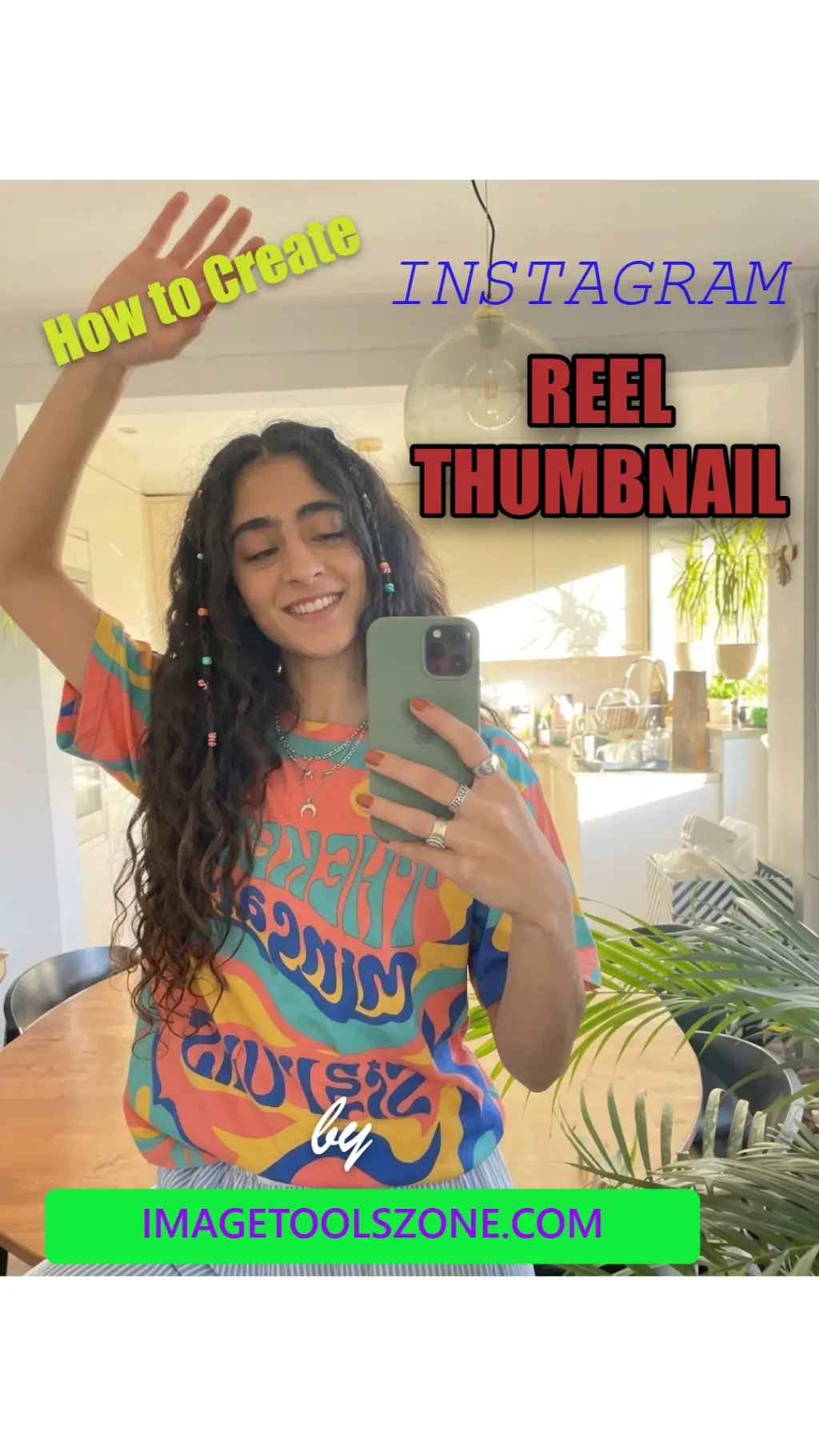
11. Best Text Ideas for Instagram Reel Covers
Short, clear and specific beats clever. Here are headlines you can adapt:
Add a number or a result when you can. "5 Skincare Mistakes" tells the viewer exactly what they will learn.
12. Create Consistent Instagram Reel Covers for Your Brand
A profile that looks planned feels trustworthy. Consistency is what turns random posts into a brand.
Fonts
Use the same one or two fonts on every cover.
Brand colors
Keep to a small palette so your grid feels unified.
Headline position
Put the title in the same spot each time.
Build one cover you love, save the project, then reopen it for the next Reel and swap only the photo and the words. Duplicating a finished design keeps your layout identical, which gives your profile a recognizable look without starting from scratch.
<13. Common Instagram Reel Thumbnail Design Mistakes
❌ Choosing a random image that does not represent the Reel
❌ Using small or blurry photographs
❌ Writing excessively long headlines
❌ Selecting decorative fonts that are hard to read
❌ Using text colors that blend into the background
❌ Placing important content outside the safe area
❌ Ignoring profile grid cropping
❌ Using too many shapes and decorative elements
❌ Forgetting to preview before downloading
❌ Using inconsistent branding across Reel covers
14. Frequently Asked Questions
What is the best Instagram Reel thumbnail size?
Use 9:16 at 1080 × 1920 pixels. It matches the full-screen Reel format and keeps your cover sharp on most phones.
Is this Instagram Reel Thumbnail Maker really free?
Yes. You can design and download covers without paying, and no account is needed to start.
Can I use it as an Instagram reel thumbnail downloader?
No. It is an editor for covers you design. It does not pull thumbnails or frames from existing Reels or videos.
How do I do an Instagram reel thumbnail download after editing?
Click the download button and choose PNG, JPG or WebP. Then upload the saved image as your cover when you post.
Why is my Reel cover cut off on my profile?
The grid shows only a centered portion of the 9:16 image. Keep text and faces near the middle and check the safe area preview before exporting.
Which file format should I choose?
PNG keeps text crispest, JPG gives smaller files for photos, and WebP is a good middle ground when your device supports it.
Can I make Reel covers on my phone?
Yes. The editor works in a mobile browser, and you can upload photos straight from your gallery.
Can I save my design and edit it later?
Yes. Save the project and reopen it to change the photo or headline for your next Reel.
Does it add a watermark to my cover?
No watermark is added to your exported design.
Can I use a custom canvas size?
Yes. Reel 9:16 is the default, but you can switch to another size or enter your own dimensions.
15. Explore More Free Image Editing Tools
Need to polish the photo before it goes into your cover? These tools help:
Image Cropper
Trim a photo to the right frame first.
Background Remover
Cut out your subject for a cleaner cover.
Image Enhancer
Sharpen soft or dull photos.
Image Compressor
Shrink the file without hurting quality.
Instagram Post Resizer
Fit images to feed post sizes.
Palette Generator
Pull brand colors from any photo.
Add Watermark
Protect your original work.
Make Your Next Instagram Reel Stand Out
Create Your Reel Cover Now