
Convert Image to Sketch Online Free
Transform your ordinary photos into stunning pencil sketches, charcoal drawings, and artistic line art in seconds. No design skills needed – just upload, convert, and download your masterpiece!
Try Free Now📋 On This Page
🎨 What Does "Convert Image to Sketch" Mean?
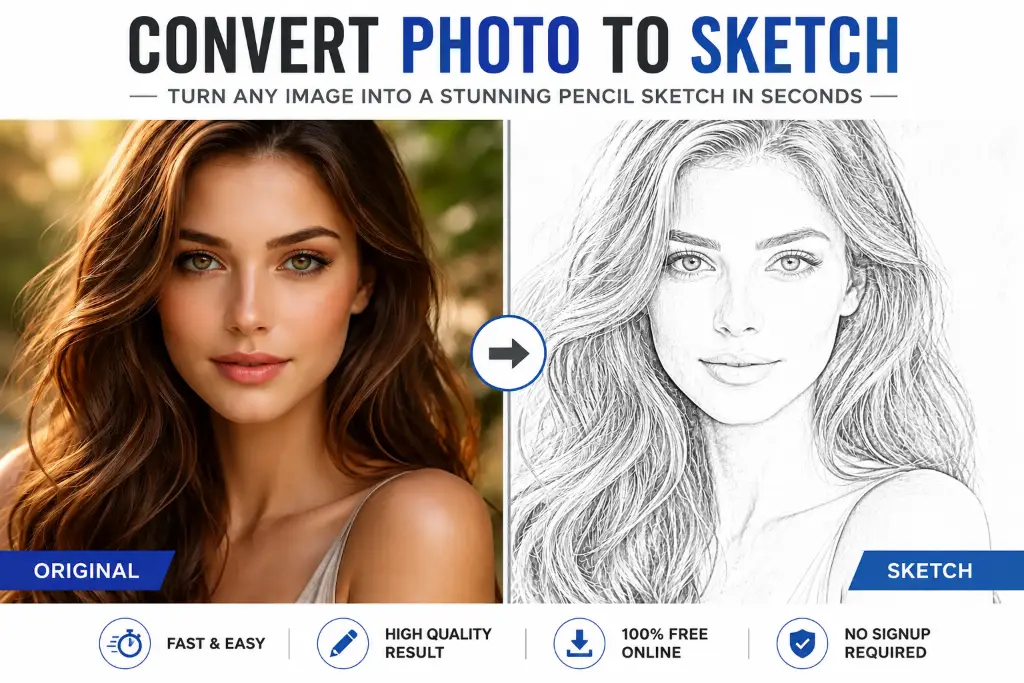
Convert Image to Sketch Online Free refers to the process of transforming a regular photograph into an artistic sketch that mimics hand-drawn pencil, charcoal, or ink artwork. This digital transformation uses sophisticated algorithms to detect edges, shadows, and highlights in your photo, then recreates them using sketch-like strokes and textures.
Difference Between a Photo and a Sketch
While photographs capture every detail with perfect realism, sketches strip away the noise and focus on essential elements. A sketch emphasizes contours, outlines, and tonal values rather than colors and textures. This artistic interpretation creates a timeless, handcrafted look that photographs simply can't replicate.
Think about it – when you look at a pencil sketch, your brain fills in the gaps. The white space becomes just as important as the drawn lines. This minimalist approach often creates more emotional impact than a detailed photograph ever could.
Types of Sketch Effects
✏️ Pencil Sketch
Mimics traditional graphite pencils with varying pressure and shading. Perfect for portraits.
⚫ Charcoal Sketch
Creates bold, dramatic contrasts with deep blacks. Ideal for artistic compositions.
📐 Line Art
Clean, precise outlines without shading. Great for logos and coloring books.
🌈 Colored Sketch
Combines sketch techniques with selective color for unique artistic effect.
💡 Why Convert an Image to a Sketch?
You might be wondering why anyone would want to turn their crisp, clear photos into sketchy drawings. Trust me, once you see the possibilities, you'll be converting everything!
Social Media Profile Pictures
Let's face it – everyone's using the same filtered selfies. A sketch-style profile picture instantly makes you stand out. It shows creativity and gives your social media presence an artistic edge.
Personalized Gifts
There's something incredibly special about receiving a hand-drawn portrait. But hiring an artist costs hundreds of dollars. With photo to sketch converter online free tools, you can create personalized gifts in minutes.
Wall Art & Home Decor
Sketches have a timeless quality. Print your converted sketches on canvas, frame them, and you've got gallery-worthy art without the gallery prices.
School and College Projects
Convert historical photos into sketches for a vintage feel. Turn scientific diagrams into clean line drawings. Teachers notice creative effort!
Business Presentations
Use line drawings to illustrate concepts, convert product photos for sophisticated catalogs, or create sketch-style infographics.
Tattoo References
Convert your reference photo into a sketch first. It helps visualize how the design will look in permanent ink.
💰 Pro Tip:
Businesses often use turn photo into pencil sketch effects for "About Us" pages. It creates a cohesive, artistic look for team photos.
🚀 How to Convert an Image to a Sketch Online for Free
Ready to transform your photos? Here's exactly how to do it using our image to sketch converter online free tool.
Upload Your Image
Select your photo. We accept JPG, PNG, and WebP formats up to 10MB. Drag and drop or click to browse.
Choose Sketch Style
Select from pencil sketch, charcoal, line art, or colored sketch. Each creates a different mood.
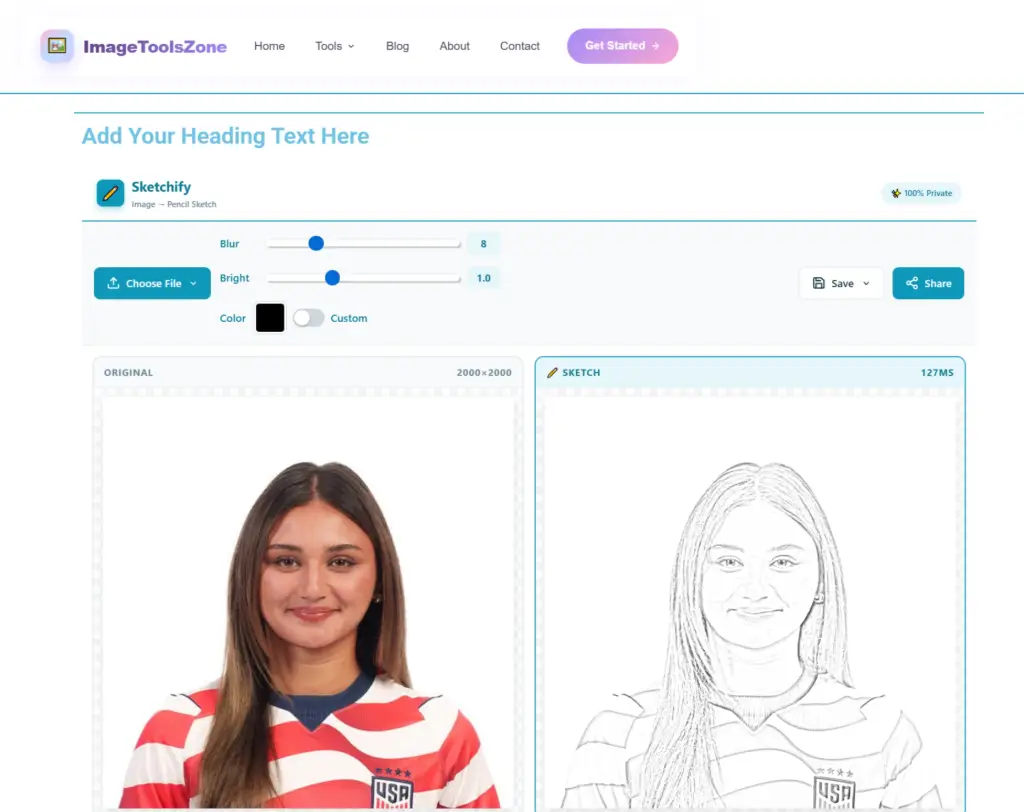
Adjust Settings
Fine-tune with easy sliders. Increase edge detection for more detail, reduce contrast for softer look.
Preview
Zoom in to check details. Compare side-by-side with original. Adjust if needed.
Download
Click download and choose your format. High-resolution files without watermarks, ready for printing.
Quick Tips for Best Results
- Start with high-resolution photos for crisp sketches
- Images with good lighting work best
- Simple backgrounds help AI focus on subject
- Portraits convert beautifully
- Experiment with different styles
Using tools like the image to sketch converter makes this process incredibly fast.
✨ Ready to Transform Your Photos?
Join thousands of users creating stunning, realistic pencil sketches in seconds. No signup, no watermarks, completely free.
Try Free Now⭐ Best Features to Look for
Not all picture to sketch converter tools are equal. Here's what separates great ones:
🤖 AI-Powered
Smart algorithms understand edges
🚫 No Watermark
Clean results, no branding
♾️ Unlimited
Convert as many as you want
📐 High-Res
Print-quality downloads
🔒 Privacy
Your images stay secure
📱 Mobile
Works on all devices
AI-Powered Conversion
Modern online sketch maker tools use AI to analyze composition, lighting, and subject matter. This creates results that mimic real artists.
No Watermark Policy
Nothing ruins a beautiful sketch like a giant watermark. The best free sketch filter online tools give clean, professional results.
Privacy Protection
Your photos are personal. Reputable tools process images on secure servers and delete them immediately.
🔗 Related Tools You Might Love:
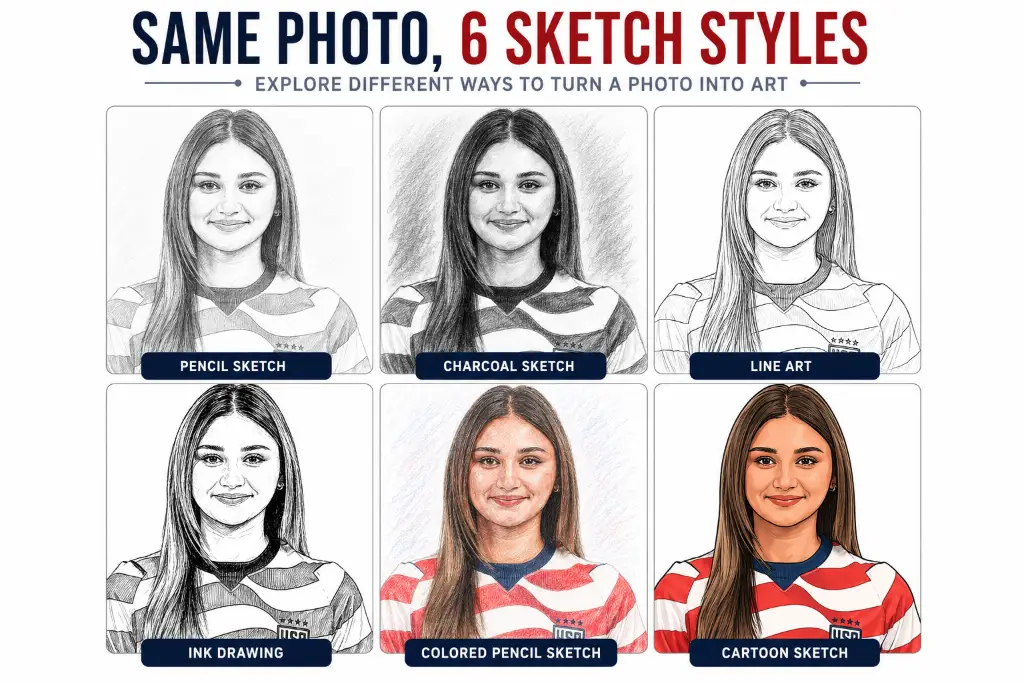
Different Sketch Styles Explained
When you use a digital pencil sketch creator, you'll encounter various styles. Here's what each does:
Pencil Sketch
The classic choice with soft gradients and natural shading. Works beautifully for portraits and landscapes.
Charcoal Sketch
Bold, dramatic results with deep blacks and strong contrasts. Edgier and more artistic.
Line Drawing
Clean lines without shading. Minimalist and modern, perfect for logos and coloring books.
Ink Sketch
Sharp, precise lines with cross-hatching. Vintage, illustrated book quality.
Cartoon Sketch
Playful style that simplifies features. Great for social media profiles.
✅ Benefits of Online Sketch Converters
No Installation
Works instantly in your browser. No downloads needed.
Any Device
Use phone, tablet, or desktop. Works everywhere.
💸 Free
Professional results without expensive software.
⚡ Instant
See results in seconds, not hours.
Time-Saving
Creating a sketch manually takes 30-60 minutes. Online converters do it in 10 seconds. That's 99% time saving!
📸 Image Quality Tips
Use High-Resolution Photos
Always start with highest resolution possible. More pixels mean more detail.
Ensure Good Lighting
Well-lit photos convert beautifully. Natural, diffused lighting works best.
Clear Subject Focus
Your main subject should be sharp. Blurry subjects create messy sketches.
Simple Backgrounds
Complex backgrounds distract. Simple backgrounds help AI focus.
🎯 Pro Tip:
Before converting, use an image enhancer to improve quality.
🌟 Best Images to Convert
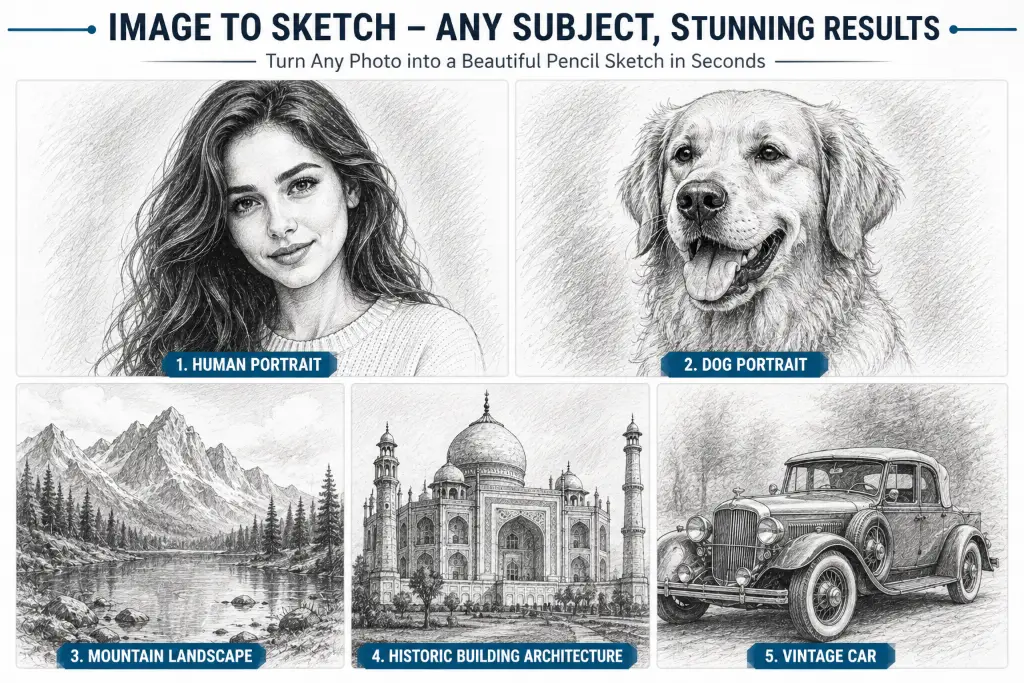
Portraits
Human faces convert beautifully. Natural contours and features translate perfectly.
Pets
Pet portraits make incredible sketches. Perfect for gifts or home decor.
Landscapes
Scenic photographs with mountains, trees, or architecture work wonderfully.
Architecture
Buildings and structures create stunning architectural sketches.
AI vs Traditional Conversion
| Feature | AI Conversion | Traditional |
|---|---|---|
| Speed | 5-30 seconds | 30-120 minutes |
| Cost | Free | $50-500 |
| Quality | Consistently good | Varies by artist |
| Ease | Beginner-friendly | Requires training |
🔧 Common Problems & Solutions
Sketch Looks Blurry
Solution: Use higher resolution source image (at least 2000px).
Image Not Uploading
Solution: Check file size (under 10MB) and format (JPG/PNG).
Poor Edge Detection
Solution: Increase contrast in original photo before converting.
File Too Large
Solution: Use image compressor first.
🛠️ More Free Image Tools
Frequently Asked Questions
Simply upload your photo to a convert image to sketch online free tool, select your preferred style, adjust settings if needed, and download. No registration required!
Yes! Modern AI image to sketch generator tools use artificial intelligence to create realistic sketches that mimic real artists.
Absolutely! JPG is one of the most common formats for convert JPG to sketch conversions.
Yes! Mobile-friendly tools work perfectly on smartphones. Upload from your camera roll and convert instantly.
Reputable tools use secure servers and delete images immediately after conversion. Your privacy is protected.
PNG provides best quality for convert PNG to sketch, but high-quality JPG works excellently too.
Yes! Start with high-resolution images (2000px+) and download in PNG format for best results.
Pencil creates softer, detailed results. Charcoal produces bolder, more dramatic effects with deeper blacks.
Typically 5-30 seconds depending on image size. High-res images might take 20-30 seconds.
Yes! Quality tools provide sliders to control edge detection, contrast, and detail intensity.
No! The best free sketch filter online tools don't require registration.
Generally yes if you own the original photo. Check the tool's terms of service for details.
At least 1500-2000 pixels on the longest side for best results. Larger is better!
Yes! Old photos convert beautifully. Scan at 300 DPI minimum for best results.
Most free tools don't impose daily limits. Convert as many as you want!
🎉 Ready to Create Stunning Sketches?
You now have everything you need to transform photos into beautiful sketches. Whether creating social media content, gifts, or wall art, convert image to sketch online free tools make it easy.
Start with high-quality images, experiment with styles, and adjust settings until perfect. It costs nothing to try!
Start Converting Now – It's Free!