Transform your photos into perfect circular profile pictures in seconds. No signup, no watermark, just pure simplicity.
🎯 Why You Need a Circle Crop Tool (And Why Regular Editors Fall Short)
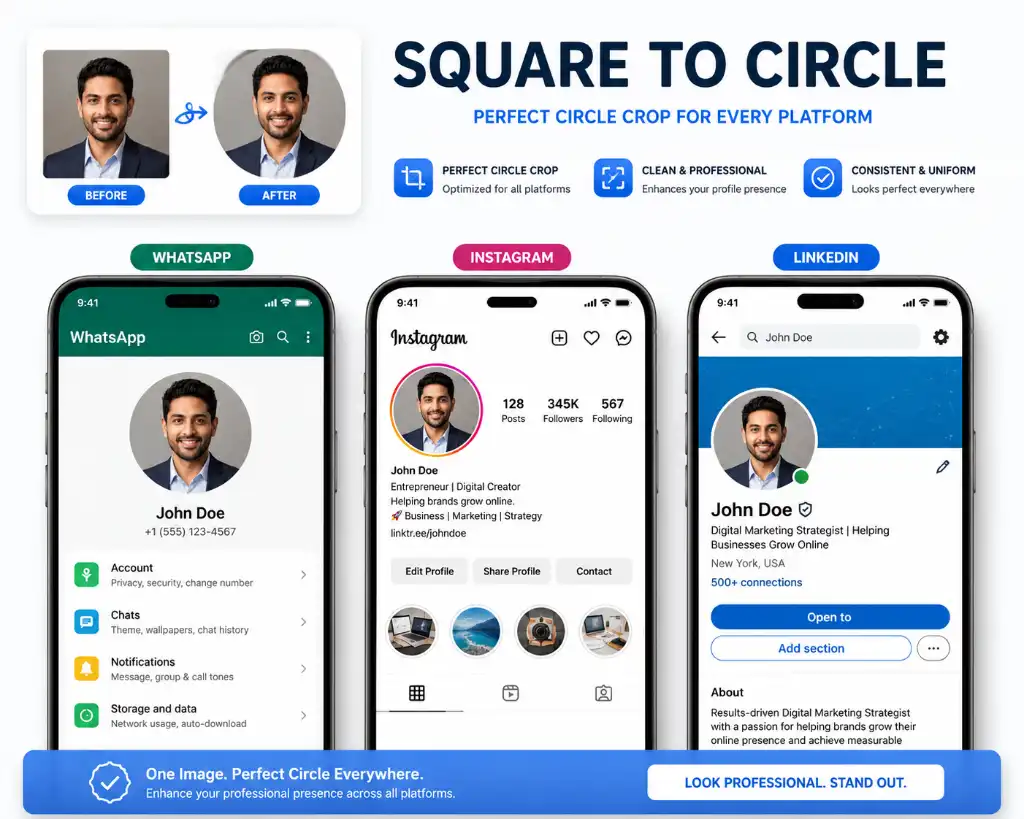
Let's be honest – we've all been there. You've got the perfect photo for your WhatsApp profile, Instagram account, or YouTube channel. But when you upload it, the platform crops it into a circle, and suddenly your carefully composed shot looks awkward with cut-off corners or weird spacing.
Here's the thing: most standard photo editors only let you crop in rectangles or squares. They don't give you that clean, professional crop image in circle online free option that social media platforms demand. You end up guessing, adjusting, re-uploading, and repeating until you finally get it right (if you ever do).
That's exactly why we built this tool. Whether you're looking to make image round online for your LinkedIn profile, create a catchy thumbnail, or just give your photos a fresh, modern look, our profile picture crop tool handles it all without the headache.
🔍 What Exactly is a Circle Crop Image Tool?
Think of it as your digital scissors that cut photos into perfect circles instead of boring rectangles. A circle crop image tool takes your square or rectangular photo and transforms it into a clean, round shape by removing those unwanted corners.
But it's more than just cutting corners (literally). The best round image maker free tools let you:
Precision Control
Adjust the crop area to focus on exactly what matters – your face, your product, your logo. No more accidental head chops!
Clean Edges
Get smooth, anti-aliased edges that look professional on any background. No jagged pixels or rough cuts.
Instant Results
Process images in seconds, not minutes. Our tool works right in your browser – no software to install.
These tools have become essential for anyone serious about their online presence. From influencers managing multiple social accounts to small business owners creating branded content, having quick access to a reliable circle crop image tool saves hours of frustration.
📱 How to Use Our Circle Crop Tool (Takes 30 Seconds)
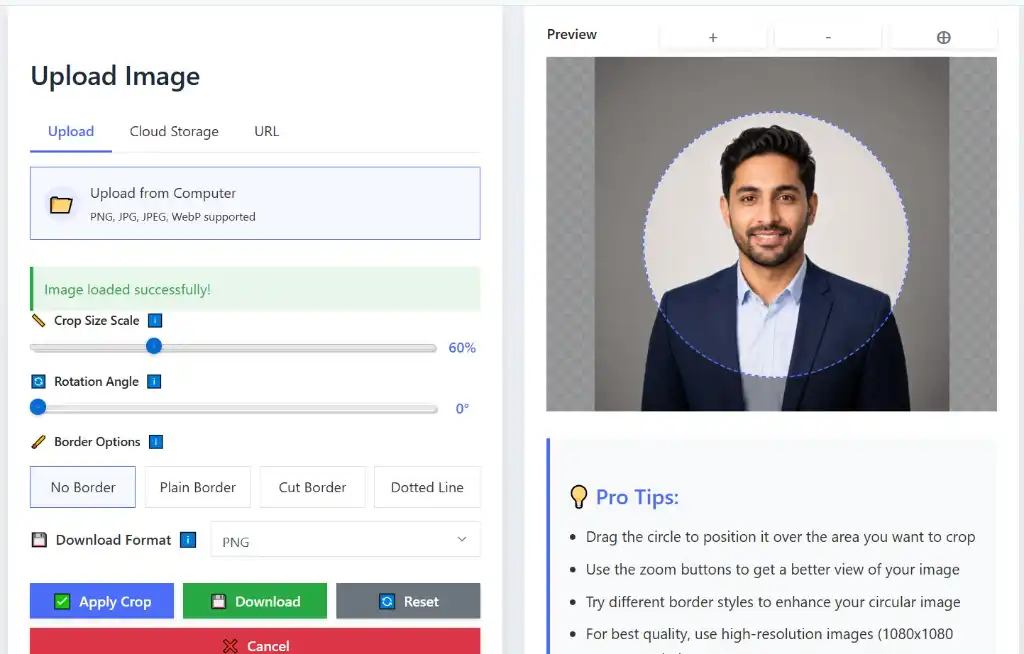
We kept it stupidly simple because nobody has time for complicated tutorials. Here's how you crop image into circle shape in five easy steps:
Upload Your Image
Click the big upload button or simply drag and drop your photo into the tool. We support all major formats – JPG, PNG, WebP, you name it. If you need to compress a large file first, check out our image compressor to reduce file size without losing quality.
Adjust the Crop Area
Move and resize the circular frame to focus on what matters most. Zoom in to get that perfect framing. Want to resize your image to specific dimensions after cropping? We've got you covered.
Select Circle Shape
Our tool defaults to a perfect circle, but you can also experiment with other shapes if you're feeling creative. Try our oval crop tool or custom shape cropper for unique designs.
Preview Your Result
See exactly how your circular image will look before downloading. Check it against different backgrounds to ensure it pops. If needed, use our background remover for a clean, transparent finish.
Download & Share
Hit download and you're done! Your perfectly cropped circular image is ready to upload anywhere. Need to convert the format or add a watermark? We have tools for that too.
✨ Key Features That Make Our Tool Stand Out
100% Free Forever
No hidden charges, no premium tiers, no credit card required. Use it as much as you want, whenever you want.
No Watermark
Your images stay clean and professional. We don't stamp our logo on your hard work like some other tools do.
Lightning Fast
Process images in seconds with our optimized engine. No waiting, no lag, just instant results.
Mobile-Friendly
Works perfectly on phones, tablets, and desktops. Crop images on the go, right from your browser.
High-Quality Output
Download in original resolution with crisp, clean edges. Perfect for professional use.
Privacy First
Your images are processed locally and never stored on our servers. What happens in the crop tool, stays in the crop tool.
Looking for more advanced editing? Try our professional image editor or advanced photo editor for filters, adjustments, and effects.
🎁 Why Circular Images Matter (Beyond Just Looking Cool)
Circular images aren't just a trendy design choice – they serve real purposes in today's digital landscape. Here's why making your images round can level up your online game:
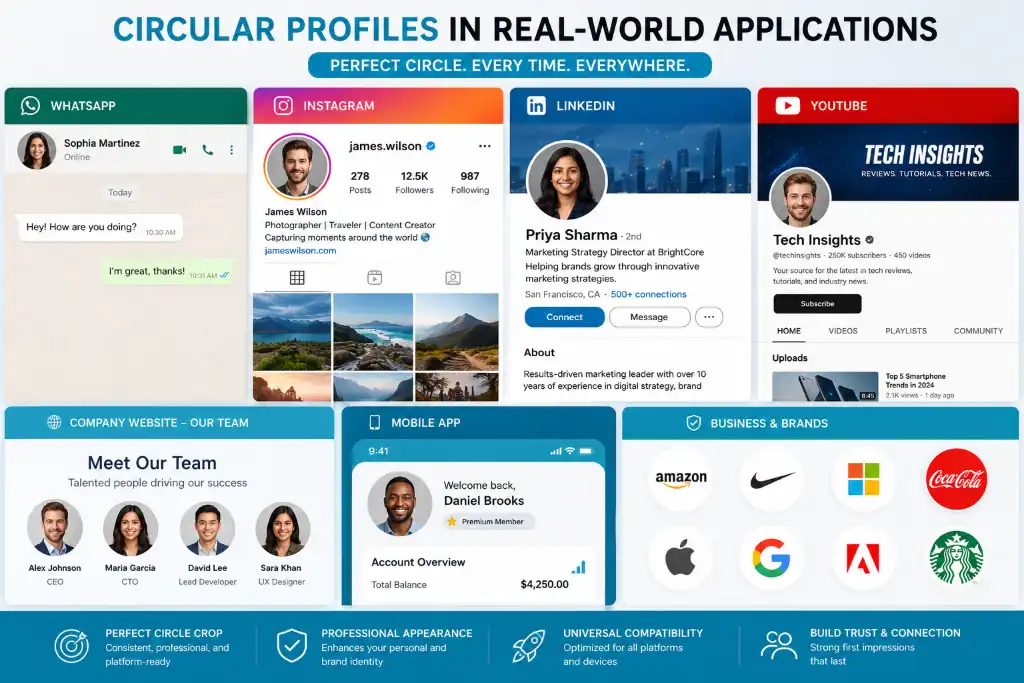
- Social Media Dominance: Every major platform – Instagram, Facebook, Twitter, LinkedIn, TikTok – uses circular profile pictures. Getting it right the first time makes you look professional and put-together.
- Brand Consistency: If you're building a brand, circular logos and profile pics create a cohesive look across all platforms. It's instantly recognizable and memorable.
- Better Focus: Circles naturally draw the eye to the center. This means faces, products, or logos get the attention they deserve without distracting corners or edges.
- Modern Aesthetic: Let's face it – circles just look more contemporary and friendly than harsh rectangular boxes. They soften your image (literally and figuratively).
- Thumbnail Appeal: YouTube creators and content marketers know that circular thumbnails stand out in feeds and recommendations, potentially boosting click-through rates.
For e-commerce businesses, we also offer an auto-crop tool for ecommerce that's specifically designed for product photography.
⚖️ Circle Crop vs Square Crop: Which Should You Choose?
This is one of the most common questions we get. Let's break it down:
| Feature | Circle Crop | Square Crop |
|---|---|---|
| Shape | Round, soft edges | Box, sharp corners |
| Best For | Profile pictures, logos, thumbnails | Instagram posts, general photos |
| Design Appeal | Modern, friendly, focused | Classic, versatile, traditional |
| Platform Use | Social media profiles, avatars | Feed posts, galleries |
| Visual Impact | High – draws attention to center | Medium – balanced composition |
| Trend Factor | Very trendy, contemporary | Timeless, always relevant |
Sometimes you need something in between – that's where our round corners tool comes in handy for creating rounded rectangles.
🎯 Best Use Cases for Circle Crop Images
Wondering where exactly you should use your perfectly cropped circular images? Here are the top scenarios where this tool shines:
Instagram Profile Picture
Make a killer first impression with a crisp, well-centered circular DP that looks great on both mobile and desktop.
WhatsApp Profile Photo
Stand out in chat lists with a clear, professional circular image that's instantly recognizable to your contacts.
YouTube Channel Icon
Your channel avatar appears everywhere – comments, subscriptions, recommendations. Make it count with perfect circular cropping.
LinkedIn Profile Picture
First impressions matter in professional networking. A well-cropped circular headshot shows you pay attention to details.
Twitter/X Profile
Twitter's circular profile pictures need precise cropping to avoid cutting off important elements of your image.
Gaming Avatars
From Discord to Steam, gaming platforms love circular avatars. Show off your gamer tag with style.
For more creative shapes, explore our heart shape cropper, star shape tool, or polygon cropper.
🏆 Why Choose Our Circle Crop Tool Over Others?
Look, there are plenty of image editing tools out there. So why should you use ours? Here's the real deal:
We don't ask for your email, we don't make you create an account, and we definitely don't spam you. Just upload, crop, download. Done.
Whether you're on a Windows PC, MacBook, Android phone, or iPhone, our tool works flawlessly in any modern browser. No app downloads needed.
We know privacy matters. Your images are processed right in your browser and never uploaded to our servers. What happens on your device, stays on your device.
No waiting in queues, no "processing" screens that take forever. Get your cropped image in seconds and move on with your day.
Plus, we're constantly adding new features. Need to rotate or flip images? Want to merge multiple photos or use our image splitter? We've got a whole suite of free image tools at your fingertips.
❓ Frequently Asked Questions
Absolutely! Our tool is 100% free with no hidden charges or premium features locked behind a paywall. You can crop as many images as you want, whenever you want. We believe great tools should be accessible to everyone, whether you're a student, freelancer, or business owner.
We support all major image formats including JPG, JPEG, PNG, WebP, and GIF. After cropping, you can download your circular image in PNG format (which supports transparency) or JPG format. If you need to convert between formats, we have a dedicated tool for that too.
Not at all! Our tool preserves the original quality of your image. The circular crop maintains the resolution and clarity of the area within the circle. If you're working with very large files and want to optimize them first, try our image compressor which reduces file size without visible quality loss.
Currently, our tool processes one image at a time to ensure the best quality and user experience. However, the process is so fast (usually under 10 seconds) that cropping multiple images is still quick and easy. Just upload, crop, download, and repeat!
You can upload images up to 10MB in size, which is more than enough for most photos. If your image is larger, we recommend using our resize tool to reduce dimensions before cropping. This actually helps the tool process faster too!
No, and this is important: your images are processed entirely in your browser using client-side technology. They never leave your device or get uploaded to our servers. Once you close the page, your images are gone. Your privacy and security are our top priorities.
Yes! Our tool is fully responsive and works perfectly on smartphones and tablets. Whether you're using an iPhone, Android phone, or iPad, just open the website in your mobile browser and start cropping. No app download required.
A circle crop creates a perfect round shape where width equals height. An oval (or ellipse) crop creates an elongated circle – wider than it is tall, or taller than it is wide. We offer both options! Check out our oval crop tool if you need that elliptical shape.
Our circle crop tool creates images with transparent backgrounds by default (when downloaded as PNG). If you want to add a colored or custom background, you can use our overlay tool or photo frame generator to place your circular image on any background you like.
Never! We don't add watermarks, logos, or any branding to your cropped images. What you create is yours, completely clean and ready to use anywhere. This is different from many "free" tools that stamp their logo on your work.
Yes! While this tool specializes in circular crops, we offer several other shape croppers: heart shape, star shape, polygon shapes, and even a custom shape cropper for unique designs.
For most social media platforms, we recommend uploading an image that's at least 400x400 pixels, though 800x800 or higher is even better for quality. Instagram recommends 320x320, LinkedIn suggests 400x400, and WhatsApp works well with 640x640. When in doubt, bigger is better – you can always resize down, but you can't add quality back.
While our circle crop tool focuses on cropping, we have a dedicated image enhancer that can improve brightness, contrast, sharpness, and overall quality. You can also try our artistic filters or sketch converter for creative effects before cropping.
Absolutely! Many professionals use our tool for client work, social media management, e-commerce product photos, and branding projects. The high-quality output and no-watermark policy make it perfect for commercial use. For bulk product images, check out our auto-crop for ecommerce tool.
Our tool works on all modern browsers including Chrome, Firefox, Safari, Edge, and Opera. For the best performance, we recommend using the latest version of Google Chrome or Mozilla Firefox. The tool also works great on mobile browsers like Chrome for Android and Safari for iOS.
Yes! If you need to adjust the DPI (dots per inch) for printing or specific requirements, use our image DPI changer after cropping. This is especially useful if you're creating profile pictures that might be used in print materials.
When you download your circular cropped image, choose PNG format to preserve transparency. The area outside the circle will be transparent, making it easy to place your image on any background. If you need to remove the background from your original photo first, try our background remover tool.
While our circle crop tool creates individual circular images, you can use our merge images tool to combine multiple circular photos into a collage. Crop each image into a circle first, then merge them together for a professional-looking photo grid.
🔗 More Free Image Tools You Might Love
Ready to Create Perfect Circular Images?
Stop struggling with awkward crops and unprofessional-looking profile pictures. Join thousands of satisfied users who trust our tool for their image editing needs.
It's free, it's fast, and it takes less than 30 seconds to get amazing results.
🚀 Start Cropping Now – It's Free!No signup required • No watermark • Instant download