
Photo Frame Generator Online Free – Add Beautiful Frames to Your Photos
Turn plain pictures into framed masterpieces in seconds. No software, no signup, no watermark. Just upload, choose a frame, and download.
👉 Try the tool right now: ImageToolsZone Custom Photo Frame Generator — 100% free, works on any device.
A photo frame generator online free is the fastest way to give your pictures a polished, finished look without opening Photoshop or paying for a subscription. Whether you want a clean white border for Instagram, a gold frame for a wedding portrait, or a retro Polaroid strip for a memory board, a good online frame tool handles it in a few clicks.
This guide walks you through everything — from the basics of what a frame generator actually does, to the exact steps for adding frames, picking styles for every occasion, and preparing photos for print or social media. By the end, you'll know exactly how to turn any plain photo into something worth sharing.
If you're in a hurry, jump straight to the free photo frame generator and try it while you read.
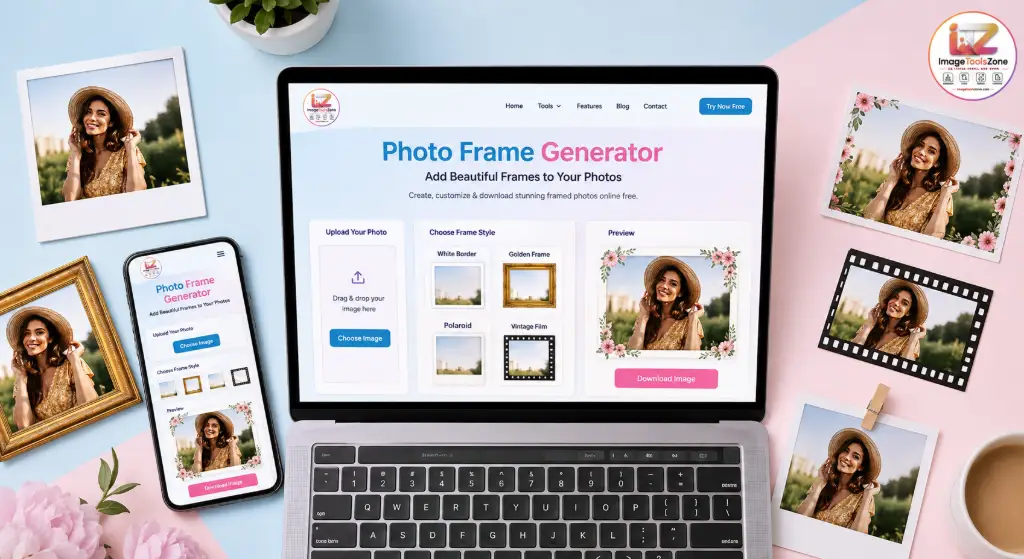
What Is a Photo Frame Generator?
A photo frame generator is a web-based tool that wraps a decorative border or frame around your image. Instead of manually drawing borders in an editor, you upload a photo, pick a frame style, tweak the thickness or color, and download the finished result.
Photo Frame vs Photo Border — What's the Difference?
People mix these up all the time, so let's clear it:
- Photo frame: A styled border with design elements — wood texture, gold trim, floral corners, Polaroid layout, film strip holes, etc.
- Photo border: A simpler solid or gradient edge around the image — usually a single color, a double line, or rounded padding.
A custom photo frame maker typically gives you both options, so you can go minimal or decorative depending on the mood.
Digital Frames vs Printable Frames
Digital frames are built for screens — optimized for Instagram squares, Pinterest pins, or website banners. They use RGB color and standard social sizes.
Printable frames are built for paper — they account for CMYK-friendly colors, safe margins, and common print ratios like 4:5, 5:7, or A4. You'll want to preview at full resolution before sending them to a printer.
Who Should Use an Online Frame Generator?
Content Creators
Frame Instagram posts and YouTube thumbnails for a consistent brand look.
Couples & Families
Add elegant frames to wedding, anniversary, and baby photos.
Small Business Owners
Give product photos a clean border for catalogs and online stores.
Students & Teachers
Frame class photos, certificates, and project images in seconds.
Why an Online Tool Beats Traditional Editing Software
Opening Photoshop just to add a white border is like using a crane to hang a picture frame. Online generators are built for this one job — they load in your browser, need no installation, and finish the task in under a minute. For 90% of framing needs, that's all you need.
How to Add a Frame to a Photo Online Free
Adding a frame to a photo online is a five-step process. Here's the exact workflow used by the ImageToolsZone photo frame maker online:
That's it. No account, no watermark, no "upgrade to remove the logo" trap. The whole add frame to photo online free process takes about 30 seconds once you've picked your style.
Quick Tips for Better Results
- Use a high-resolution source image — frames放大 any blurriness.
- Match the frame mood to the photo mood. Don't put a cartoon birthday frame on a serious portrait.
- If you're framing for print, preview at 100% zoom before downloading.
- For social media, crop to the right aspect ratio first using an image cropper.
Create Beautiful Photo Frames in Seconds
The reason people love a free photo frame generator is speed. You don't need to learn layer masks, brush tools, or blending modes. You pick a style, and the tool handles the design.
What makes a frame "beautiful" isn't the complexity — it's how well it matches the photo. A thin white border can look more elegant than a heavy gold frame on a minimalist portrait. The best create photo frame online tools give you enough control to find that match without overwhelming you with options.
Popular Photo Frame Styles You Can Create
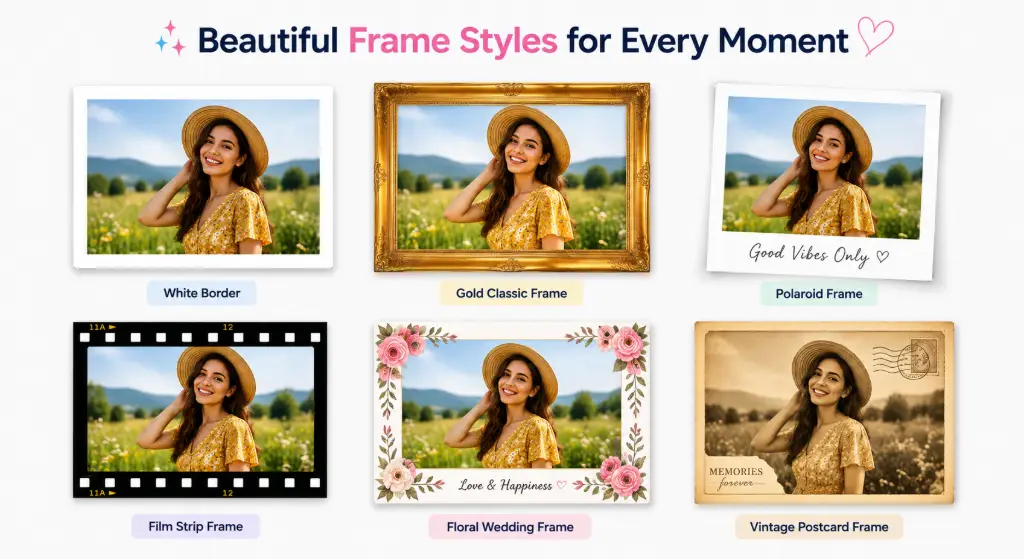
Here's a visual tour of the frame styles most people search for. Each one targets a different mood and use case.
Which Style Fits Which Photo?
Classic and gold frames work beautifully for portraits, family photos, and formal events. White and black frames are the go-to for modern social media posts because they make the image pop without distracting from it. Polaroid and film frames give travel and lifestyle shots a nostalgic, storybook feel. Floral and wedding frames are perfect for couples and celebrations. Christmas and birthday frames turn ordinary photos into shareable greeting cards.
Add a Custom Border to Your Photo
Sometimes you don't want a full decorative frame — you just want a clean border. A photo border generator gives you precise control over the edge of your image without adding any decorative elements.
Border Options You Can Customize
Border Thickness
From a hairline 2px edge to a thick 100px padded border.
Border Color
Pick any hex color, or stick with classic white, black, or pastel tones.
Inner Padding
Add breathing room between the photo edge and the frame.
Rounded Corners
Soften sharp corners for a modern, friendly look.
Double Borders
Two concentric borders for a classic, printed-photo feel.
Gradient Borders
Blend two colors along the edge for a subtle modern touch.
If you only need rounded corners without a full border, the round corners tool is a faster option. For oval or heart shapes, check out the oval crop and heart crop tools.
Create Polaroid & Vintage Photo Frames
The Polaroid Look — Why It Still Works
A Polaroid photo frame generator recreates the iconic instant-photo look: a white border on three sides and a thicker white margin at the bottom where you'd scribble a caption. It's the most requested frame style on social media because it feels personal, handmade, and nostalgic all at once.
What makes a Polaroid frame different?
- Uneven margins — thicker at the bottom, thinner on the top and sides.
- Caption space — room to add a name, date, or short message.
- Slight tilt option — many generators let you rotate the photo a few degrees for that "pinned on a board" look.
- Subtle texture — some add a faint paper grain to sell the retro feel.
Polaroid frames are perfect for travel diaries, couple memories, friendship posts, and any photo where you want to add a handwritten caption.
Vintage & Retro Photo Frames
Vintage frames take the nostalgia further. Instead of a clean white border, you get aged paper textures, faded edges, film-strip sprockets, or old-postcard styling.
Film Strip
Old Photo
Retro Colors
Postcard
Classic White
Pair a vintage frame with a black-and-white conversion or an image-to-sketch effect for an extra-authentic retro look.
Photo Frame Generator for Social Media
Social media is where most framed photos end up. A well-chosen frame makes your post stand out in a crowded feed and builds a consistent visual identity across your profile.
Where Framed Photos Work Best
Instagram Posts
White or pastel borders make square and portrait posts look curated.
Instagram Stories
Vertical frames with bold colors grab attention in the story feed.
Facebook Photos
Classic frames work well for family updates and event albums.
Pinterest Graphics
Tall pins with branded borders perform better in search.
WhatsApp Status
Birthday and festive frames turn quick snaps into greetings.
Profile Pictures
A thin colored ring around your avatar makes it pop in comments.
YouTube Thumbnails
Bold borders increase click-through by drawing the eye.
Digital Invitations
Framed photos make e-invites look professionally designed.
Instagram Photo Frame Tips
An Instagram photo frame maker should let you export at the exact aspect ratio Instagram uses — 1:1 for feed posts, 9:16 for Stories and Reels covers, 4:5 for portrait feed posts. A consistent photo border for Instagram across all your posts creates a recognizable brand. Pick one frame style and stick with it for 10-15 posts to see the grid-level impact.
For sizing help, the Instagram image resizer pairs perfectly with any frame generator.
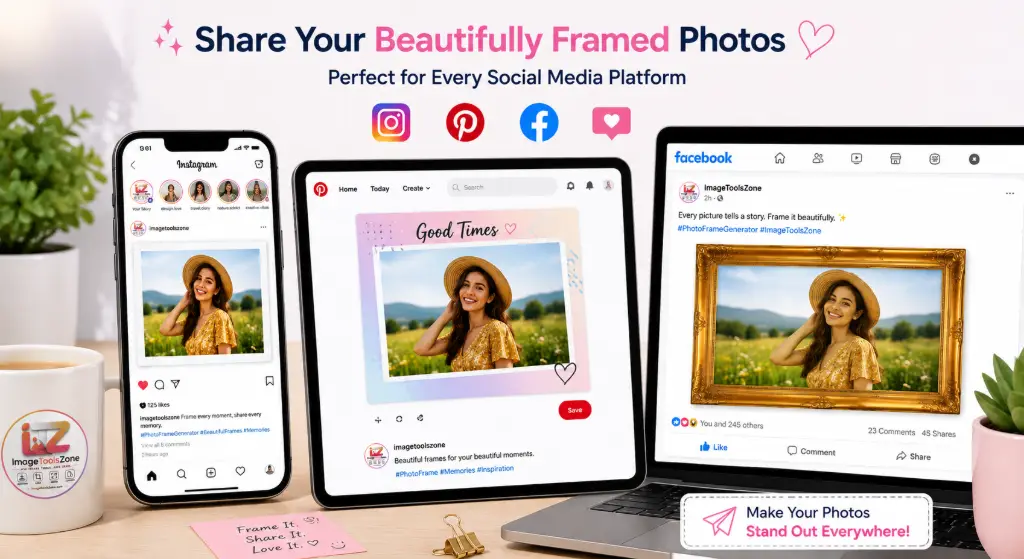
Photo Frames for Weddings, Birthdays & Special Occasions
Special moments deserve special frames. A generic white border won't capture the emotion of a wedding day or the joy of a first birthday. Here's how to match frames to occasions.
💍 Wedding Frames
Wedding photos call for elegance. Gold frames, floral corners, soft ivory borders, and double-line classic frames all work beautifully. Add the couple's names and wedding date in a serif font for a keepsake feel. These framed photos print well as 8x10 or 11x14 wall art.
🎂 Birthday Frames
Birthday frames are playful by design. Think balloons, confetti, bold colors, and space for the person's name and age. They're perfect for WhatsApp forwards, Facebook posts, and printed greeting cards.
🎄 Christmas & Holiday Frames
Red and green borders, snowflake patterns, pine sprigs, and "Merry Christmas" captions turn regular photos into holiday cards. Great for family newsletters and year-end greetings.
👶 Baby & Newborn Frames
Soft pastel frames in baby blue, blush pink, or mint green work best. Add the baby's name and birth details for a frame-worthy nursery print.
🎓 Graduation Frames
Classic black or navy frames with a gold accent, plus the graduate's name, year, and degree, make proud keepsakes. Pair with a professional photo editor to clean up the graduation portrait first.
❤️ Valentine's Day Frames
Romantic frames use reds, pinks, hearts, and soft script fonts. Perfect for couple photos and anniversary posts.
Photo Frame Generator for Business & Product Photos
Frames aren't just for personal photos. Businesses use them every day to make product shots, marketing graphics, and portfolio images look more professional.
Where Businesses Use Framed Photos
- Ecommerce product images — a clean white border makes products look consistent across a catalog.
- Social media marketing — branded frames create a recognizable feed.
- Portfolio images — photographers and designers use thin frames to present work cleanly.
- Real-estate photos — subtle borders give listing photos a polished look.
- Promotional banners — framed product shots convert better in ads.
For product photos, start with a background remover to isolate the product, then add a clean frame. If you need to auto-crop objects for ecommerce, that workflow pairs perfectly with framing.
Photo Frame Generator for Printing
Printing a framed photo is different from posting it online. Keep these rules in mind:
- Choose the right frame size — match the frame to your print ratio (4x6, 5x7, 8x10, A4).
- Maintain image quality — use at least 300 DPI source images. The DPI changer can help.
- Add safe margins — printers trim edges, so leave extra padding inside the frame.
- Preview at 100% — always zoom in before downloading to catch any blur or pixelation.
How to Choose the Right Frame Style
Picking a frame is easier when you match it to the photo's purpose. Here's a quick cheat sheet:
Portrait
Thin, minimal frame — white or black. Let the face be the focus.
Wedding
Elegant gold or floral frame with names and date.
Travel
Polaroid or vintage film frame to tell a story.
Product
Clean white or black border for a catalog-ready look.
Family
Classic wood or double-border frame for warmth.
Social Media
Bold, modern frame that matches your brand colors.
Old Photo
Retro or vintage frame to lean into the nostalgia.
When in doubt, go minimal. A thin white border almost never looks wrong, and it works across every platform and print size.
Why Use an Online Photo Frame Generator Instead of Photoshop?
Photoshop can do everything — including framing. But it's overkill for this one task. Here's a side-by-side look:
| Feature | Traditional Editing | Online Frame Generator |
|---|---|---|
| Software installation | Required | Works in browser |
| Learning curve | High | Beginner-friendly |
| Settings to manage | Multiple layers | Simple controls |
| Time to finish | 5-15 minutes | Under 1 minute |
| Device focus | Desktop | Mobile-friendly |
| Frame creation | Manual | Ready-made styles |
| Cost | Subscription | Free |
The online generator wins when your goal is simple: add a frame, fast. Use Photoshop when you need deep editing — retouching, compositing, color grading. For framing alone, the web tool is the smarter choice.
🔐 Is It Safe to Upload Photos to an Online Frame Generator?
This is the question everyone asks, and it's a fair one. You're uploading personal photos — weddings, kids, vacations — to a website. Here's what you should look for in a trustworthy tool:
- Clear privacy policy — the tool should state what happens to your files.
- No account required — if you don't sign up, there's no profile storing your data.
- Client-side processing — some tools process images in your browser, so files never leave your device.
- Temporary server storage — if files are uploaded, they should be deleted shortly after.
- No watermark — a legitimate free tool doesn't hold your image hostage.
ImageToolsZone's photo frame generator is designed with privacy in mind. Always read the tool's privacy page if you're handling sensitive photos, and avoid uploading anything you wouldn't want stored temporarily on a server.
📱 Can I Create a Photo Frame on My Phone?
Yes — and most people do. The photo frame generator online free tools are built to run in mobile browsers, so you don't need to install an app.
Android
Works in Chrome, Samsung Internet, and Firefox.
iPhone
Works in Safari and Chrome for iOS.
iPad & Tablets
Larger screen makes frame customization easier.
Any Mobile Browser
No app install. Just open the URL and upload.
How to Frame a Photo from Your Phone
- Open the photo frame maker in your mobile browser.
- Tap the upload button — your phone will open the photo gallery.
- Pick the photo you want to frame.
- Choose a frame style and adjust settings with touch controls.
- Tap download — the framed photo saves to your phone's gallery.
That's it. No app store, no permissions, no storage taken up. The whole process works on a 5-second mobile data connection.
🚀 Before & After: Turn a Plain Photo Into a Framed Photo
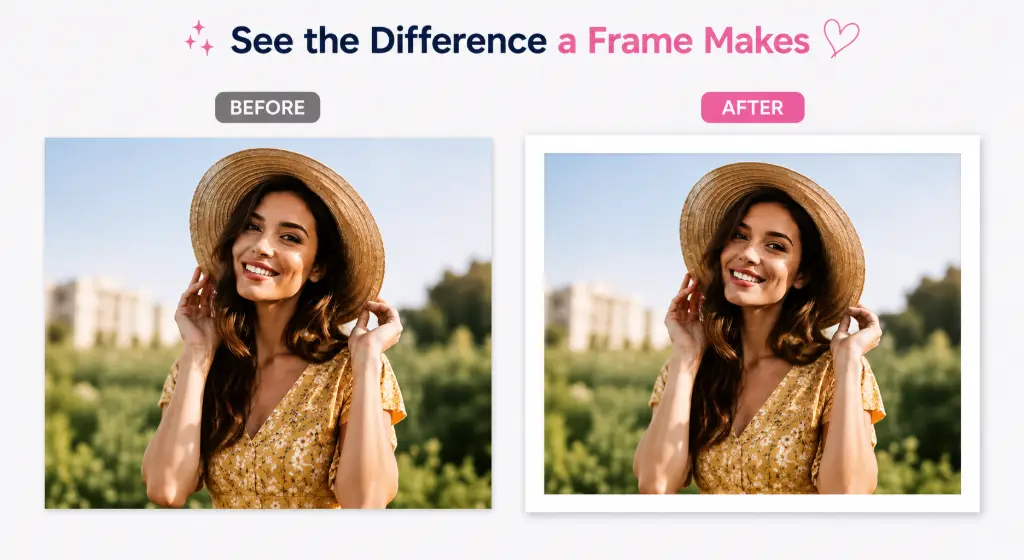
Seeing the difference is the best way to understand why framing matters. Here's a typical transformation:

A plain photo with no border, raw edges, and nothing to separate it from the background. Looks like a screenshot.

The same photo with a clean white frame, subtle padding, and a soft caption at the bottom. Looks like a finished print.
What Changed?
- Original image: 1080x1080 portrait photo, no edits.
- Frame added: White minimalist frame, 40px thickness.
- Border style: Even padding on all sides, rounded corners.
- Final output: 1160x1160 framed image, ready to post or print.
Small change, big difference. A frame tells the viewer "this image is finished" — and that perception matters, whether you're posting on Instagram or handing someone a printed photo.
Why Use ImageToolsZone Photo Frame Generator?
Fast
Create a framed image in seconds — upload, pick, download.
Free
No payment required for basic framing. No hidden fees.
Mobile Friendly
Frame photos from your phone, tablet, or desktop.
Multiple Styles
Choose from classic, Polaroid, vintage, floral, and more.
Live Preview
See the result in real time before downloading.
Easy Download
Save your finished framed photo in one tap.
Privacy Focused
Your photos are handled with care and not misused.
Frequently Asked Questions
What is a photo frame generator?
Can I add a frame to a photo online for free?
How do I add a frame to a photo?
Can I create a custom photo frame online?
Can I add a border instead of a frame?
Can I create a Polaroid-style photo?
Can I use the photo frame generator on my phone?
Will adding a frame reduce photo quality?
Can I use a photo frame for Instagram?
Can I create vintage photo frames?
Are my photos safe when using an online frame generator?
Can I download my framed photo for free?
What file formats are supported?
Can I add text or captions to my framed photo?
Is there a limit on how many photos I can frame?
Can I use the framed photo for commercial purposes?
Do I need to create an account?
Related Tools You Might Like
Create Your Photo Frame Online — Free
Upload your photo → Choose your frame → Customize → Download. It really is that simple.
🖼️ Start Framing Now